Solve Mic Distortion or Intermittent Sound in Recordings
Summary: The article provides information about Latitude 5455 and Inspiron 14 5441 encountering sound distortion or intermittently no sound when recording with an onboard microphone.
This article applies to
This article does not apply to
This article is not tied to any specific product.
Not all product versions are identified in this article.
Symptoms
Changing the Audio Enhancements settings to Microsoft Windows Studio Voice Focus, the audio recorded using an onboard microphone has distorted sound or no audio.
Changing the setting back to the default setting Device Default Effects has no problem.
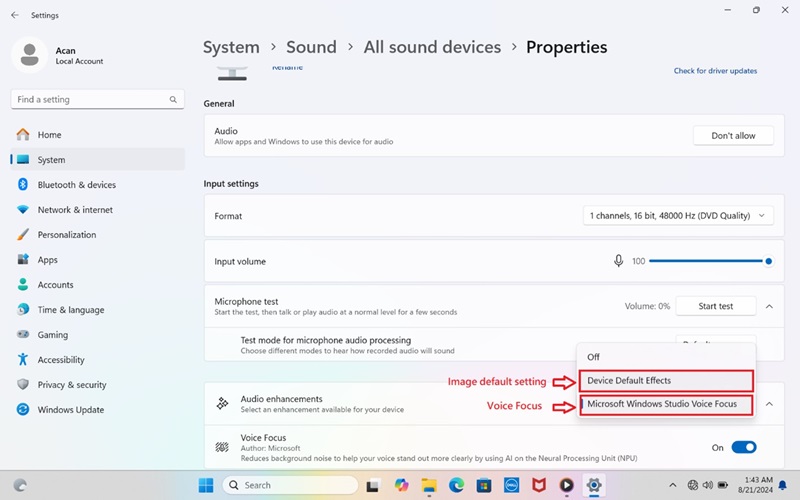
(Figure 1 - Sound Properties)
Affected Platforms:
- Latitude 5455
- Inspiron 14 5441
Cause
The gain setting for Microsoft Windows Studio Voice Focus is too high.
Resolution
Updating to Realtek High Definition Audio Driver version 1.0.4085.5900 or later resolves the issue. To download and install the driver, see How to Download and Install Dell Drivers.
Affected Products
Inspiron 14 5441, Latitude 5455Article Properties
Article Number: 000237147
Article Type: Solution
Last Modified: 24 Apr 2025
Version: 3
Find answers to your questions from other Dell users
Support Services
Check if your device is covered by Support Services.