Avamar:Avamarにバックアップされたクライアントのバージョンを検索する方法
Summary: Avamar:Avamarにバックアップされたクライアントのバージョンを検索する方法
This article applies to
This article does not apply to
This article is not tied to any specific product.
Not all product versions are identified in this article.
Instructions
Avamar Administratorコンソールにはクライアント サマリー レポートがあり、Avamarにバックアップされたクライアントのバージョンやその他の情報を確認できます。レポートを表示するには、GUIを起動し、[Policy]ボタンをクリックしてから、[Client Summary Rep]タブをクリックします。
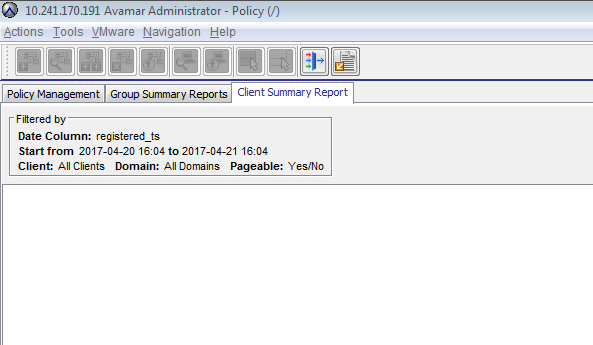
レポートは、必要に応じて特定のドメインまたは日付範囲でフィルタリングできます。csvにエクスポートできます。
または、コマンド ラインからMCSデータベースからこの情報を収集することもできます。次のコマンドを使用すると、クライアント サマリー レポートには他にも多数の列が含まれるため、より具体的な出力を取得できます(このコマンドでは、VMと廃棄されたクライアントに対して表示される不明なエージェント バージョンのクライアントは除外されることに注意してください)。
レポートは、必要に応じて特定のドメインまたは日付範囲でフィルタリングできます。csvにエクスポートできます。
または、コマンド ラインからMCSデータベースからこの情報を収集することもできます。次のコマンドを使用すると、クライアント サマリー レポートには他にも多数の列が含まれるため、より具体的な出力を取得できます(このコマンドでは、VMと廃棄されたクライアントに対して表示される不明なエージェント バージョンのクライアントは除外されることに注意してください)。
psql -p 5555 mcdb -c "select descr,agent_version from clients where agent_version != 'Unknown'";

Example output:
admin@lab-avamar:~/>: psql -p 5555 mcdb -c "select descr,agent_version from clients where agent_version != 'Unknown'";
                    descr                     |       agent_version
----------------------------------------------+---------------------------
 /clients/sap                                 | 7.2.100-401
 /clients/proxy2.example.lab                  | 7.2.100-401
Affected Products
AvamarProducts
AvamarArticle Properties
Article Number: 000019192
Article Type: How To
Last Modified: 06 Mar 2025
Version: 4
Find answers to your questions from other Dell users
Support Services
Check if your device is covered by Support Services.