Avamar:如何尋找備份至 Avamar 的用戶端版本
Summary: Avamar:如何尋找備份至 Avamar 的用戶端版本
This article applies to
This article does not apply to
This article is not tied to any specific product.
Not all product versions are identified in this article.
Instructions
在 Avamar Administrator 主控台中,有用戶端摘要報告,可用於尋找備份至 Avamar 的用戶端版本和其他資訊。若要檢視報告,請啟動 gui,按一下原則按鈕,然後按一下客戶摘要代表標籤。
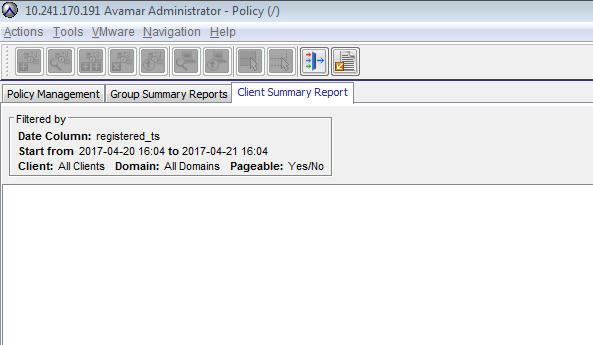
您可以根據需要針對特定網域或日期範圍篩選報告。它可以匯出為 csv。
或者,也可以從命令列,從 MCS 資料庫收集此資訊。以下命令可用於獲取更具體的輸出,因為用戶端摘要報告包括許多其他列(請注意,此命令不包括未知代理版本用戶端,因為 VM 和已停用用戶端將出現):
您可以根據需要針對特定網域或日期範圍篩選報告。它可以匯出為 csv。
或者,也可以從命令列,從 MCS 資料庫收集此資訊。以下命令可用於獲取更具體的輸出,因為用戶端摘要報告包括許多其他列(請注意,此命令不包括未知代理版本用戶端,因為 VM 和已停用用戶端將出現):
psql -p 5555 mcdb -c "select descr,agent_version from clients where agent_version != 'Unknown'";

Example output:
admin@lab-avamar:~/>: psql -p 5555 mcdb -c "select descr,agent_version from clients where agent_version != 'Unknown'";
                    descr                     |       agent_version
----------------------------------------------+---------------------------
 /clients/sap                                 | 7.2.100-401
 /clients/proxy2.example.lab                  | 7.2.100-401
Affected Products
AvamarProducts
AvamarArticle Properties
Article Number: 000019192
Article Type: How To
Last Modified: 06 Mar 2025
Version: 4
Find answers to your questions from other Dell users
Support Services
Check if your device is covered by Support Services.