ECS:如何在 S3 浏览器中按非拥有权限的用户查看存储区
Summary: 如何在 S3 浏览器中由非拥有权限的用户查看存储区。
This article applies to
This article does not apply to
This article is not tied to any specific product.
Not all product versions are identified in this article.
Instructions
问题:非所有者用户无法查看其他用户拥有的存储区,尽管该非所有者用户有权在 S3 浏览器中对该存储区进行读/写。
提醒:这不是问题。S3 浏览器按设计正常工作。
解决方案:非所有者用户必须在 S3 浏览器中从外部添加存储区。如下图所示:
场景:
owner_user:S3 用户 — 还设置了 ACL 权限 guest_bucket。
owner_bucket:S3 存储区由 owner_user
another_owner_bucket:S3 存储桶也归 owner_user
guest_user:S3 用户拥有存储区 guest_bucket
guest_bucket:S3 存储区由 guest_user
-
现状:
owner_user看不见guest_bucket尽管授予了读取和写入 ACL 权限。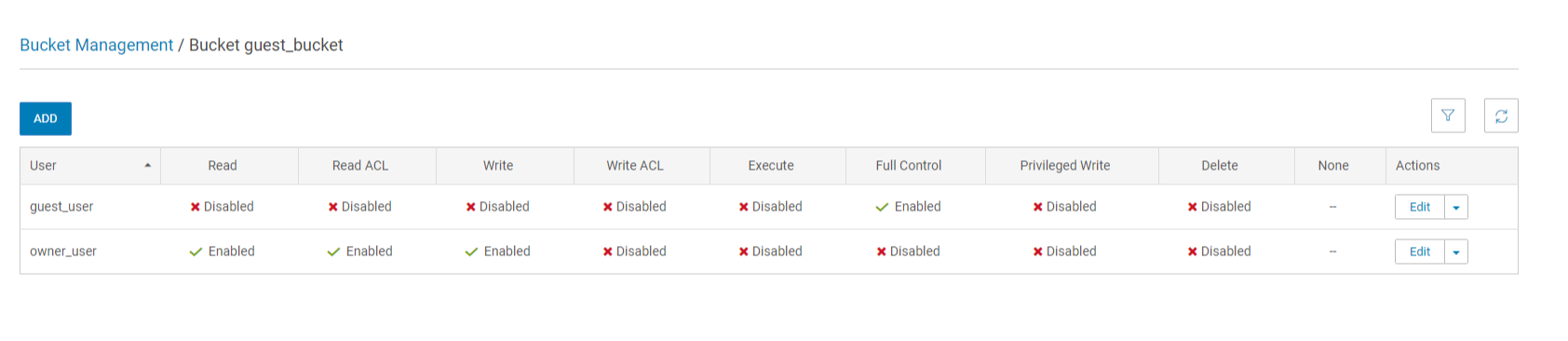

-
对于
owner_user为了能够查看guest_bucket(由另一个用户拥有),则必须将guest_bucket添加为外部存储区。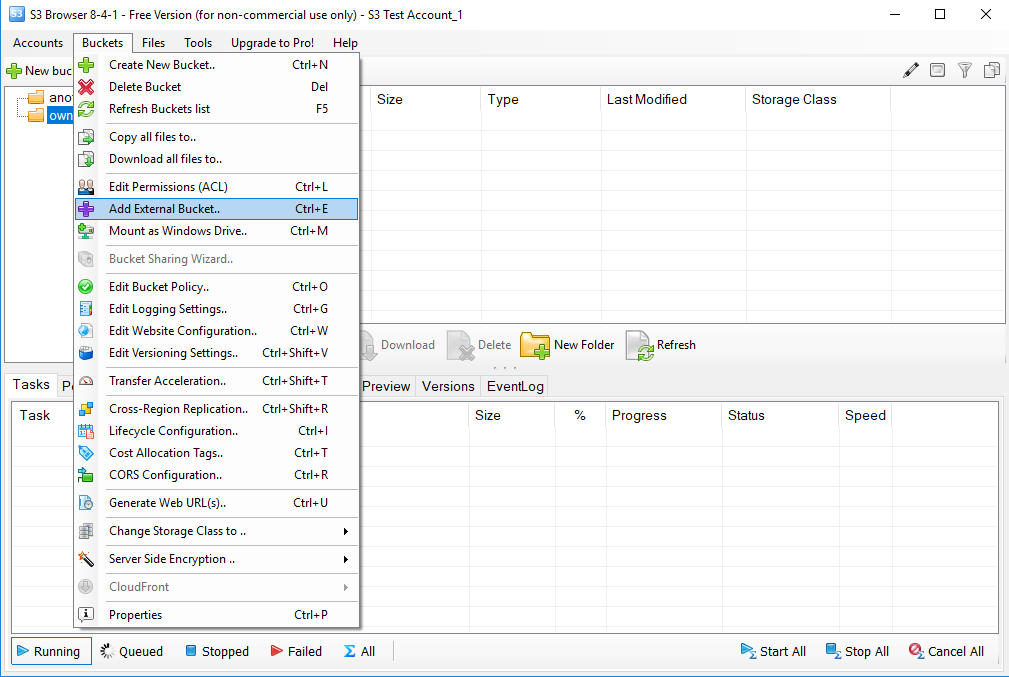

-
因此
owner_user可以查看guest_bucket在 S3 浏览器上,并根据给定的 ACL 权限执行读/写操作。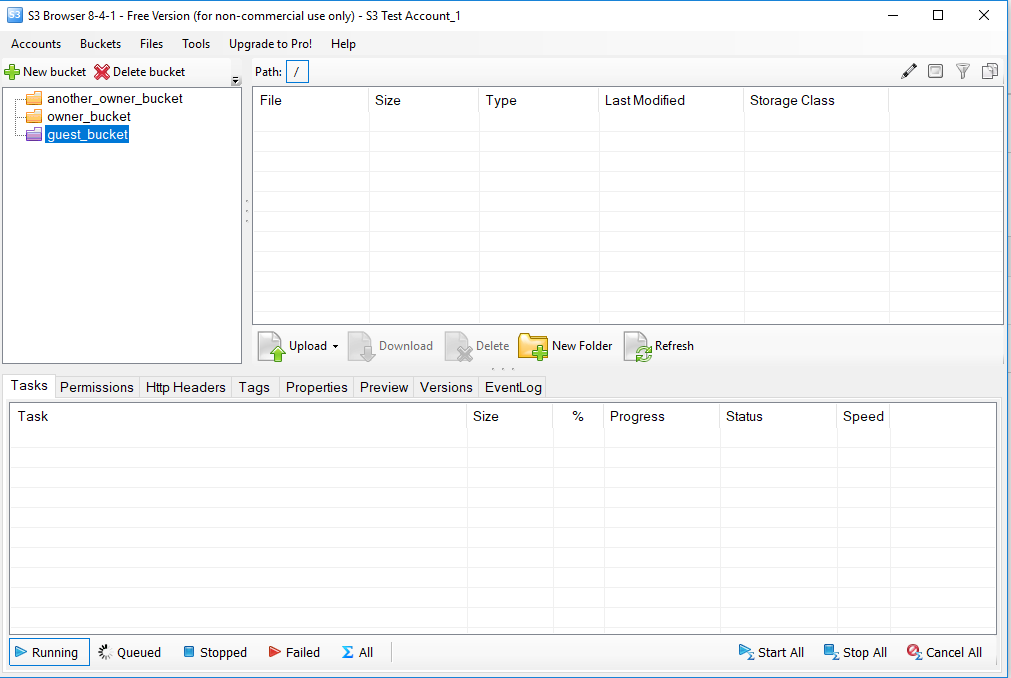
Affected Products
ECS ApplianceProducts
ECS ApplianceArticle Properties
Article Number: 000019806
Article Type: How To
Last Modified: 28 Mar 2025
Version: 6
Find answers to your questions from other Dell users
Support Services
Check if your device is covered by Support Services.