Avamar: Slik endrer du Avamar Virtual Edition (AVE) RAM- og CPU-konfigurasjon
Summary: Du kan justere CPU- og minnekonfigurasjonen til en virtuell Avamar Virtual Edition (AVE)-maskin etter at den har blitt implementert i vCenter. Dette kan være nødvendig for å oppfylle spesifikke krav til ytelse eller størrelse. ...
This article applies to
This article does not apply to
This article is not tied to any specific product.
Not all product versions are identified in this article.
Instructions
Nedenfor finner du de anbefalte kravene i installasjonsveiledningen for Avamar Virtual Edition (AVE):

I spesifikke krav kan en AVE trenge spesifikke konfigurasjoner, for eksempel antall prosessorer eller RAM-størrelse. Det er mulig å øke minnestørrelsen og antall prosessorer selv etter at AVE er distribuert.
Følgende trinn kan følges for å justere disse konfigurasjonene for AVE:
- Logg på vSphere-nettklienten
- Finn den virtuelle Avamar AVE-maskinen (VM).
- "Høyreklikk" på VM
- Strøm –> slå av gjesteoperativsystem
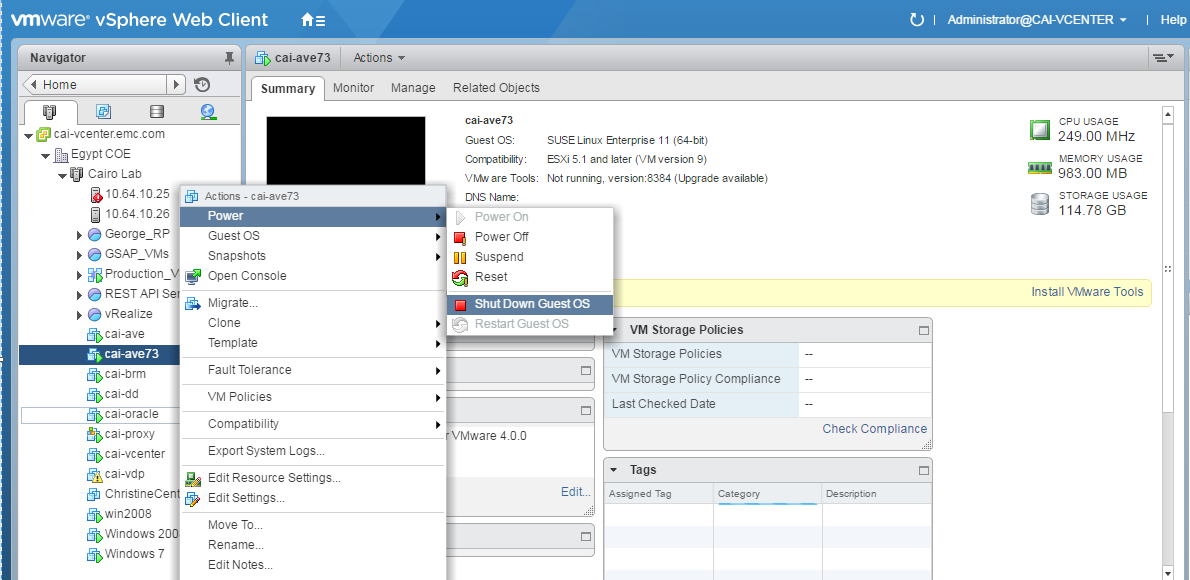
- "Høyreklikk" på VM -> Rediger innstillinger
- Endre CPU- og RAM-konfigurasjon
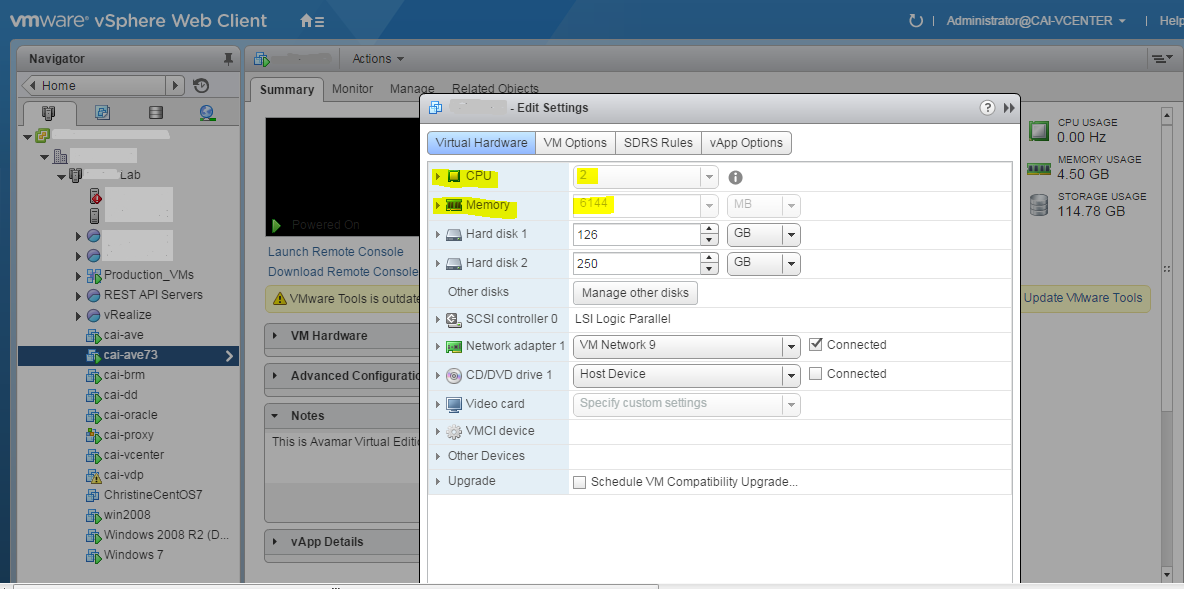
- "Høyreklikk" på VM
- Strøm –> strøm på
Merk: Se alltid installasjonsveiledningen for Avamar Virtual Edition for anbefalte ressurskonfigurasjoner.
Affected Products
AvamarProducts
Avamar, Avamar Virtual EditionArticle Properties
Article Number: 000019945
Article Type: How To
Last Modified: 03 Oct 2025
Version: 3
Find answers to your questions from other Dell users
Support Services
Check if your device is covered by Support Services.