Deployment KB: NVT: How to Troubleshoot the NVT, How to locate NVT Logs, and How to Contact NVT Support
Summary: How to Troubleshoot the NVT, How to locate NVT Logs, and How to Contact NVT Support
This article applies to
This article does not apply to
This article is not tied to any specific product.
Not all product versions are identified in this article.
Instructions
How to troubleshoot:
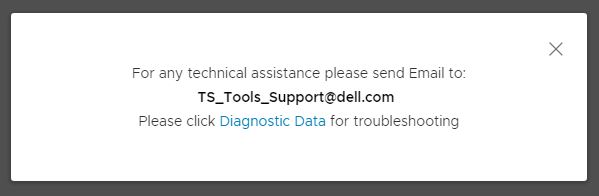
1. In the NVT User Interface, go to "Contact Us", then "Support".

2. Click "Diagnostic Data" to export the logs and view them in text format.
How to locate NVT logs
If you need to locate logs after the NVT has been closed, follow these steps.
1. In File Explorer, select "View" from the file menu
2. Check the "Hidden Items" checkbox.
3. Go to "C:\Users\<your NT_ID>\AppData\Roaming\Network Validation Tool for VxRail\logs"

How to contact support
Option 1: Email the Diagnostic Data to TS_Tools_Support@dell.com
Option 2: Go to https://psapps.emc.com/central/help/request-support
Option 3: Open an SR from the support site.
1. In the NVT User Interface, go to "Contact Us", then "Support".
How to locate NVT logs
If you need to locate logs after the NVT has been closed, follow these steps.
1. In File Explorer, select "View" from the file menu
2. Check the "Hidden Items" checkbox.
3. Go to "C:\Users\<your NT_ID>\AppData\Roaming\Network Validation Tool for VxRail\logs"
How to contact support
Option 1: Email the Diagnostic Data to TS_Tools_Support@dell.com
Option 2: Go to https://psapps.emc.com/central/help/request-support
Option 3: Open an SR from the support site.
Affected Products
VxRailArticle Properties
Article Number: 000021480
Article Type: How To
Last Modified: 29 Jul 2024
Version: 4
Find answers to your questions from other Dell users
Support Services
Check if your device is covered by Support Services.