VNX: Klon Özel LUN'ları silme
Summary: VNX: Klon Özel LUN'larını silme.
This article applies to
This article does not apply to
This article is not tied to any specific product.
Not all product versions are identified in this article.
Instructions
-
Unisphere'de oturum açın. Dashboard" öğesinin sol tarafında yer alan açılır çubuğu kullanarak veya ekranın sol üst kısmındaki "Systems by Significanceity" kutusunda bu öğeyi seçerek etkilenen diziyi seçin.
-
Veri Koruması etiketli sekmeye gidin.
-
Sağ taraftaki Klonlama Ayarlarını Yapılandır'a tıklayın
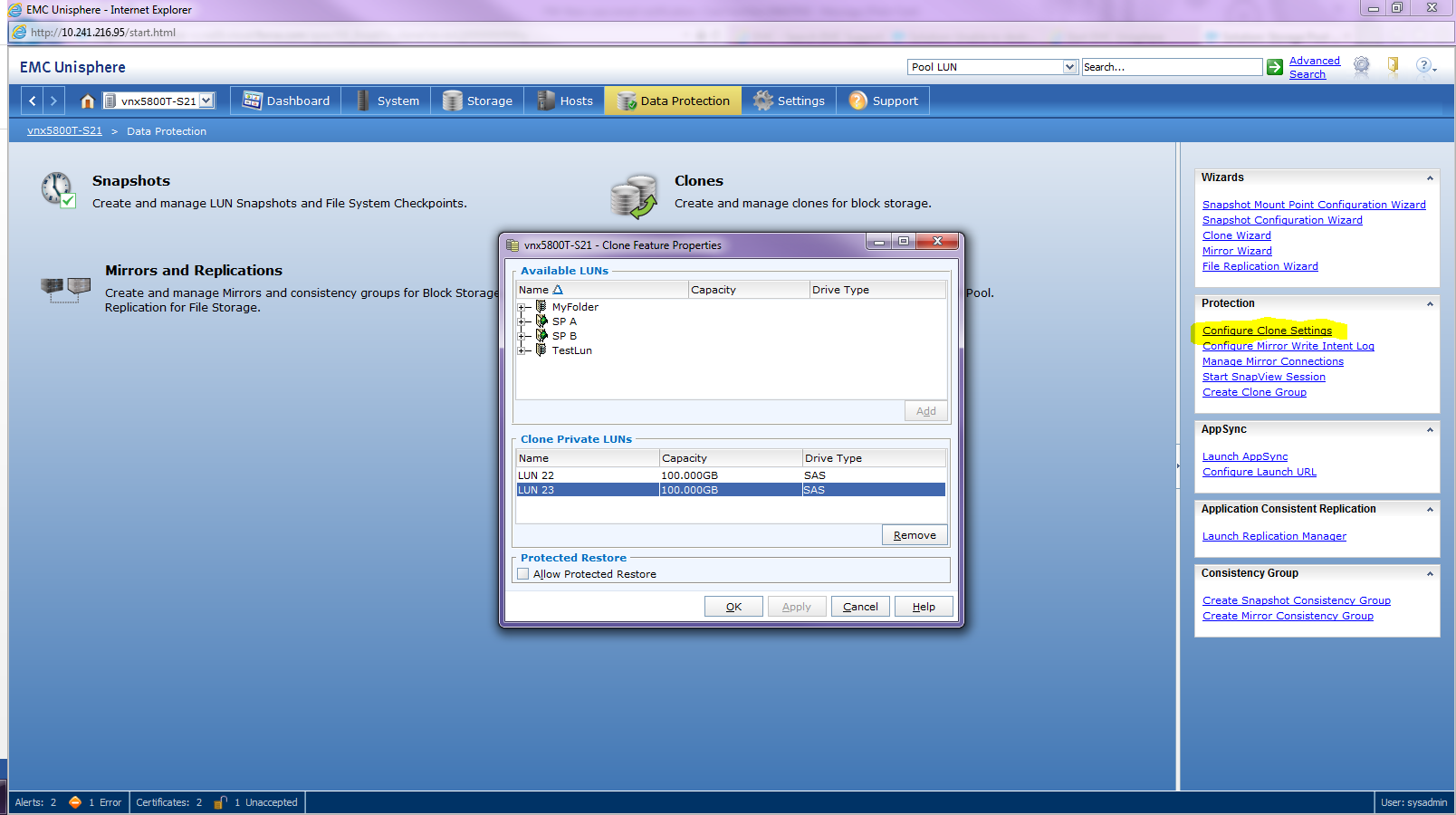
-
Klon Özel LUN'lar listesinden istediğiniz Klon Özel LUN'a tıklayın
-
Kaldır'a tıklayın
Not: Klon Özel LUN'u silinmeden önce tüm ilişkili Klonlar ve Klon Grupları parçalanmalı ve kaldırılmalıdır.
Affected Products
VNX1 SeriesProducts
VNX1 Series, VNX2 Series, VNX/VNXeArticle Properties
Article Number: 000022409
Article Type: How To
Last Modified: 22 Oct 2025
Version: 5
Find answers to your questions from other Dell users
Support Services
Check if your device is covered by Support Services.