VNX: Unisphere Manager GUI'sı aracılığıyla Komut Satırı Arayüzüne (CLI) girme. (Kullanıcı Tarafından Düzeltilebilir)
Summary: Unisphere üzerinden CLI'ya erişme adımları.
This article applies to
This article does not apply to
This article is not tied to any specific product.
Not all product versions are identified in this article.
Instructions
Unisphere'de
CLI'ya ulaşma1. Unisphere'de oturum açın.
2. System sekmesini seçin.
3. Sağ alt bölmedeki Control Station CLI öğesine gidin.
4. Bunun hemen altındaki Komutu Çalıştır'ı seçin.
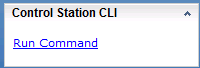
5. Komut girmek için komut sayfası açılır.

CLI'ya ulaşma1. Unisphere'de oturum açın.
2. System sekmesini seçin.
3. Sağ alt bölmedeki Control Station CLI öğesine gidin.
4. Bunun hemen altındaki Komutu Çalıştır'ı seçin.
5. Komut girmek için komut sayfası açılır.
Affected Products
VNX/VNXeProducts
VNX/VNXeArticle Properties
Article Number: 000022420
Article Type: How To
Last Modified: 24 Sep 2024
Version: 3
Find answers to your questions from other Dell users
Support Services
Check if your device is covered by Support Services.