VNX-serien: Føj LUN til storagegruppen
Summary: VNX-serien: Føj LUN til storagegruppen
This article applies to
This article does not apply to
This article is not tied to any specific product.
Not all product versions are identified in this article.
Instructions
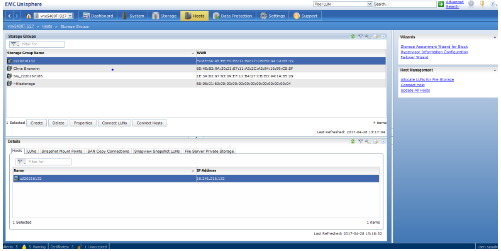
Under værtslagergruppen>i Unisphere
-Fremhæv navnet på den storagegruppe, du vil føje LUN'en til.
-Klik på connect LUNs:
-I dialogboksen med egenskaber for lagergruppe skal du finde den LUN, du føjer til lagergruppen, i toppanelet.
-Klik på Tilføj:

-Når du har tilføjet LUN'en, vises den på det nederste panel.
-Klik på Host LUN ID for den LUN, og en rullemenu vises, så du vil være i stand til at ændre det til HLU:

-Klik på Anvend.
Affected Products
VNX/VNXeProducts
VNX/VNXeArticle Properties
Article Number: 000022619
Article Type: How To
Last Modified: 22 Oct 2025
Version: 6
Find answers to your questions from other Dell users
Support Services
Check if your device is covered by Support Services.