VNX-serien: Legg til LUN i lagringsgruppen
Summary: VNX-serien: Legg til LUN i lagringsgruppen
This article applies to
This article does not apply to
This article is not tied to any specific product.
Not all product versions are identified in this article.
Instructions
Under verter>lagringsgruppe i Unisphere
-Uthev navnet på lagringsgruppen som du vil legge til LUN i.
-Klikk på koble til LUN-er:

-I dialogboksen Egenskaper for lagringsgruppe finner du LUN-en du legger til i lagringsgruppen i topppanelet.
-Klikk på legg til:
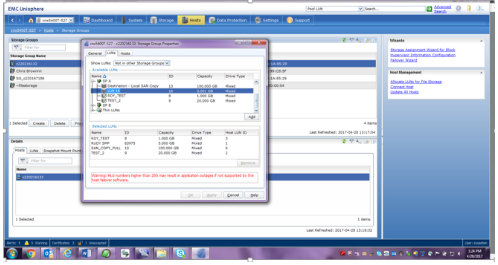
-Etter at du har lagt til LUN, vises den på bunnpanelet.
-Klikk på verts-LUN-ID-en for den LUN-en, så vises en rullegardinmeny slik at du kan endre den til HLU:
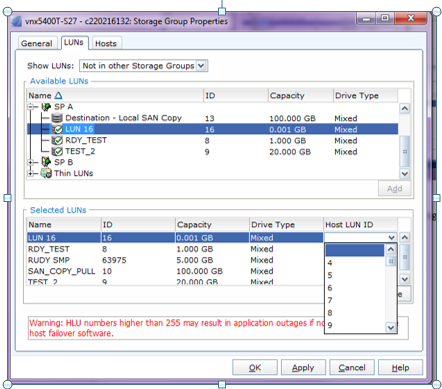
-Klikk på bruk.
Affected Products
VNX/VNXeProducts
VNX/VNXeArticle Properties
Article Number: 000022619
Article Type: How To
Last Modified: 22 Oct 2025
Version: 6
Find answers to your questions from other Dell users
Support Services
Check if your device is covered by Support Services.