VxRail:如何隱藏叢集監控,以防止在維護期間產生 Dial Home 服務要求
Summary: 如何隱藏叢集監控,以防止在維護、測試或節點更換期間產生 Dial Home 服務要求。
This article applies to
This article does not apply to
This article is not tied to any specific product.
Not all product versions are identified in this article.
Instructions
如果您有已規劃的停機時間或是在 VxRail 應用裝置上進行測試,並且想要防止為這些事件產生 dial home 事件和服務要求,您可以執行下列步驟,在這些事件發生之前隱藏叢集監控。
VxRail 4.5.x 和更舊版本的指示:Web UI
-
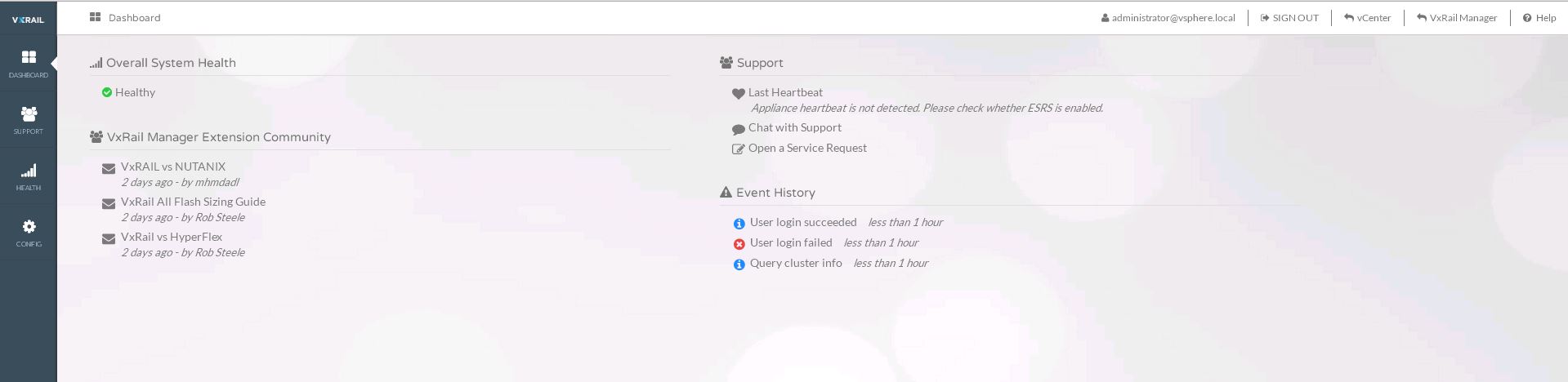
登入 VxRail Manager 的 Web UI:
-
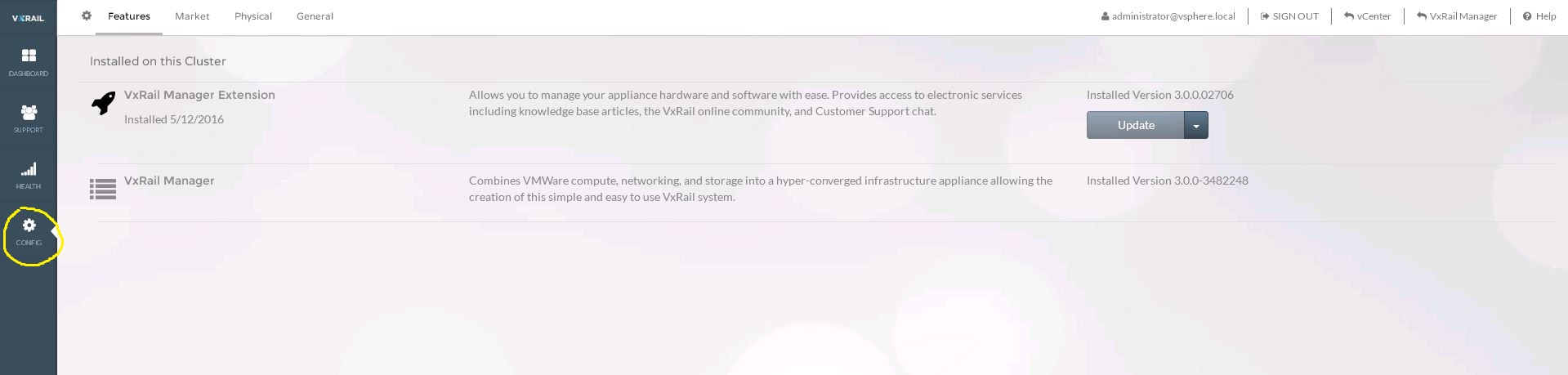
按一下 UI 左側的「組態」:
-
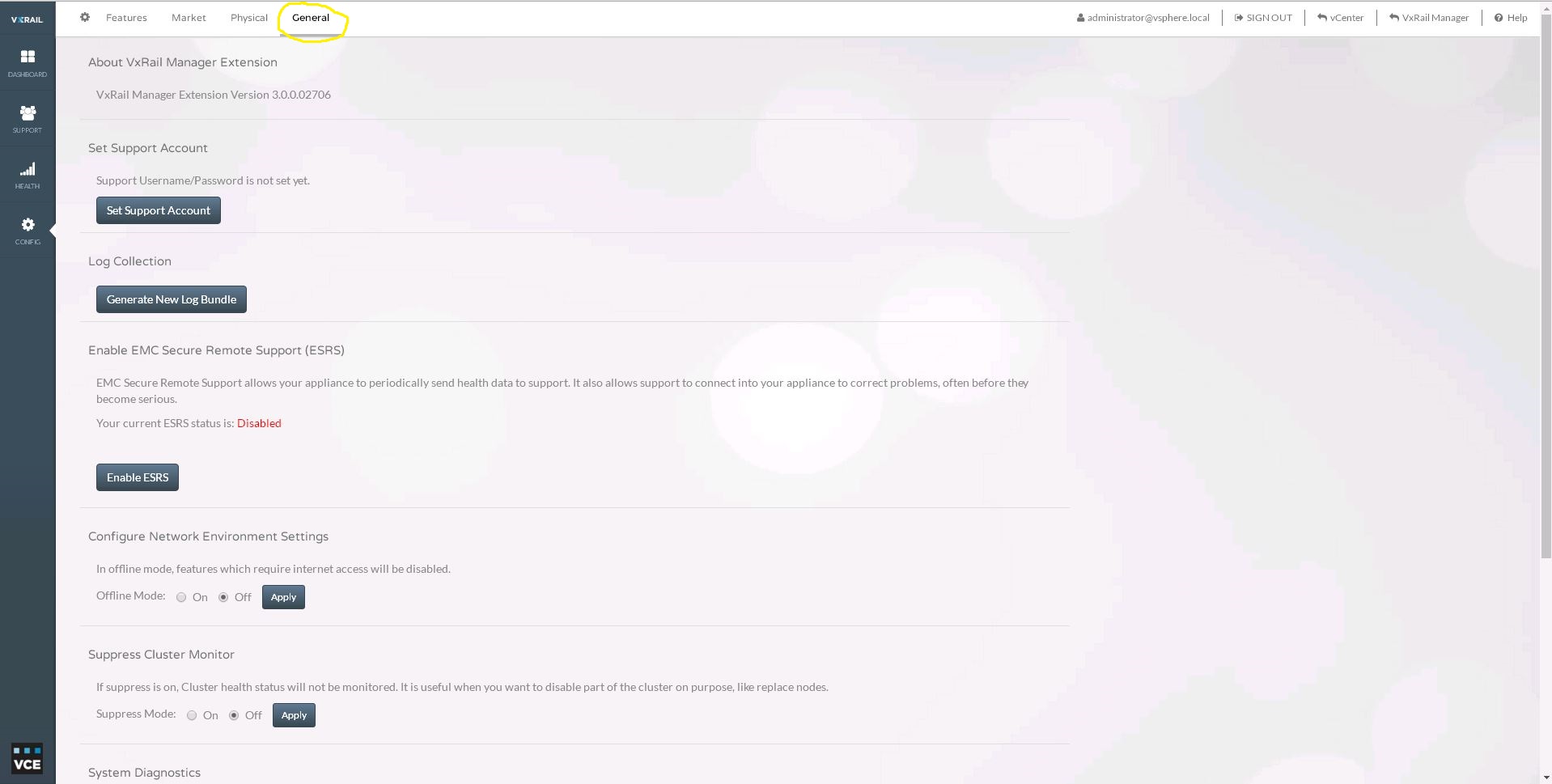
按一下 UI 頂端的「一般」:
-
在「抑制群集監視器」下,選擇「打開」,然後按下「應用」按鈕:

-
完成維護或測試後,請返回「抑制叢集監控」,選取「關閉」,然後按一下「套用」。
VxRail 4.7.x 及更新版本的指示: vCenter 附掛程式
-
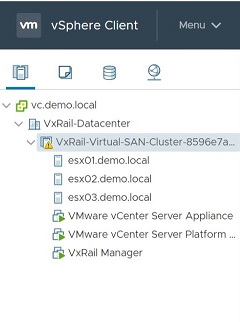
在 vCenter 中,移至並反白顯示您要隱藏的 VxRail 叢集。
-
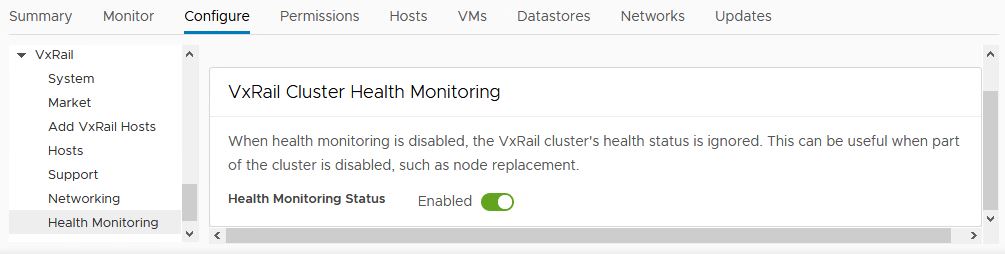
從右側的標籤中選取「Configure」標籤(請參閱下面的螢幕截圖)
-
在中央視窗窗格檢視中向下捲動,找出「VxRail」區段並展開
-
在中央視窗窗格檢視中進一步向下捲動以反白顯示「Health Monitoring」選項
-
在右側主視窗檢視中,按一下「Health Monitoring Status」選項,將「Enable」變更為「Disable」(停用),並抑制叢集監控
Additional Information
通過執行此操作,您可以説明防止從一開始就為計劃內中斷和測試生成 dial home 事件和服務請求。
Affected Products
VxRail SoftwareProducts
VxRail SoftwareArticle Properties
Article Number: 000022653
Article Type: How To
Last Modified: 28 Mar 2025
Version: 7
Find answers to your questions from other Dell users
Support Services
Check if your device is covered by Support Services.