Dell Unity: Nie można usunąć migawki systemu (z możliwością naprawienia przez firmę Dell)
Summary: Kod błędu: 0x716d80b0 podczas usuwania migawki systemu
This article applies to
This article does not apply to
This article is not tied to any specific product.
Not all product versions are identified in this article.
Symptoms
Błąd podczas próby usunięcia migawki ze źródła po usunięciu sesji replikacji po stronie docelowej.
CLI
service@(none) spb:~> uemcli -u admin -p Password /prot/snap -id delete
Operation failed. Error code: 0x716d80b0
The specified operation cannot be performed on a system snapshot. (Error Code:0x716d80b0)
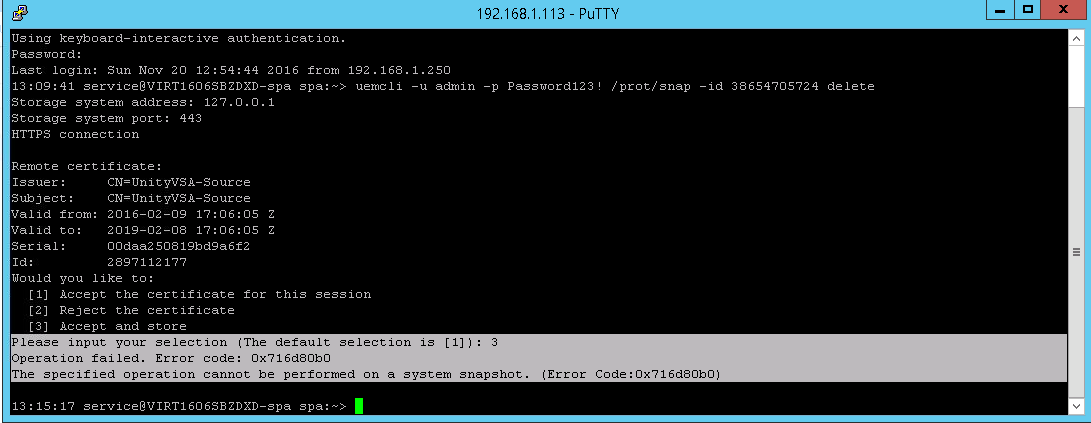
Unisphere
Przycisk usuwania jest wyłączony z następującym komunikatem o błędzie "
Cannot delete system snapshot":
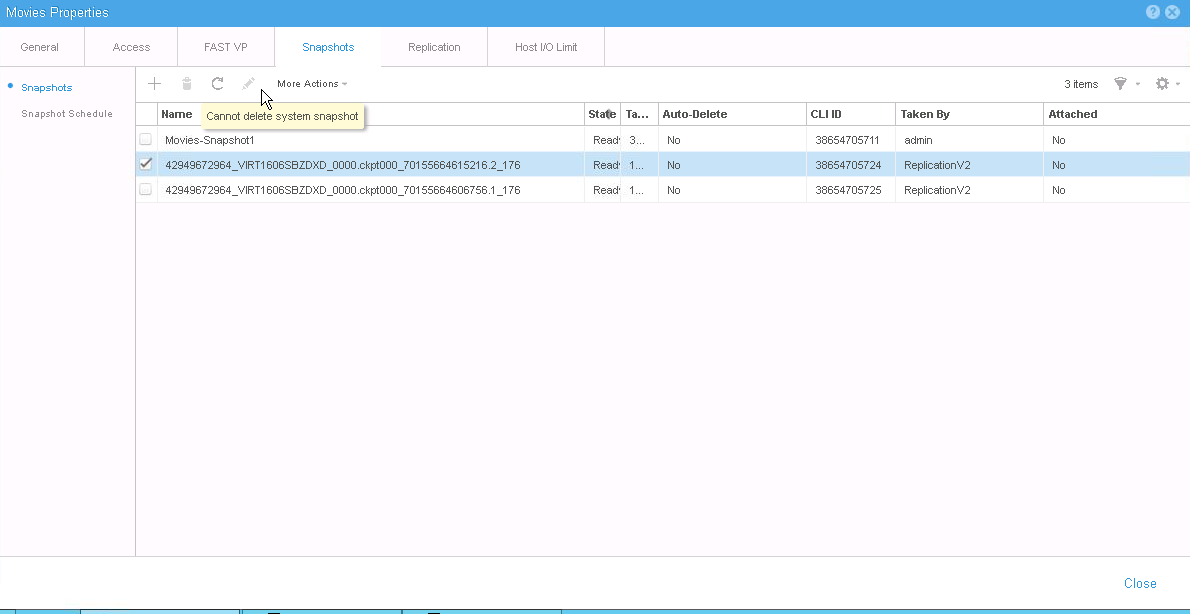
Cause
Migawki systemu są używane do celów wewnętrznych, takich jak replikacja. W idealnym przypadku usunięcie replikacji powinno spowodować automatyczne usunięcie migawek systemu.
Resolution
Migawki systemu nie można zniszczyć przy użyciu standardowych poleceń ani interfejsu użytkownika Unisphere.
Prosimy skontaktować się z działem pomocy technicznej firmy Dell lub z autoryzowanym przedstawicielem serwisu i podać ten identyfikator artykułu z bazy wiedzy firmy Dell.
Prosimy skontaktować się z działem pomocy technicznej firmy Dell lub z autoryzowanym przedstawicielem serwisu i podać ten identyfikator artykułu z bazy wiedzy firmy Dell.
Affected Products
Dell EMC Unity FamilyProducts
Dell Unity 300, Dell EMC Unity 300F, Dell EMC Unity 400, Dell EMC Unity 400F, Dell EMC Unity 500, Dell EMC Unity 500F, Dell EMC Unity 600, Dell EMC Unity 600F, Dell EMC Unity Family |Dell EMC Unity All Flash, Dell EMC Unity Family
, Dell EMC Unity Hybrid
...
Article Properties
Article Number: 000052824
Article Type: Solution
Last Modified: 11 Apr 2025
Version: 4
Find answers to your questions from other Dell users
Support Services
Check if your device is covered by Support Services.