Dell Unity: Sistem anlık görüntüsü silinemiyor (Dell Tarafından Düzeltilebilir)
Summary: Hata Kodu: Sistem anlık görüntüsünü silerken 0x716d80b0
This article applies to
This article does not apply to
This article is not tied to any specific product.
Not all product versions are identified in this article.
Symptoms
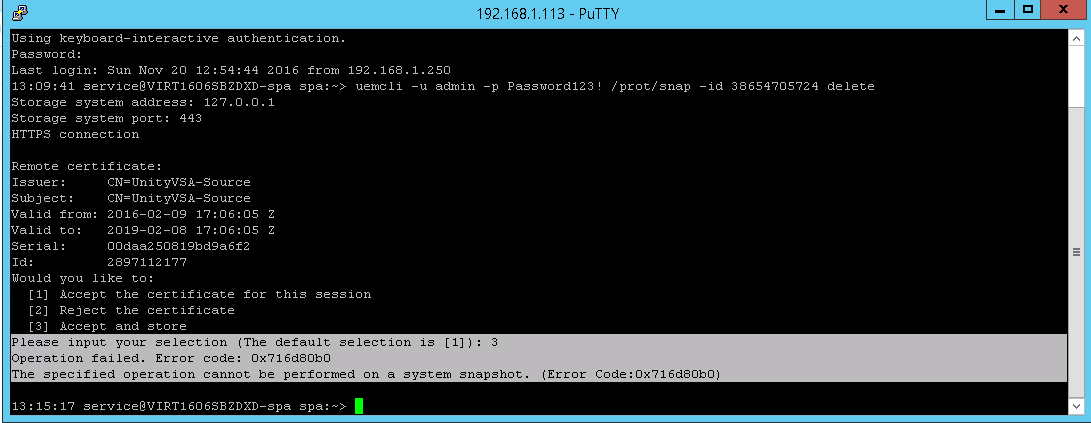
Çoğaltma oturumunu hedef taraftan sildikten sonra anlık görüntüyü kaynaktan silmeye çalışırken hata oluştu.
CLI
service@(none) spb:~> uemcli -u admin -p Password /prot/snap -id delete
Operation failed. Error code: 0x716d80b0
The specified operation cannot be performed on a system snapshot. (Error Code:0x716d80b0)
Unisphere
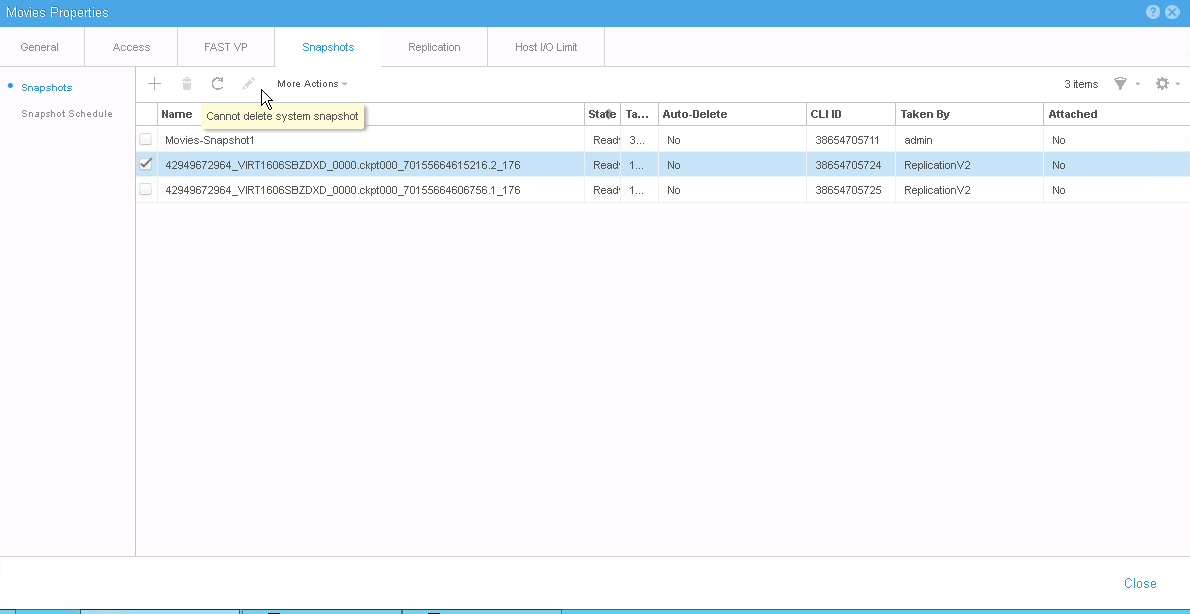
Sil düğmesi aşağıdaki hata mesajıyla devre dışı bırakılır: "
Cannot delete system snapshot":
Cause
Sistem anlık görüntüleri, çoğaltma gibi dahili amaçlar için kullanılır. İdeal olarak, çoğaltma işleminin sistem anlık görüntülerini otomatik olarak silmesi gerekir.
Resolution
Sistem anlık görüntüsü, standart komutlar veya Unisphere UI kullanılarak yok edilemez.
Dell Teknik Destek ekibiyle veya yetkili servis temsilcinizle iletişime geçin ve bu Dell Knowledge Base makalesinin kimliğini belirtin.
Dell Teknik Destek ekibiyle veya yetkili servis temsilcinizle iletişime geçin ve bu Dell Knowledge Base makalesinin kimliğini belirtin.
Affected Products
Dell EMC Unity FamilyProducts
Dell Unity 300, Dell EMC Unity 300F, Dell EMC Unity 400, Dell EMC Unity 400F, Dell EMC Unity 500, Dell EMC Unity 500F, Dell EMC Unity 600, Dell EMC Unity 600F, Dell EMC Unity Family |Dell EMC Unity All Flash, Dell EMC Unity Family
, Dell EMC Unity Hybrid
...
Article Properties
Article Number: 000052824
Article Type: Solution
Last Modified: 11 Apr 2025
Version: 4
Find answers to your questions from other Dell users
Support Services
Check if your device is covered by Support Services.