NMC directed recovery fails with error 'Host [destination client] is missing from the remote access list of [source client]'
This article applies to
This article does not apply to
This article is not tied to any specific product.
Not all product versions are identified in this article.
Symptoms
NMC directed recovery fails with error 'Host [destination client] is missing from the remote access list of [source client]'

However the client *is* in the remote access list of the source client.
If you click [Yes] the error: 'Permission denied, user [username] on [servername] does not have 'Change Security Settings' privilege to change remote access attribute in NSR client' appears:

Cause
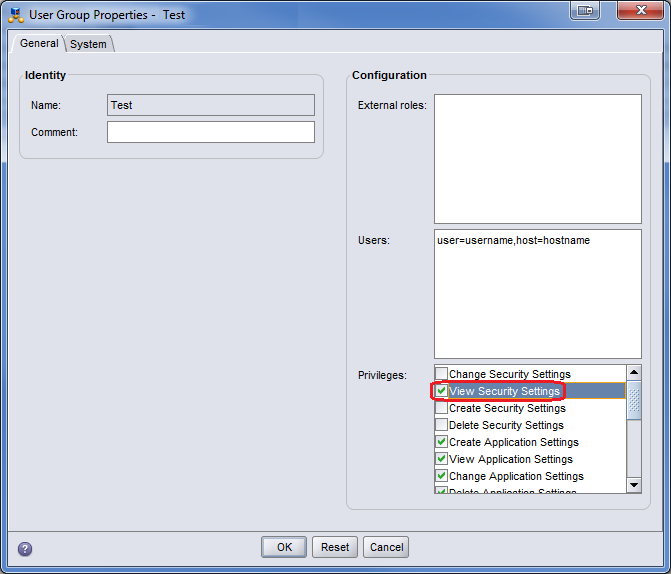
The user group in which the NMC user performing the recovery belongs, does not have the 'View Security Settings' privilege assigned.
Resolution
Add 'View Security Settings' privilege to the NMC user group containing the user performing the recovery:
Affected Products
NetWorkerProducts
NetWorkerArticle Properties
Article Number: 000052851
Article Type: Solution
Last Modified: 30 May 2024
Version: 3
Find answers to your questions from other Dell users
Support Services
Check if your device is covered by Support Services.