Dell Unity: Can not manage Routes or Ping/Trace from Unisphere
Summary: Unisphere for Dell Unity is not able to Manage Routes or Ping/Trace if you do you have iSCSI interfaces
This article applies to
This article does not apply to
This article is not tied to any specific product.
Not all product versions are identified in this article.
Symptoms
Unable to utilize the Dell Unity Unisphere System settings for Managing Routes or Ping/Trace.
Unable to use Managing Routes via Unisphere to add default routes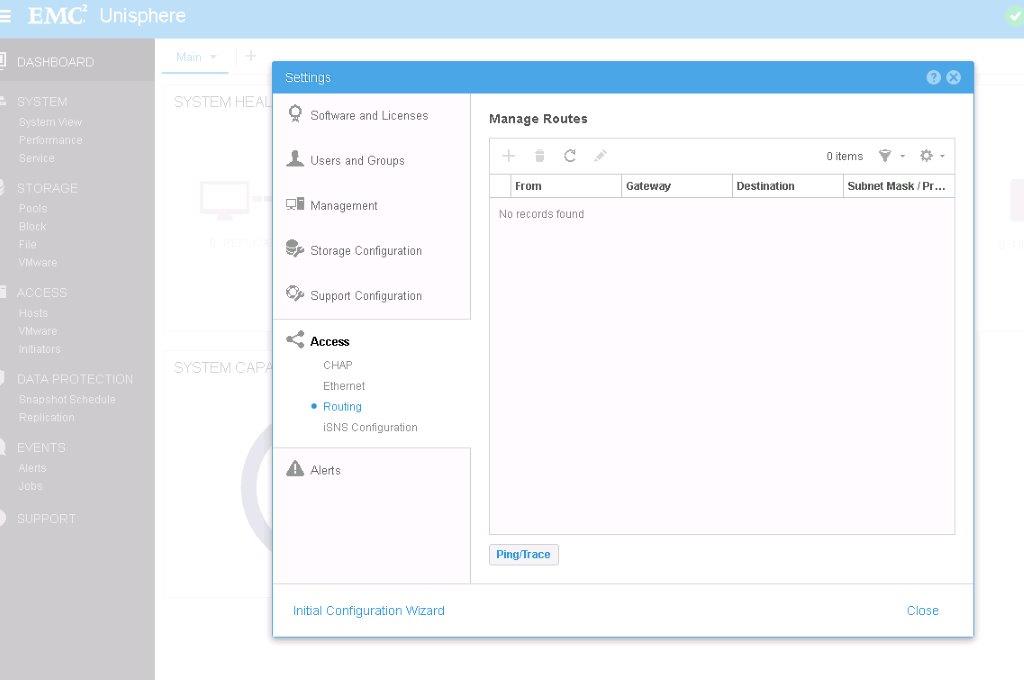
Unable to use Ping/Trace via Unisphere to try to ping a host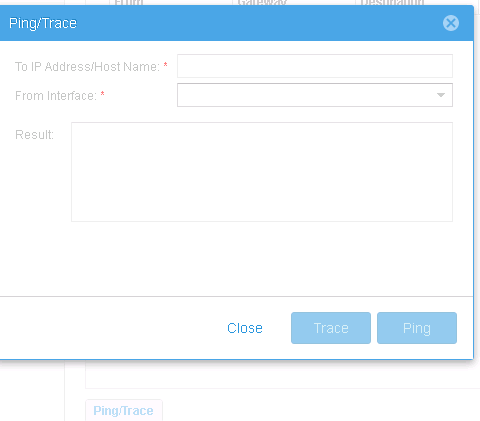
Cause
Unisphere for Dell EMC Unity is not able to Manage Routes or Ping/Trace if you do NOT have an iSCSI interfaces in upc_Unity_3_10_upcBuilder-4.0.2.8627717-GNOSIS_RETAIL and lower.
Resolution
If you create an iSCSI interface, this action will allow to add/manage routes to it.
Engineering has advise that this functionality is expected to be available for NAS Servers in release due in December 2016.
Engineering has advise that this functionality is expected to be available for NAS Servers in release due in December 2016.
Affected Products
Dell EMC Unity FamilyProducts
Dell EMC Unity FamilyArticle Properties
Article Number: 000052865
Article Type: Solution
Last Modified: 17 Feb 2025
Version: 4
Find answers to your questions from other Dell users
Support Services
Check if your device is covered by Support Services.