Avamar: Avamar GUI에서 모든 가상 머신이 회색으로 표시됩니다.
Summary: Avamar: Avamar GUI에서 모든 가상 머신이 회색으로 표시됩니다.
This article applies to
This article does not apply to
This article is not tied to any specific product.
Not all product versions are identified in this article.
Symptoms
고객이 GUI에서 모든 VM이 회색으로 표시되고(거의 모든 VM이 회색으로 표시될 수 있음) vCenter에서 vm 삭제가 수행되지 않은 것을 발견했습니다.
vCenter에서 가상 머신을 백업하면 백업이 실패하고 코드 10005가 표시됩니다.
vCenter 연결 재시작이 정상으로 표시되었지만 새로 고침 후에 연결이 중단된 것으로 표시됩니다.
Avamar GUI에서 Administration으로 이동하고 vCenter Client를 선택한 다음 edit client를 클릭합니다. 확인을 클릭하면 "vcenter에 연결하지 못했습니다"팝업 창이 나타납니다. 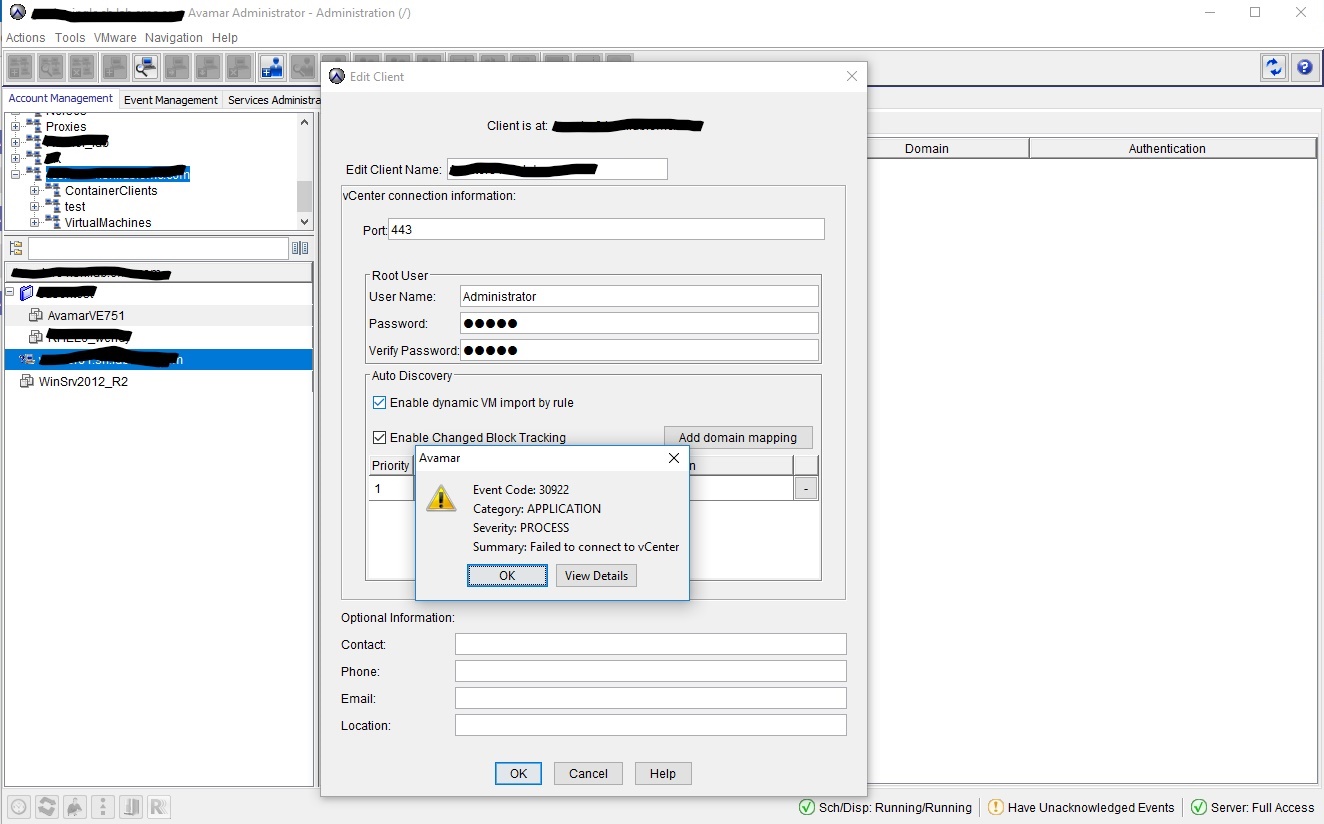
vCenter에서 동일한 계정을 사용하여 로그인하면(고객이 관리자 계정을 혼합하여 사용할 수 있으므로 사용하지 않음) vCenter에서 "잘못된 자격 증명"을 표시합니다.
Cause
암호가 변경되지 않은 경우에도 로그인 계정이 잠겨 있거나 만료되었습니다.
Resolution
새 vSphere 계정을 생성하거나 계정 사용 권한 문제를 해결하도록 조언하면 문제를 해결할 수 있습니다.
Affected Products
AvamarProducts
Avamar, Avamar Data Store Gen4Article Properties
Article Number: 000052996
Article Type: Solution
Last Modified: 29 Jul 2025
Version: 4
Find answers to your questions from other Dell users
Support Services
Check if your device is covered by Support Services.