VxRail: VxRail Manager Time Skew With NTP Server After Reboot
Summary: VxRail Manager time skew with ntp server after reboot
This article applies to
This article does not apply to
This article is not tied to any specific product.
Not all product versions are identified in this article.
Symptoms
Synchronize the system clock with the NTP server. Once the system clock is set to the correct time, set the hardware clock to the same time as the system clock.
VxRail Manager has a time skew with the NTP server. This could be a result of rebooting the VxRail Manager VM, or may occur over a certain period of time.
VxRail Manager has a time skew with the NTP server. This could be a result of rebooting the VxRail Manager VM, or may occur over a certain period of time.
Cause
After rebooting the VxRail Manager, the time configuration is inherited from the hardware clock. If a time skew exists between system time and NTP server greater than 30 minutes no NTP updates applied.
Resolution
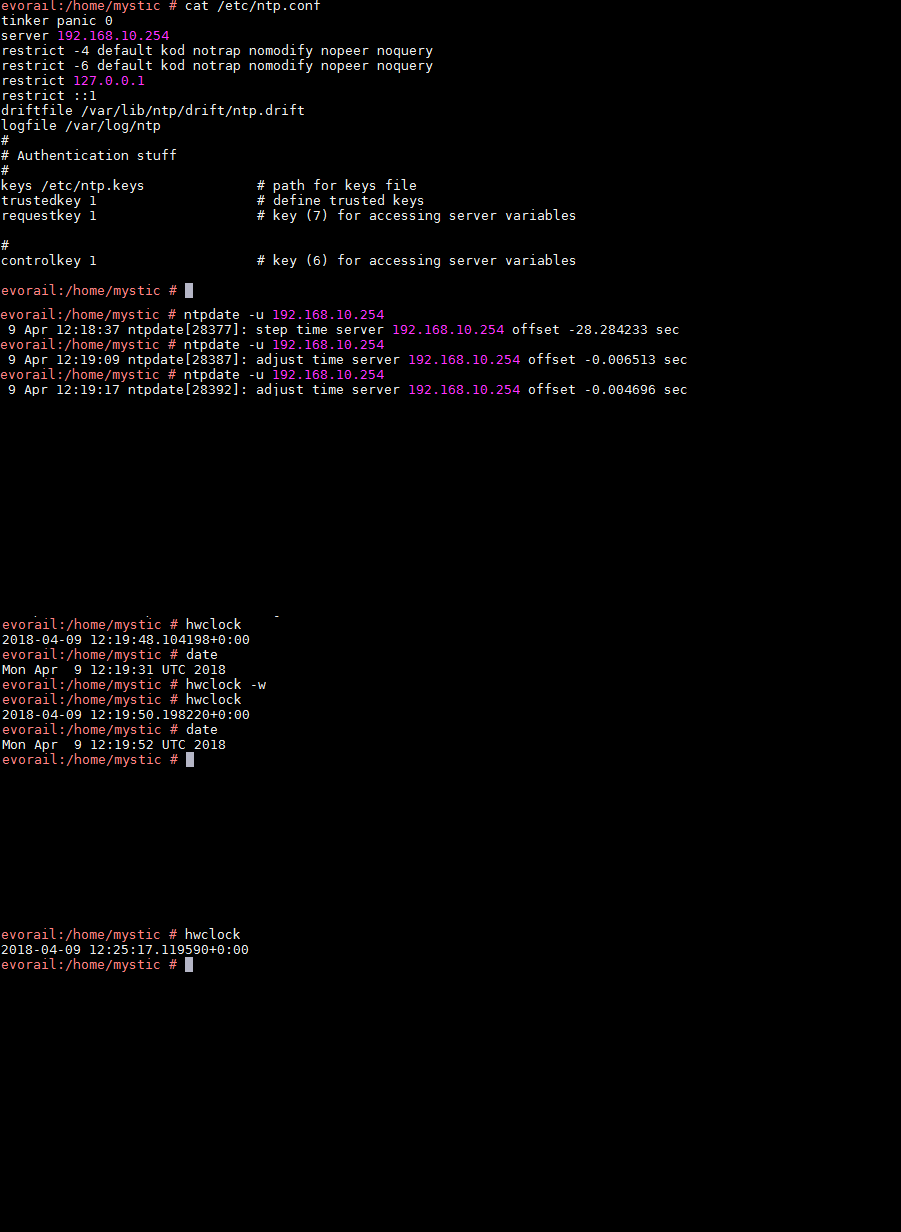
You may retrieve it by checking the ntp.conf by running the command cat /etc/ntp.conf.
1. Set the system time using the ntp server on the VxRail Manager using the root user:
ntpdate -u <sever IP>
Run this command multiple times, until the time offset is less than one second.
2. Compare the time on the hardware clock and system time to see if they match:
hwclock
date
3. Check that you can log in to the VxRail Manager UI.
4. Set the hardware clock to the same time as the system clock using the command:
hwclock -w
or
hwclock --systohc
5. Confirm that the hardware clock is correct by comparing to the hardware clock to the system time.
6. Reboot the VxRail Manager VM and check that you can log in to the VxRail Manager UI.
Affected Products
VxRail Appliance Family, VxRail Appliance Series, VxRail SoftwareArticle Properties
Article Number: 000055063
Article Type: Solution
Last Modified: 21 Oct 2025
Version: 11
Find answers to your questions from other Dell users
Support Services
Check if your device is covered by Support Services.