OptiPlex 7070 Ultra: Visuel vejledning til computeren
Summary: Denne artikel er en visuel vejledning til de eksterne porte og funktioner på stationære Dell OptiPlex 7070 Ultra-pc'ers forskellige formfaktorer.
This article applies to
This article does not apply to
This article is not tied to any specific product.
Not all product versions are identified in this article.
Symptoms
Følgende artikel indeholder en visuel vejledning til din OptiPlex 7070 Ultra-computer med en liste over din pc's eksterne porte og funktioner.
 Bemærk: For at få en mere detaljeret beskrivelse af hver placering skal du gå til systemmanualerne på www.dell.com/support
Indholdsfortegnelse:
Set forfra
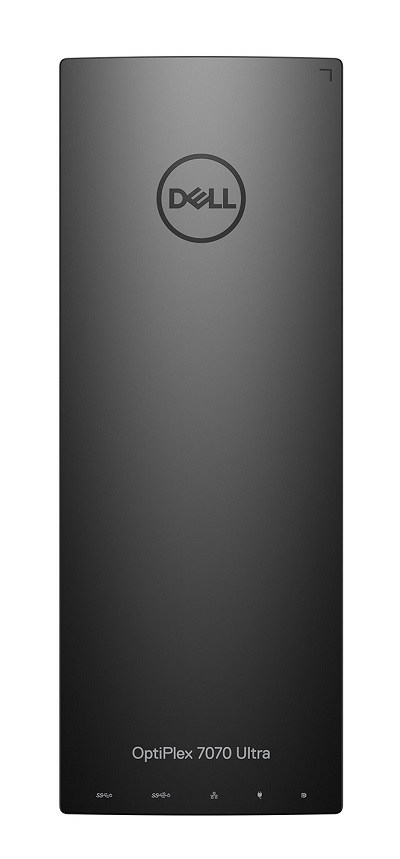
(Figur 1 Set forfra)
Set bagfra
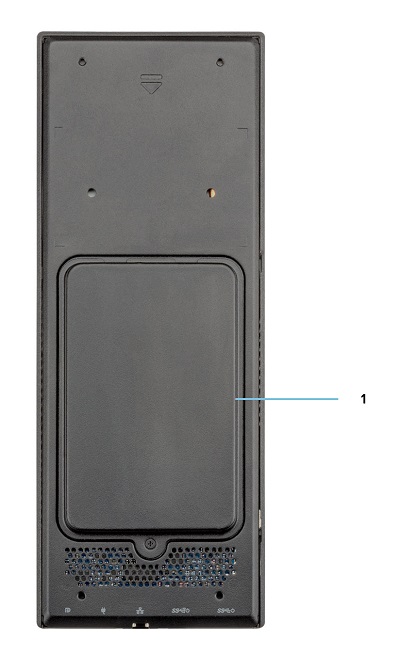
(Figur 2 Set bagfra)
| 1 | Harddiskbås |
Set oppefra
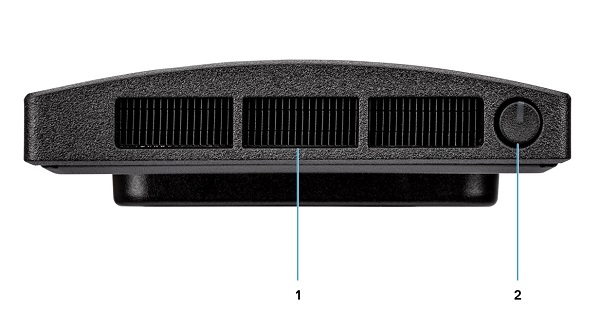
(Figur 3 Set ovenfra)
| 1 | Blæserventilator | 2 | Strømknap og lysdiode |
Set nedefra
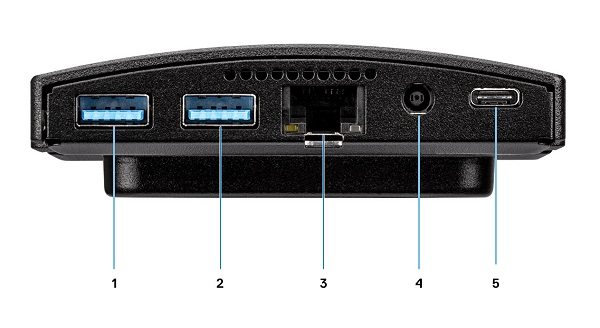
(Figur 4 Set nedefra)
| 1 | USB 3.1 Gen1 Type-A-stik med SmartPower | 2 | USB 3.1 Gen2 Type-A-stik med SmartPower |
| 3 | Ethernet-netværksstik (NIC) | 4 | Strømadapterstik |
| 5 | USB 3.1 Gen2 Type-C-stik m/DisplayPort Alt Mode/PowerDelivery |
Set fra venstre
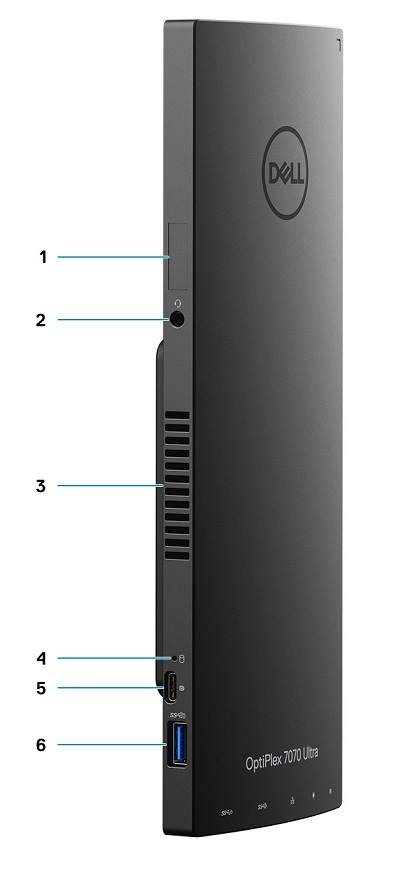
(Figur 5 Set fra venstre)
| 1 | Placering af servicekode | 2 | Universelt lydstik |
| 3 | Ventilationsåbning | 4 | LED-indikator for harddiskstatus |
| 5 | USB 3.1 Gen2 Type-C-stik m/DisplayPort Alt Mode | 6 | USB 3.1 Gen2 Type-A med PowerShare |
Set fra højre
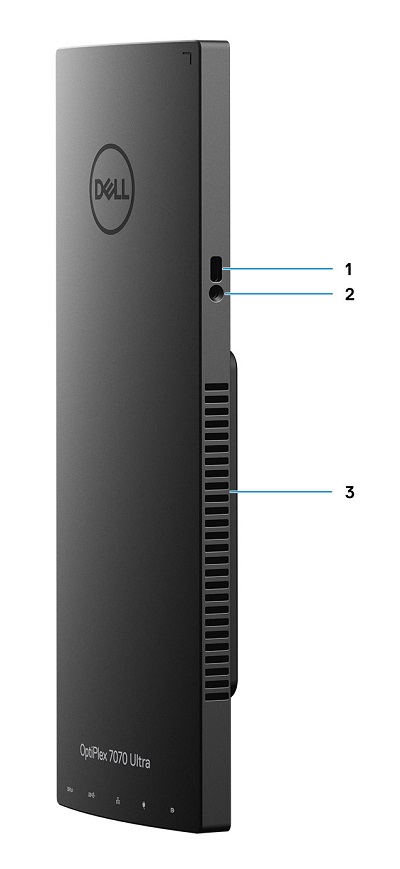
(Figur 6 Set fra højre)
| 1 | Kensington-låsestik | 2 | Hul til sikkerhedsskrue |
| 3 | Ventilationsåbning |
Yderligere oplysninger:
- Onlinemanualer og dokumenter til OptiPlex 7070 Ultra
- Vejledning til fjernelse af enheder, der kan udskiftes af kunden på OptiPlex 7070 Ultra
Cause
Ikke tilgængelig
Resolution
Ikke tilgængelig
Affected Products
OptiPlex 7070 UltraArticle Properties
Article Number: 000138519
Article Type: Solution
Last Modified: 29 Sep 2023
Version: 7
Find answers to your questions from other Dell users
Support Services
Check if your device is covered by Support Services.