如何找到 PowerVault MD3xxx 產品服務編號
Summary: 本教學說明如何找到 PowerVault MD3xxx 儲存裝置的產品服務編號。產品服務編號對於技術支援識別 PowerVault 的所有元件並檢查關聯的保固至關重要。
This article applies to
This article does not apply to
This article is not tied to any specific product.
Not all product versions are identified in this article.
Instructions
方法 1:視覺效果
快速服務代碼與產品服務編號位於系統正面。也可在系統背面的 RAID 控制器模組旁找到。
方法 2:遠端使用 Modular Disk Storage Manager (MDSM)
先決條件:
此程序需要使用模組化磁碟儲存管理 (MDSM) 軟體。
MDSM 必須安裝在與 PowerVault 磁碟陣列連接相同網路的系統上。
要:
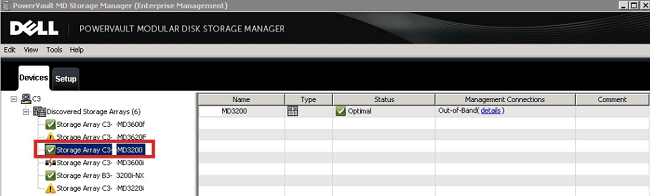
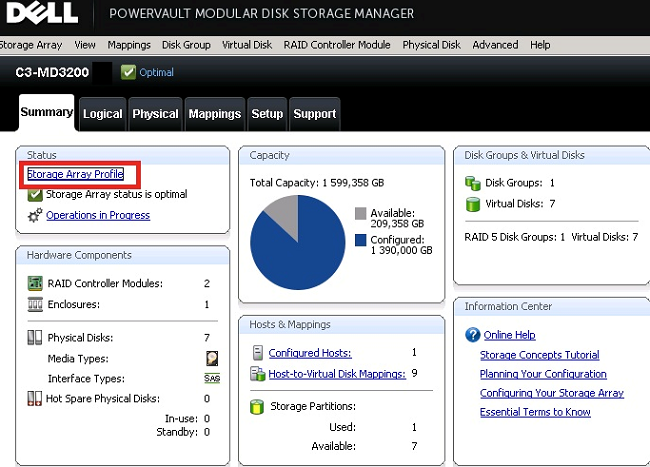
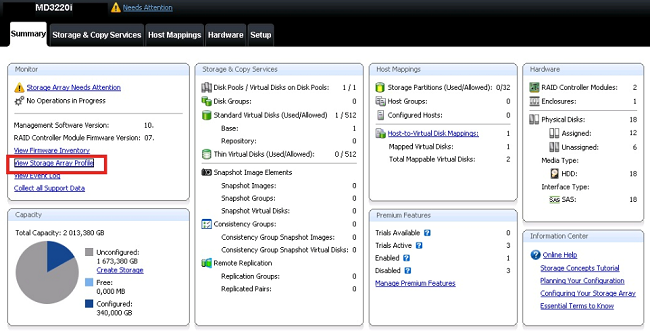
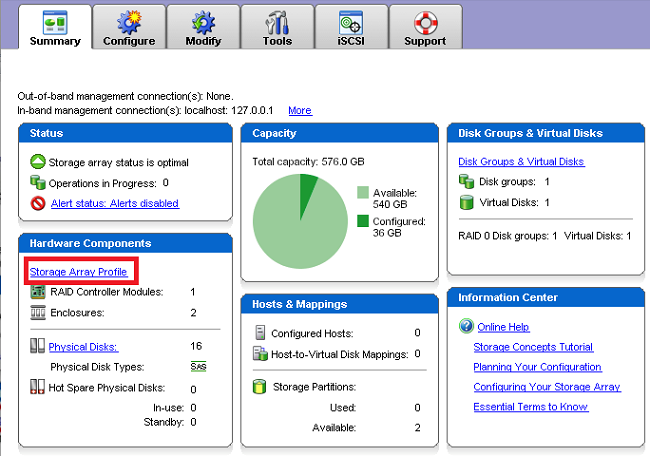
視 MDSM 版本而定,圖形外觀可能會有所不同。在下面找到幾個螢幕截圖。
步驟:
- 啟動 MDSM
- 選取陣列,按一下滑鼠右鍵,然後選取「管理陣列」
-
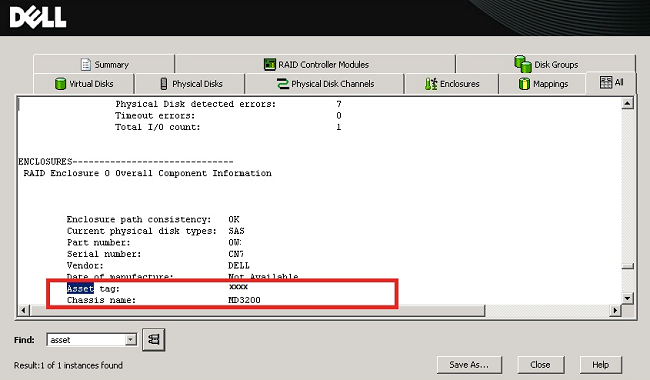
在新視窗中,按一下 儲存陣列設定檔
-
- 在新視窗 的「查找 」部分中:
- 為低於版本韌體版本輸入「資產」一詞
08.20.XX.XX並驗證 - 輸入韌體版本優於該版本的 機箱序號字樣
08.20.XX.XX並驗證
- 為低於版本韌體版本輸入「資產」一詞
- 產品服務編號如下圖所示:
- 若要將資產標籤轉換為快速服務代碼,請使用 Dell 支援頁面
Affected Products
MD Series, Dell PowerVault OEM Ready MD34XX and MD38XX, PowerVault MD3200, PowerVault MD3200i, PowerVault MD3220, PowerVault MD3220i, PowerVault MD3260, PowerVault MD3260i, PowerVault MD3400, PowerVault MD3420, PowerVault MD3460, PowerVault MD3800f
, PowerVault MD3800i, PowerVault MD3820f, PowerVault MD3820i, PowerVault MD3860f, PowerVault MD3860i
...
Products
PowerVault MD3600F, PowerVault MD3600i, PowerVault MD3620F, PowerVault MD3620i, PowerVault MD3660f, PowerVault MD3660iArticle Properties
Article Number: 000140920
Article Type: How To
Last Modified: 21 Mar 2025
Version: 6
Find answers to your questions from other Dell users
Support Services
Check if your device is covered by Support Services.