Understanding When Latitude 7400 2-in-1 Dims its LCD Display When the User is Away from the Laptop
Summary: The following article provides some general guidance in understanding in what conditions the Latitude 7400 2-in-1 Proximity Sensor would dim the display to off when you are away from the laptop. ...
This article applies to
This article does not apply to
This article is not tied to any specific product.
Not all product versions are identified in this article.
Instructions
Condition One
Dell ExpressSing-in supports the system in Clamshell and Stand mode only. If you use the Latitude 7400 2-in-1 in Tablet or Tent mode, Dell ExpressSign-in is not able to detect your presence or absence.
Note: Tablet and Tent mode do not support Dell Proximity Sensor wake up. Also, the Dell Proximity feature does not support wake from hibernation (S4) or power off (S5).
| Proximity feature | ||
| Supported hinge angles | Clamshell mode | Stand mode |
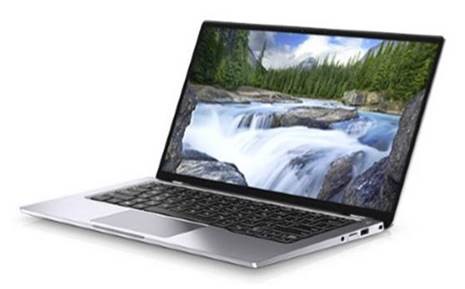 |
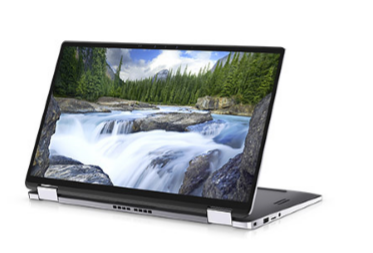 |
|
| Unsupported hinge angles | Tablet mode | Tent mode |
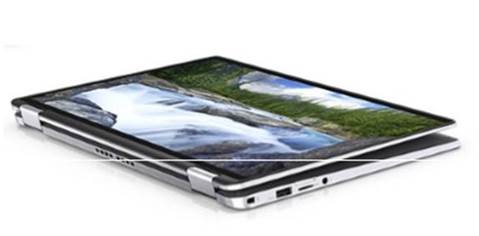 |
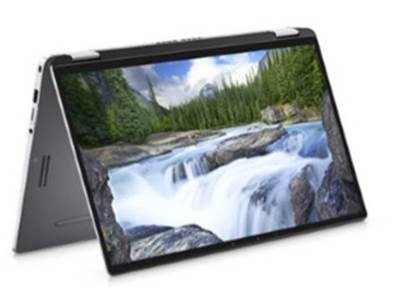 |
|
Condition Two
Dell ExpressSign-in does not automatically dim the display to off while the laptop is running an application which requires the Display Power, for example Microsoft PowerPoint presentation, running Windows Media Player, Movies and TV, or streaming media online to an Internet browser.
Below are some examples for reference:
- The display does not dim, and it does not turn off
- Play a YouTube video in the foreground tab in the Edge browser
- Play a YouTube video in the foreground tab in the Edge browser. However, put the Edge browser in the background
- The display dims and turns off
- Play a YouTube video in the background tab in the Edge browser
- Play audio online
- Play audio locally
- Windows update
- The display does dim and turn off. However, the Skype call does not disconnect.
- A Skype call in the foreground
- A Skype call in the background
- A Skype video chat
- The display does not dim or turn off.
- Presentation mode
Affected Products
Latitude 7400 2-in-1Article Properties
Article Number: 000145037
Article Type: How To
Last Modified: 23 Apr 2025
Version: 7
Find answers to your questions from other Dell users
Support Services
Check if your device is covered by Support Services.