自訂 DCUI 畫面顯示 Dell 原廠安裝的自訂 VMware ESXi 版本
Summary: Dell 自訂 VMware ESXi DCUI, Dell VMware ESXi 原廠安裝映像的已修改 DCUI 畫面, Dell 自訂 VMware ESXi DCUI, Dell 原廠安裝 VMware ESXi 根密碼, Dell 原廠安裝 VMware ESXi 根帳戶密碼, Dell 自訂 VMware ESXi 根帳戶密碼
This article applies to
This article does not apply to
This article is not tied to any specific product.
Not all product versions are identified in this article.
Symptoms
這是部落格文章「VMware ESXi 的 Dell EMC 原廠安裝變更」的延續。Dell 第 14 代伺服器出廠時並已預先安裝 Dell 自訂 VMware ESXi 預設已將產品服務編號設定為根使用者密碼。
自 2017 年 10 月起,Dell 修改了預設的 DCUI (直接主控台使用者介面) 畫面,以主動傳達此變更。相同的示例螢幕截圖如下所示。
注意:Dell 第 13 代伺服器出貨即預先安裝 Dell 自訂 VMware ESXi;繼續沒有為根使用者設定密碼。
下方自訂 DCUI 畫面顯示 2017 年 6 月至 2018 年 6 月從 Dell 工廠出貨之伺服器使用「產品服務編號」作為根使用者密碼。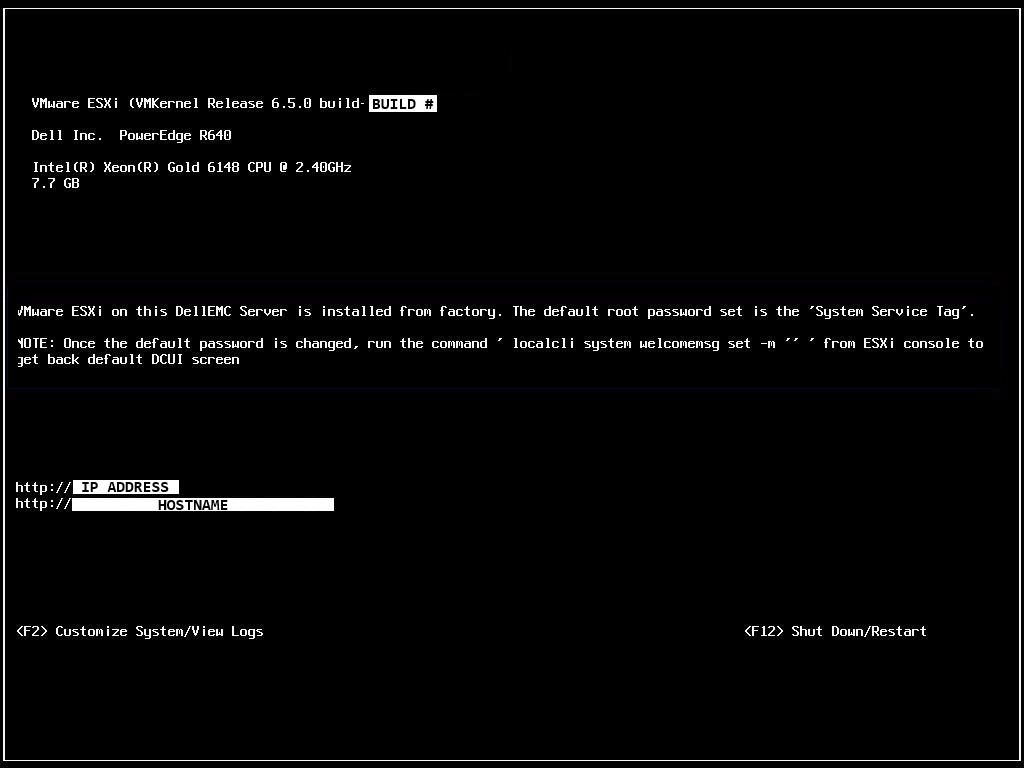
在自訂 DCUI 畫面下方顯示從 2018 年 6 月起從 Dell 工廠出貨之伺服器的根使用者密碼使用「產品服務編號後跟驚嘆號」。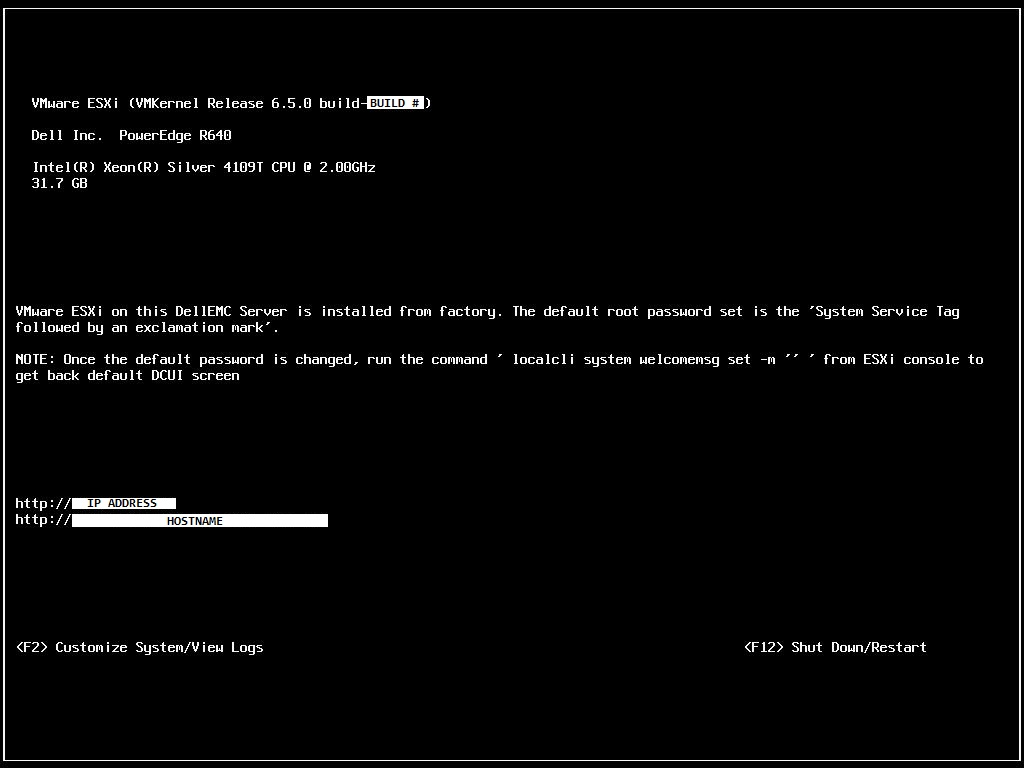
從 2021 年 12 月起,Dell 修改了自訂 DCUI 畫面,如下所示。請注意 DCUI 重設選項的變更,如以下螢幕擷取畫面中所述。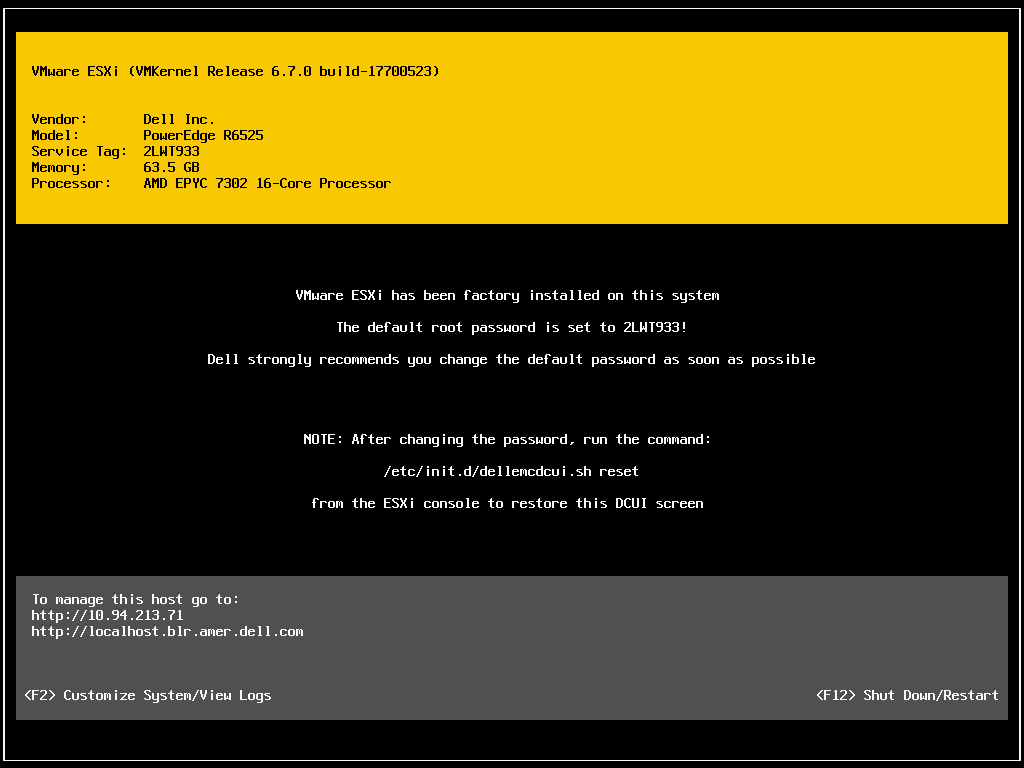
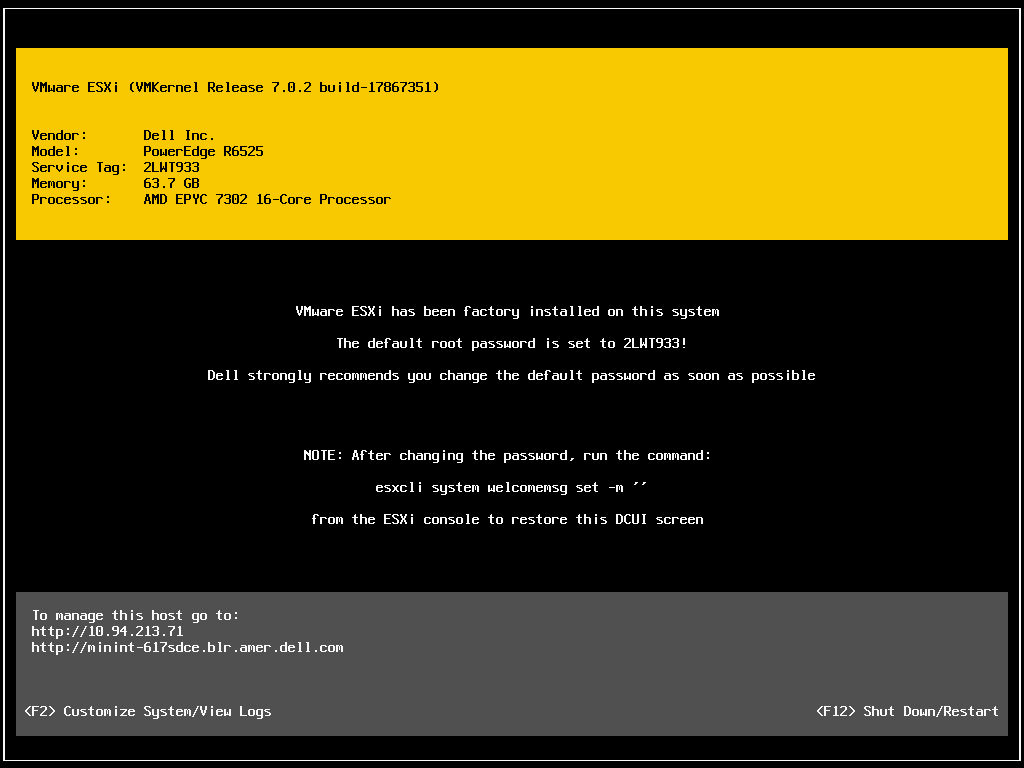
自 2022 年 3 月起,Dell 修訂自訂 DCUI 畫面如下。請注意有關將 DCUI 畫面還原為預設值的命令變更。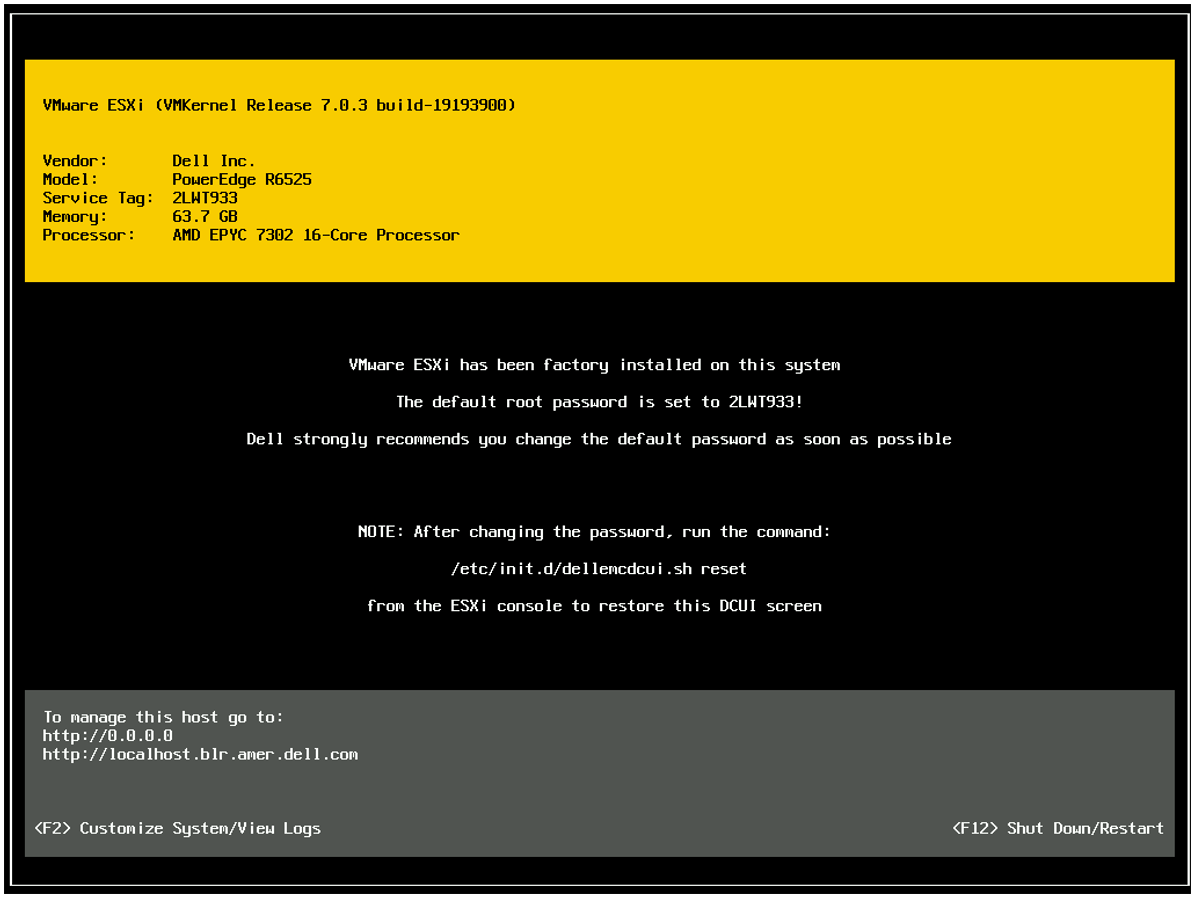
自 2023 年 12 月起,自訂 DCUI 畫面會略有變更。以下為 PowerEdge R960 的自訂 DCUI 畫面範例。 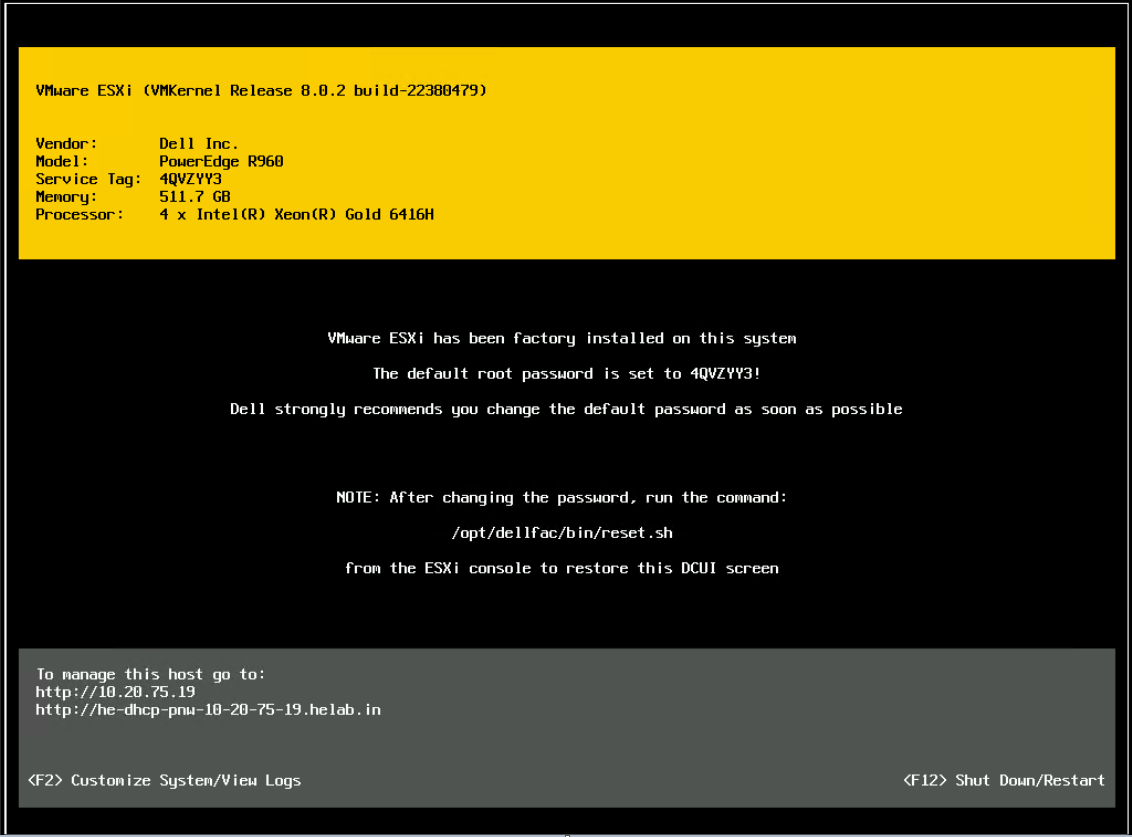
Cause
N/A
Resolution
N/A
Affected Products
VMware ESXi 6.7.X, VMware ESXi 7.xArticle Properties
Article Number: 000147293
Article Type: Solution
Last Modified: 10 Dec 2024
Version: 9
Find answers to your questions from other Dell users
Support Services
Check if your device is covered by Support Services.