CloudIQ: Error: Unable to request a code with Dell Customer support credentials.
Summary: CloudIQ: Error: Unable to request a code with the current Dell EMC Customer support credentials.
This article applies to
This article does not apply to
This article is not tied to any specific product.
Not all product versions are identified in this article.
Symptoms
CloudIQ uses a collector to gather information about VMware and Connectrix assets. To implement a collector in an environment, the collector vApp is downloaded from the CloudIQ UI and deployed within their vCenter environment. Once installed, it is powered on and configured to Secure Remote Services (Secure Remote Services).
Configuring the collector to Secure Remote Services (Secure Remote Services) is completed using one of two presented options.
Configuring the collector to Secure Remote Services (Secure Remote Services) is completed using one of two presented options.
1) Configure an existing centralized gateway.
2) Configure an embedded gateway.
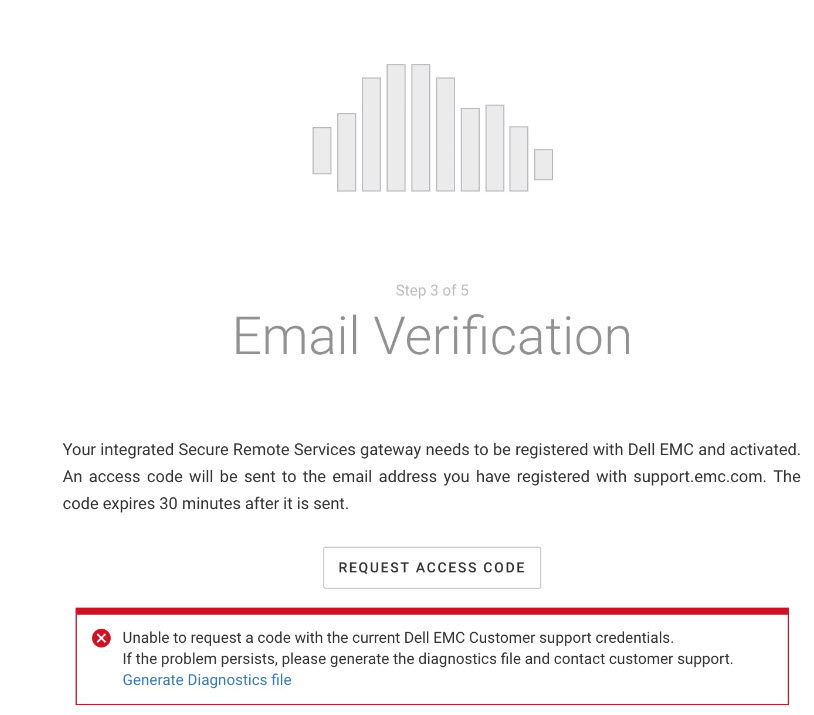
During the configuration of an embedded gateway, the customer experiences the following error:
Error: Unable to request a code with the current Dell Customer support credentials.
Cause
On the backend, Secure Remote Services calls RSA AxM Service to authenticate the customers credentials supplied during the provisioning.
This service has a limitation of not being able to handle the special characters in the password.
This service has a limitation of not being able to handle the special characters in the password.
Resolution
Remove special characters from the Dell EMC Support Credentials and proceed with the install.
Affected Products
PowerFlex rack, ScaleIO, CloudIQArticle Properties
Article Number: 000166300
Article Type: Solution
Last Modified: 03 Jan 2025
Version: 3
Find answers to your questions from other Dell users
Support Services
Check if your device is covered by Support Services.