PowerPath Management Appliance 2.4: Unable to login to PPMA via GUI or SSH as root
Summary: PowerPath Management Appliance 2.4: Unable to login to PPMA via GUI or SSH as root
This article applies to
This article does not apply to
This article is not tied to any specific product.
Not all product versions are identified in this article.
Symptoms
Log in to PPMA as Root
Unable to login to PPMA via GUI or SSH as root.
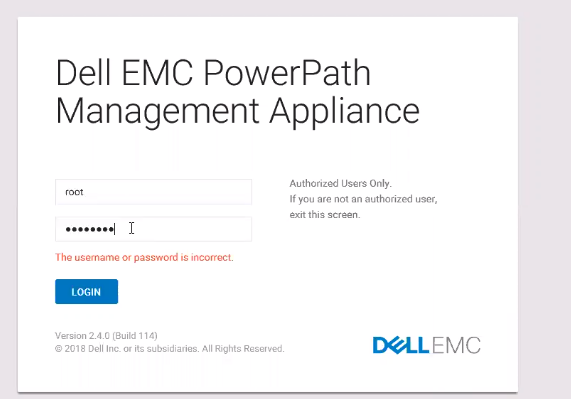
While logging to PPMA GUI, it throws the error "The username or password is incorrect":
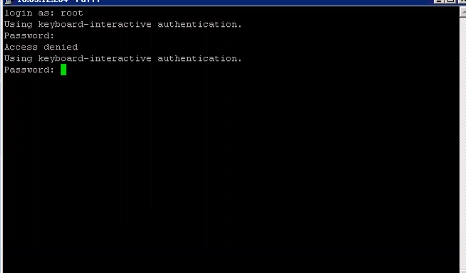
While doing an SSH to PPMA, it throws the error " Access Denied":
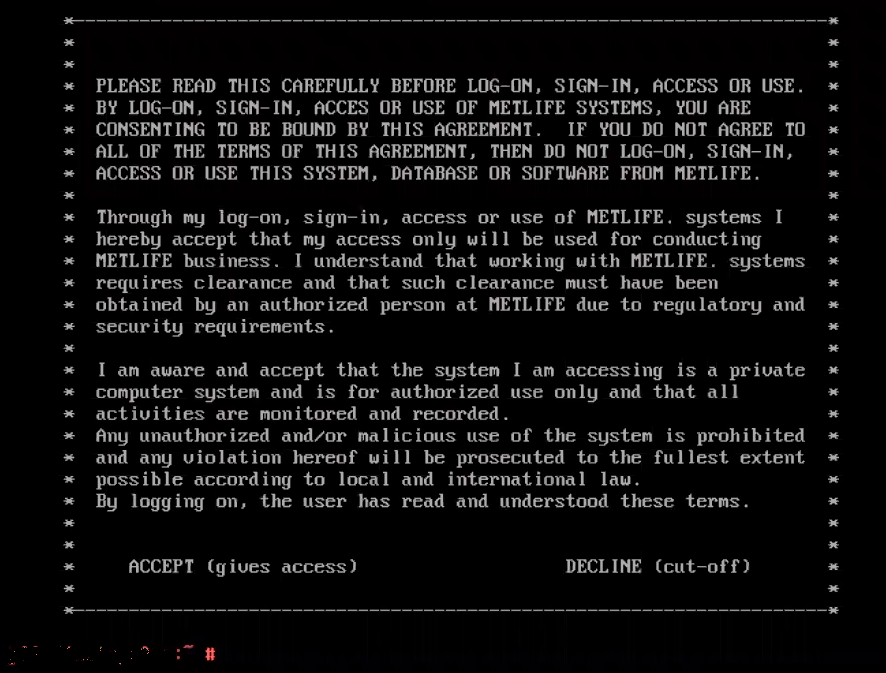
But was able to login to PPMA VM Console:
Unable to login to PPMA via GUI or SSH as root.
While logging to PPMA GUI, it throws the error "The username or password is incorrect":
While doing an SSH to PPMA, it throws the error " Access Denied":
But was able to login to PPMA VM Console:
Cause
PermitRootLogin was set to NO which is the reason why the login to PPMA as root was failing:

**In this case, Root login was disabled since the Customer had some hardening process (security reasons) going on and they had domain logon enabled.**
Please note, the default output looks something like this:
pp-xxxxx # grep -i rootlogin /etc/ssh/sshd_config
#PermitRootLogin yes
# the setting of "PermitRootLogin without-password".
**In this case, Root login was disabled since the Customer had some hardening process (security reasons) going on and they had domain logon enabled.**
Please note, the default output looks something like this:
pp-xxxxx # grep -i rootlogin /etc/ssh/sshd_config
#PermitRootLogin yes
# the setting of "PermitRootLogin without-password".
Resolution
Since it was not possible to login with root user, it would be recommended to login as another user with root privileges which will also allow to monitor PPMA.
Following are the ways to create a User with root privileges:
1. Login to PPMA console with root user and create a new user with root privilege.
2. SSH login to domain user and create a local user with root privilege.
After this, you should be able to login to PPMA with another user with root privileges.
Following are the ways to create a User with root privileges:
1. Login to PPMA console with root user and create a new user with root privilege.
2. SSH login to domain user and create a local user with root privilege.
After this, you should be able to login to PPMA with another user with root privileges.
Article Properties
Article Number: 000173290
Article Type: Solution
Last Modified: 03 Mar 2025
Version: 4
Find answers to your questions from other Dell users
Support Services
Check if your device is covered by Support Services.