Latitude 7200 2-in-1: Visual Guide to Your Computer
Summary: The following article provides a visual guide to your Latitude 7200 2-in-1 laptop and lists the external ports and features of your computer.
This article applies to
This article does not apply to
This article is not tied to any specific product.
Not all product versions are identified in this article.
Symptoms
Note: For a more detailed description about each location, go to the system manuals at www.dell.com/support.
Table of Contents:
- Front View
- Bottom View
- Left-Hand Side View
- Right-Hand Side View
- Service Tag View
- Kickstand Operation
- AC Adapter View
- Additional Info:
Front View
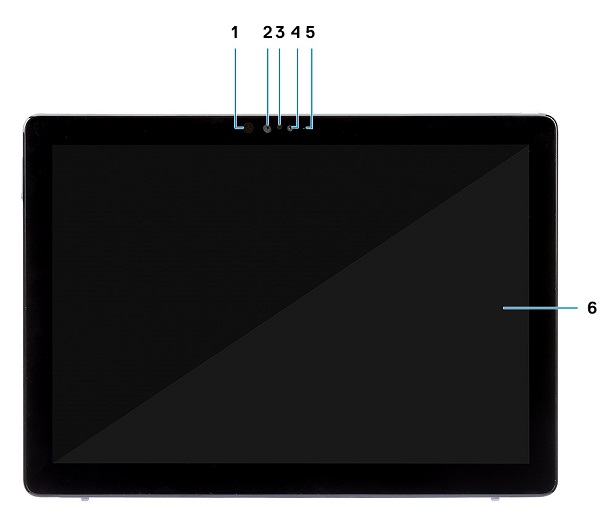
(Fig.1 Front View)
| 1 | IR Emitter | 2 | IR Camera |
| 3 | Ambient Light Sensor | 4 | Front Camera |
| 5 | Front/Rear Camera Status LED | 6 | LCD Display |
Cause
Bottom View

(Fig.2 Bottom View)
| 1 | Touch Fingerprint Reader (Optional) | 2 | Rear Camera |
| 3 | KickStand |
Left-Hand Side View
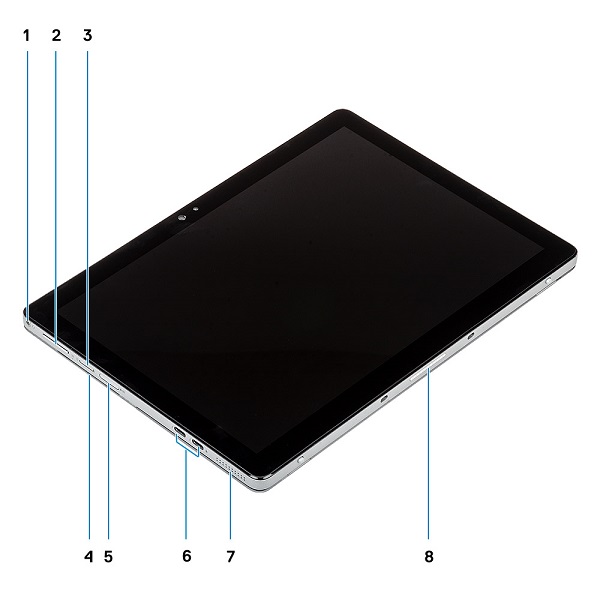
(Fig.3 Left-Hand Side View)
| 1 | Headset/Microphone Combi-Jack | 2 | Volume Up/Volume Down Button |
| 3 | Nano SIM Card Slot (Optional) | 4 | Smart Card Reader (Optional) |
| 5 | microSD Card Slot | 6 | USB Type-C Connector x2 w/Thunderbolt 3/PowerDelivery/DisplayPort |
| 7 | Speaker | 8 | Pogo Pins (Docking Connector) |
Right-Hand Side View
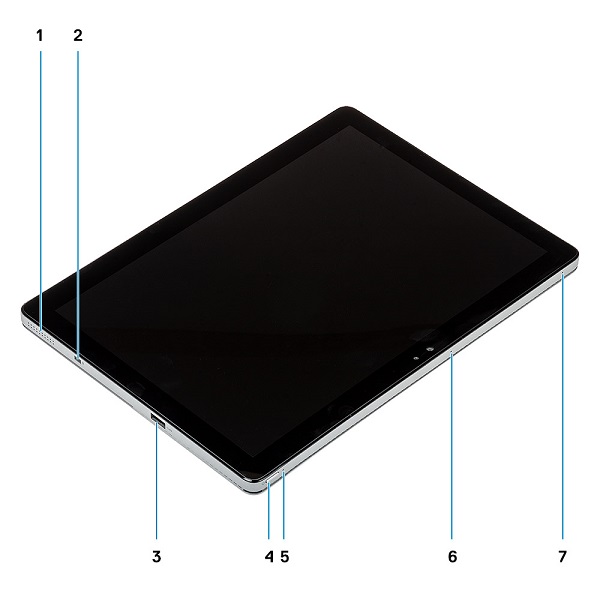
(Fig.4 Right-Hand Side View)
| 1 | Speaker | 2 | Noble Wedge Lock Slot |
| 3 | USB Type-A 3.1 Gen1 Connector w/PowerShare | 4 | Power Button |
| 5 | Battery Charge LED | 6 | Microphone |
| 7 | Microphone |
Service Tag View
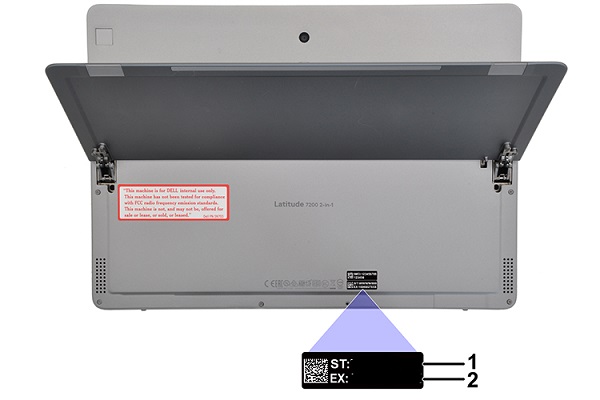
(Fig.5 Service Tag View)
| 1 | Service Tag | 2 | Express Service Code |
Kickstand Operation
-
Hold the system over a flat surface with the bottom of the display facing down
-
Press the system down onto the studs on the bottom edge of the system
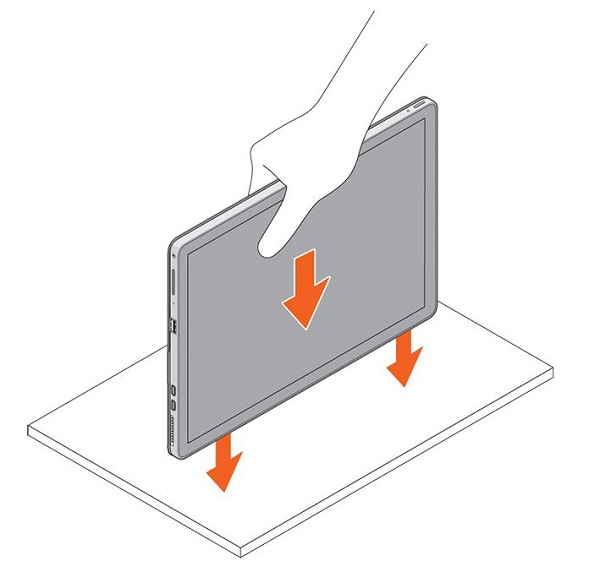
(Fig.6 Open Kickstand)
-
The kickstand should open, and you can stand the system upright on the stand
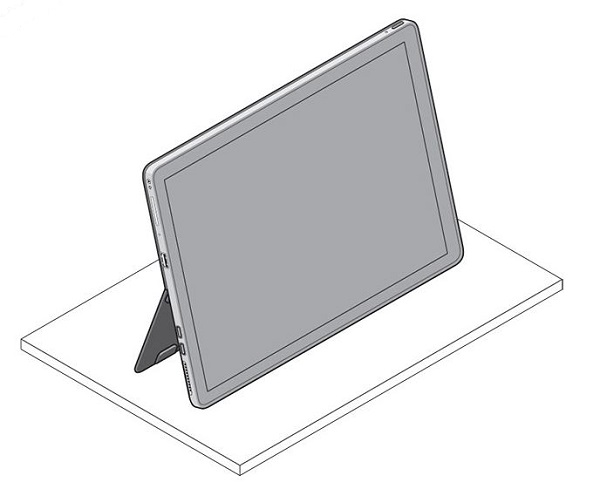
(Fig.7 Stand on Kickstand)
Resolution
AC Adapter View

(Fig.8 45 W or 65 W Type-C AC Adapter)
| Type 45 W or 65 W Type-C Series | Description |
| Input Voltage | 100 VAC to 240 VAC |
| Output Current |
|
| Output Power | 45 W or 65 W |
| Output Voltage | 20 VDC / 15 VDC / 9 VDC / 5 VDC |
Additional Information
Affected Products
Latitude 7200 2-in-1Article Properties
Article Number: 000175443
Article Type: Solution
Last Modified: 27 May 2025
Version: 7
Find answers to your questions from other Dell users
Support Services
Check if your device is covered by Support Services.