如何使用 UI 和 CLI 将 ME4 系列的“磁盘组清理间隔”更改为 360 度
Summary: 这些工作说明是我们承诺主动通知客户重要产品质量和预防性维护信息的一部分。 戴尔已确定,购买了某些 ME40xx 存储系统的客户可能会遇到因与系统上的磁盘组清理间隔相关的计时器设置而导致的硬盘过早故障。下面概述了更改计时器设置的步骤。
This article applies to
This article does not apply to
This article is not tied to any specific product.
Not all product versions are identified in this article.
Instructions
如何使用 UI 将 ME4 系列的“磁盘组清理间隔”更改为 360。
-
打开浏览器,然后在位置栏中输入您的管理 IP
- 示例:https://100.98.99.98/
-
登录到生成的登录屏幕
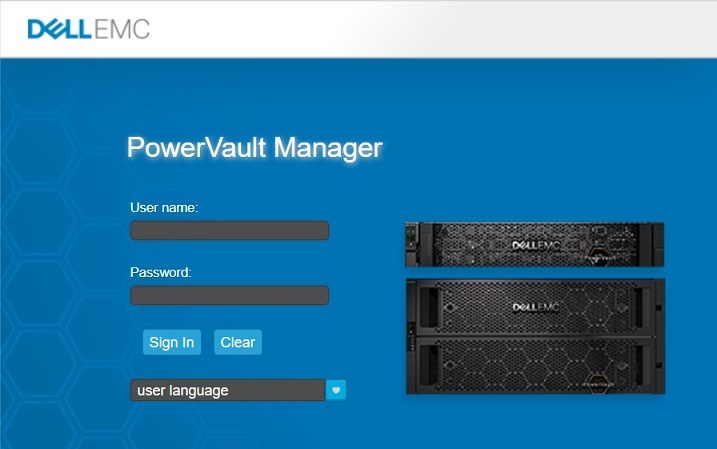
-
登录后,单击左上角的“System”选项卡
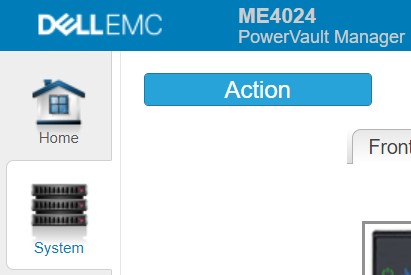
-
单击蓝色的作按钮,然后选择高级设置
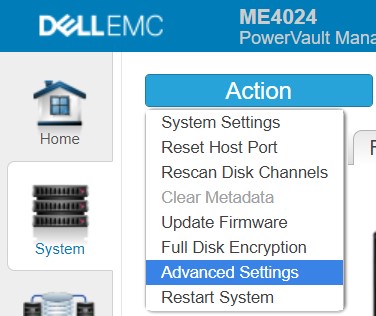
-
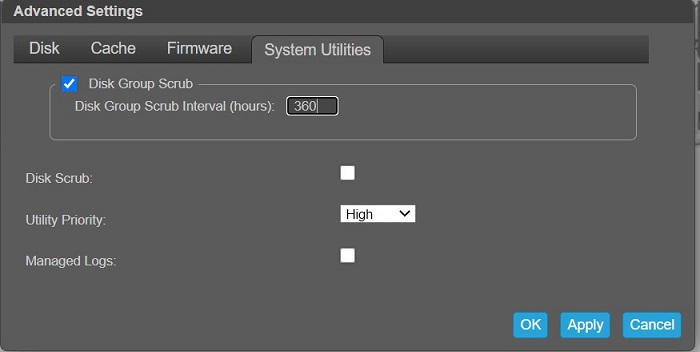
在出现的对话框中选择 System Utilities 选项卡
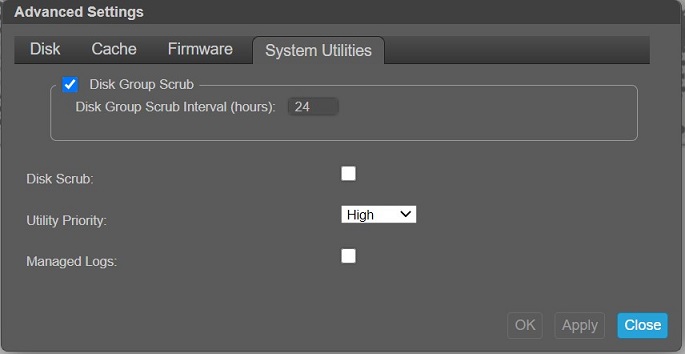
-
将“Disk Group Scrub Interval (hours):”的设置更改为 360,然后单击 Ok
-
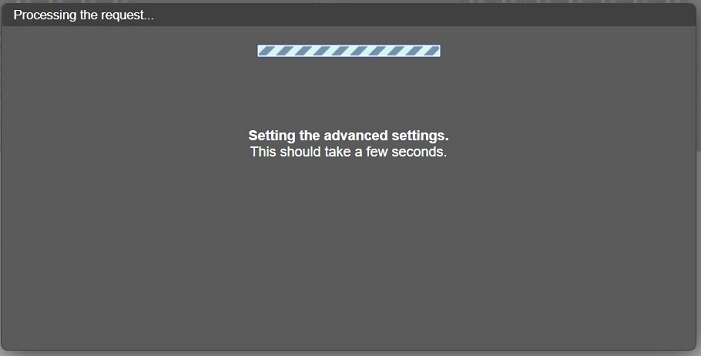
“Processing”屏幕显示下一个
-
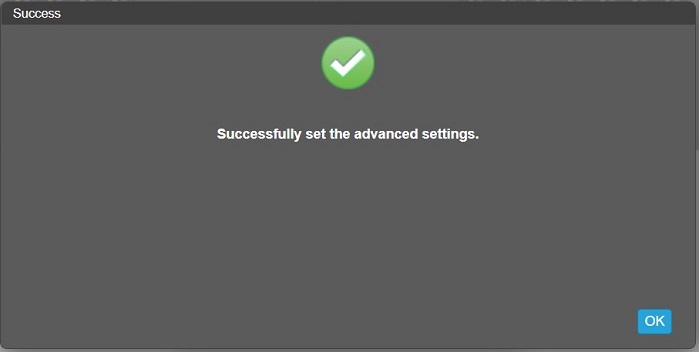
完成后,在生成的“Success”屏幕上单击“OK”
-
注销或完成其他任务
如何使用命令行界面 (CLI) 将 ME4 系列的“磁盘组清理间隔”更改为 360 度
-
使用登录凭据,通过 SSH 连接到管理端口的 IP 地址或通过串行连接到控制器
-
输入”
show advanced-settings“验证当前设置”Disk Group Background Scrub Interval”输出示例:
# show advanced-settings
Disk Group Background Scrub: Enabled
Disk Group Background Scrub Interval: 168
Partner Firmware Upgrade: Enabled
Utility Priority: High
SMART: Enabled
Dynamic Spare Configuration: Disabled
Enclosure Polling Rate: 5
Host Control of Caching: Disabled
Sync Cache Mode: Immediate
Missing LUN Response: Illegal Request
Controller Failure: Disabled
Supercap Failure: Enabled
CompactFlash Failure: Enabled
Power Supply Failure: Disabled
Fan Failure: Disabled
Temperature Exceeded: Disabled
Partner Notify: Disabled
Auto Write Back: Enabled
Inactive Drive Spin Down: Enabled
Inactive Drive Spin Down Delay: 15
Disk Background Scrub: Disabled
Managed Logs: Disabled
Single Controller Mode: Disabled
Auto Stall Recovery: Enabled
Restart on CAPI Fail: Enabled
Large Pools: Enabled

Success: Command completed successfully. (2020-10-19 09:52:51)
-
使用“set advanced-settings background-scrub-interval 360”将值更改为 360
提醒:该命令最多需要一分钟才能完成输出示例:
# set advanced-settings background-scrub-interval 360
Success: Command completed successfully. (2020-10-19 09:59:31)
-
使用“show advanced-settings”确认更改
输出示例:
# show advanced-settings
Disk Group Background Scrub: Enabled
Disk Group Background Scrub Interval: 360
Partner Firmware Upgrade: Enabled
Utility Priority: High
-
完成后键入“exit”
Affected Products
ME Series, Dell EMC PowerVault ME4012, Dell EMC PowerVault ME4024, Dell EMC PowerVault ME4084Article Properties
Article Number: 000180461
Article Type: How To
Last Modified: 01 Apr 2025
Version: 3
Find answers to your questions from other Dell users
Support Services
Check if your device is covered by Support Services.