사용자가 Netskope 클라이언트를 비활성화하는 것을 방지하는 방법
Summary: 이 문서에서는 최종 사용자가 Netskope 클라이언트를 비활성화하지 않도록 설정하는 방법에 대해 설명합니다.
This article applies to
This article does not apply to
This article is not tied to any specific product.
Not all product versions are identified in this article.
Instructions
영향을 받는 제품:
- Netskope Client
영향을 받는 운영 체제:
- Windows 10.0(32비트 및 64비트)
- Windows 8
- Windows 8.1
- Windows Server 2019
- Windows Server 2016
- Windows Server 2012 R2(Windows NT 6.3)
- Windows Server 2008 R2(Windows NT 6.1)
- macOS
- ChromeOS
- Android
- 웹 브라우저에서 Netskope 웹 콘솔로 이동합니다.
- 미국 데이터 센터: https://[TENANT].goskope.com/
- 유럽 연합 데이터 센터: https://[TENANT].eu.goskope.com/
- 프랑크푸르트 데이터 센터: https://[TENANT].de.goskope.com/
참고: [TENANT] = 사용자 환경의 테넌트 이름
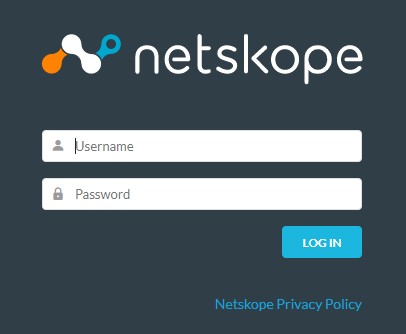
- Netskope 웹 콘솔에 로그인합니다.
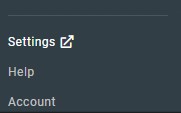
- Settings를 클릭합니다.
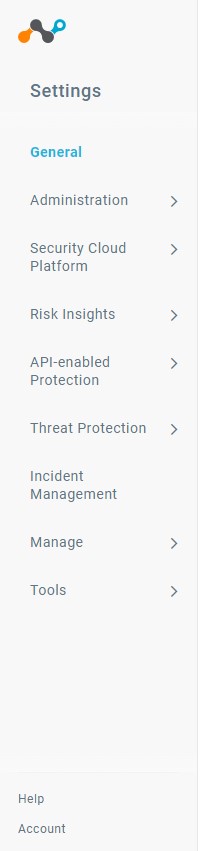
- Security Cloud Platform을 클릭합니다.
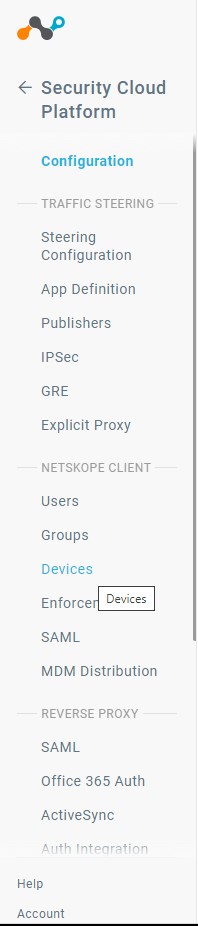
- Devices를 클릭합니다.
- 디바이스에서 Client Configurations를 클릭합니다.

- Client Configuration에서 Default Tenant config를 클릭합니다.
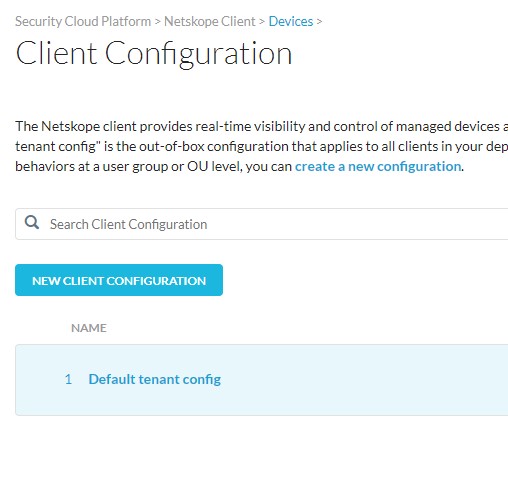 참고: 추가 클라이언트 구성을 생성한 경우 제거 암호를 설정할 올바른 구성을 선택해야 합니다.
 - Client Configuration 창에서 Tamperproof 섹션이 보일 때까지 아래로 스크롤합니다.
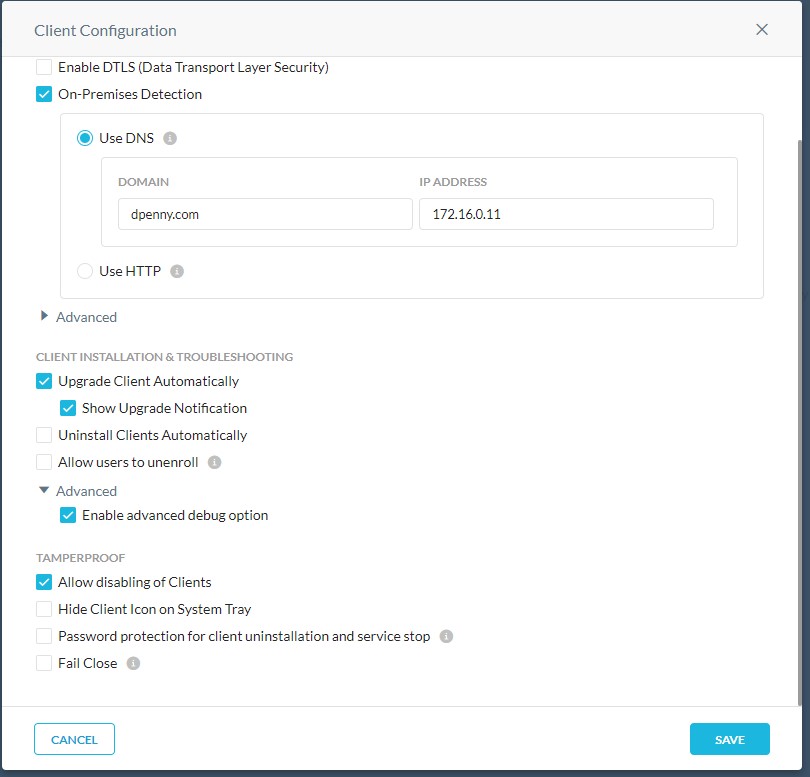
- Tamperproof 섹션에서 Allow Disabling of Clients 상자를 클릭하여 선택 취소합니다.
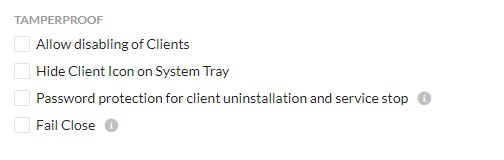
- Save를 클릭합니다.

- 최종 사용자는 더 이상 Netskope 클라이언트를 비활성화할 수 없습니다. 배포된 모든 엔드포인트는 다음에 서버에 연결할 때 이 정책 변경을 선택합니다.
지원 부서에 문의하려면 Dell Data Security 국제 지원 전화번호를 참조하십시오.
온라인으로 기술 지원 요청을 생성하려면 TechDirect로 이동하십시오.
추가 정보 및 리소스를 보려면 Dell 보안 커뮤니티 포럼에 참여하십시오.
Affected Products
NetskopeArticle Properties
Article Number: 000180643
Article Type: How To
Last Modified: 09 Dec 2024
Version: 9
Find answers to your questions from other Dell users
Support Services
Check if your device is covered by Support Services.