How to disable auto updating for Netskope Splunk Apps
Summary: By default, the Netskope App for Splunk and Netskope Add-on For Splunk apps are set to update by default. If you would like these apps to not automatically update, follow the below steps. ...
This article applies to
This article does not apply to
This article is not tied to any specific product.
Not all product versions are identified in this article.
Instructions
Affected Products:
- Netskope
- Netskope App for Splunk
- Netskope Add-on For Splunk
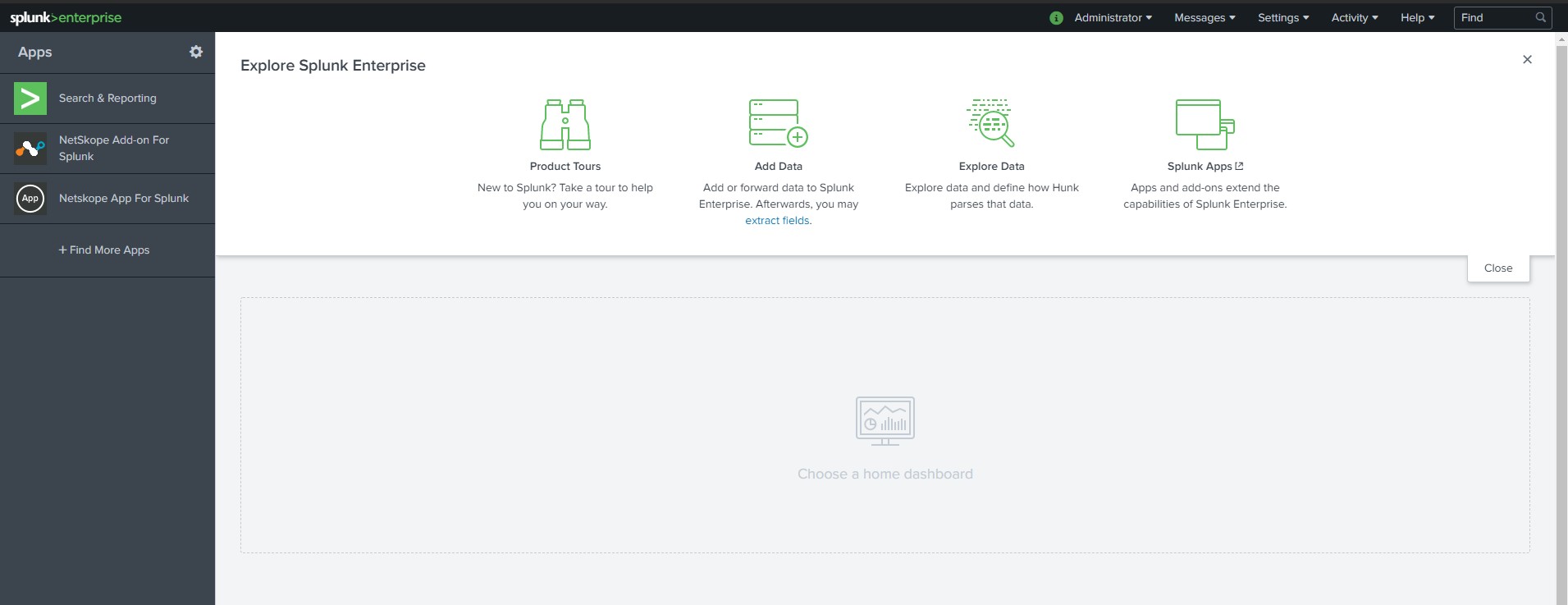
- From the Splunk Enterprise home page, click the Gear Cog next to Apps.
- Locate the Netskope App for Splunk and click Edit properties in the Actions column.

The Properties page displays for NetskopeAppForSplunk.

- For Update checking change the value from Yes to No, and then click Save.

- From the Apps page, locate NetSkope Add-On For Splunk and then click Edit Properties in the Actions column.

- For Update checking change the value from Yes to No, and then click Save.

- You have now configured your Netskope App for Splunk and Netskope Add-on For Splunk apps to not automatically update.
To contact support, reference Dell Data Security International Support Phone Numbers.
Go to TechDirect to generate a technical support request online.
For additional insights and resources, join the Dell Security Community Forum.
Affected Products
NetskopeArticle Properties
Article Number: 000180648
Article Type: How To
Last Modified: 09 Dec 2024
Version: 8
Find answers to your questions from other Dell users
Support Services
Check if your device is covered by Support Services.