vProxy:VM 備份失敗,並顯示「無法完成寫入器。合成不完全”
Summary: VM 磁碟組態問題
This article applies to
This article does not apply to
This article is not tied to any specific product.
Not all product versions are identified in this article.
Symptoms
vProxy VM 備份失敗,並顯示:
Backup has failed: Backup has FAILED. Failed to backup virtual disk "Hard disk 2". Failed to finalize writer. Incomplete synthesis, only moved 131072 of 135397376 bytes, from previous data file from offset 0 to target data file
注意:它報告的磁碟號通常是 VM 中的最後一個磁碟。
Cause
當 VM 在同一 VM 上混合使用精簡和厚置備磁碟時,會出現此問題。
客體作業系統:Windows Server 2016 或更新版本 (64 位元)
相容性:ESXi 6.0 及更新版本 (VM 版本 11)
硬碟 1
容量 100 GB
類型 精簡佈建
硬碟 2
容量 100 GB
類型 厚佈建 延遲清零
Resolution
重新配置 VM,以便所有磁碟都是相同的類型,例如:精簡隨需分配。
因應措施:
-
停用虛擬機器的 VMware 變更區塊追蹤 (CBT)
-
重新開機虛擬機器。
-
將 (VMware vSphere vMotion) VM 遷移至新的資料存放區。
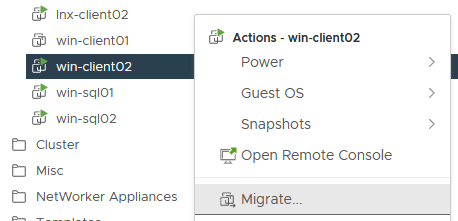
-
拍攝虛擬機器的 VMware 快照。
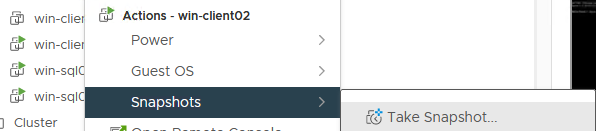
-
刪除 VMware 快照。
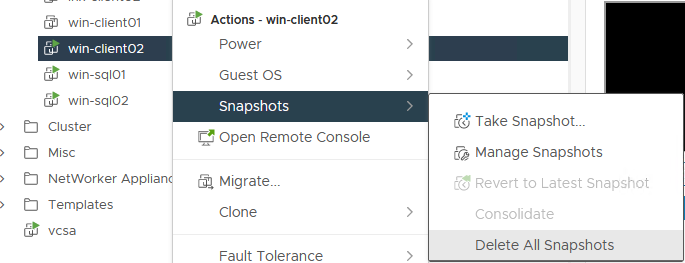
-
清除「上次 vProxy 備份工作階段」資訊。
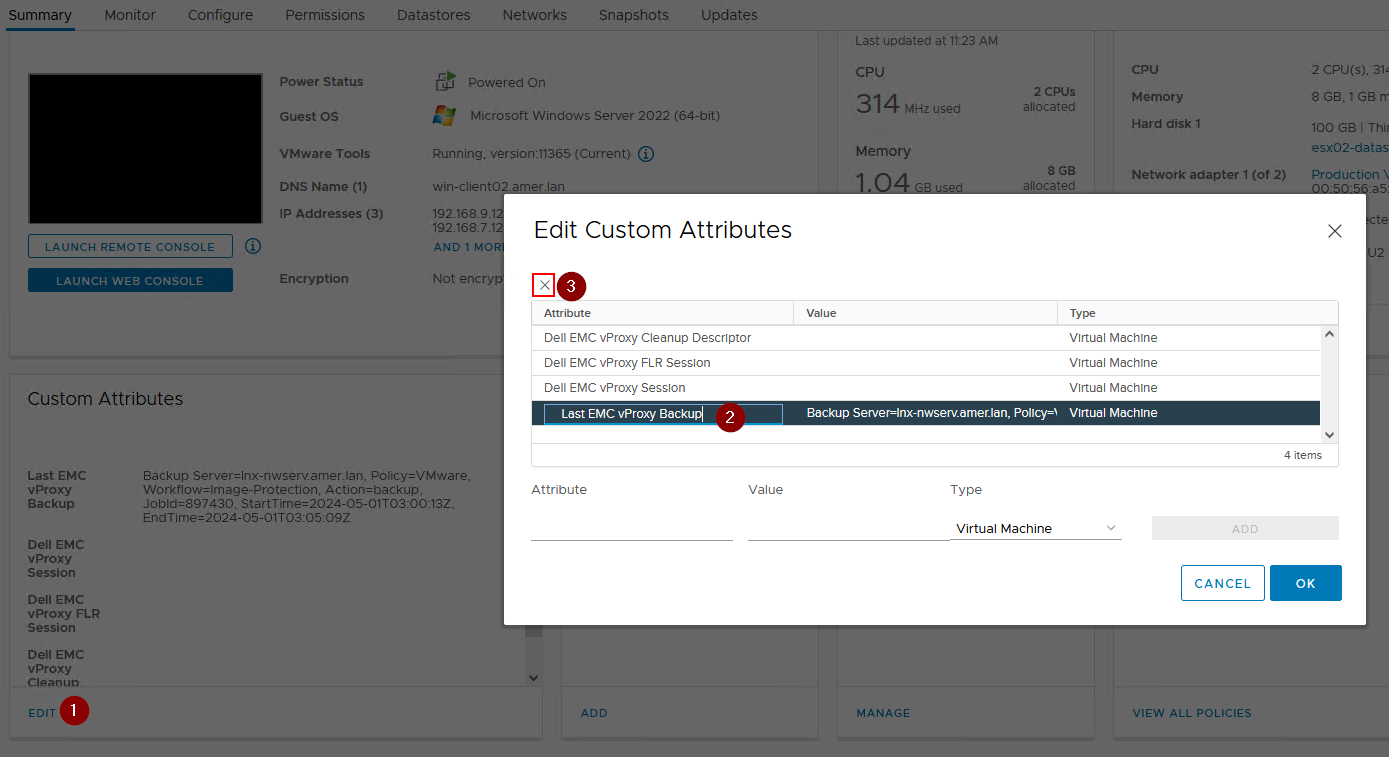
-
執行虛擬機器的層級完整備份。
Affected Products
NetWorkerArticle Properties
Article Number: 000182661
Article Type: Solution
Last Modified: 12 Nov 2025
Version: 4
Find answers to your questions from other Dell users
Support Services
Check if your device is covered by Support Services.