vProxy: VM-back-up mislukt met "Writer niet voltooid. Onvolledige synthese"
Summary: Configuratieprobleem VM-schijf
This article applies to
This article does not apply to
This article is not tied to any specific product.
Not all product versions are identified in this article.
Symptoms
vProxy VM-back-up mislukt indien:
Backup has failed: Backup has FAILED. Failed to backup virtual disk "Hard disk 2". Failed to finalize writer. Incomplete synthesis, only moved 131072 of 135397376 bytes, from previous data file from offset 0 to target data file
Opmerking: Het schijfnummer dat wordt gerapporteerd, is meestal de laatste schijf in de VM.
Cause
Het probleem doet zich voor wanneer een VM een combinatie van thin en thick provisioned schijven op dezelfde VM heeft.
Gastbesturingssysteem: Windows Server 2016 of hoger (64-bits)
Compatibiliteit: ESXi 6.0 en hoger (VM-versie 11)
Harde schijf 1
Capaciteit 100 GB
Type Thin Provision
Harde schijf 2
Capaciteit 100 GB
Type Thick Provision Lazy zeroed
Resolution
Configureer de VM opnieuw zodat alle schijven hetzelfde type zijn, bijvoorbeeld: Thin provision.
Tijdelijke oplossing:
-
VMware Change Block Tracking (CBT) uitschakelen voor de VM
-
Start de VM opnieuw op.
-
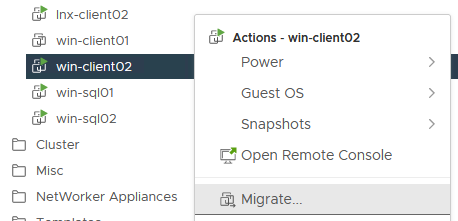
Migreer (VMware vSphere vMotion) VM naar een nieuwe datastore.
-
Maak een VMware-snapshot van de VM.

-
Verwijder de VMware-snapshot.

-
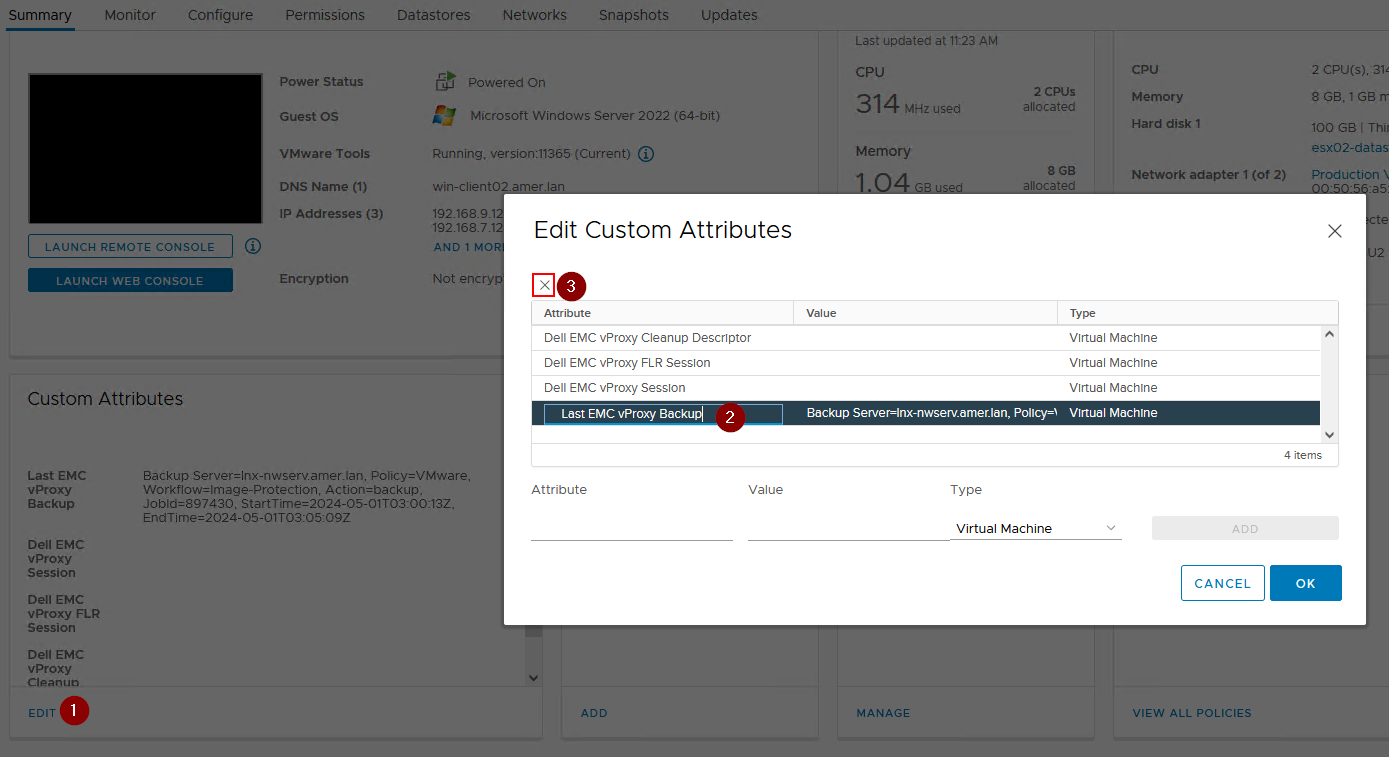
Informatie over "laatste vproxy-back-upsessie" opschonen.
-
Voer een volledige back-up van het niveau van de VM uit.
Affected Products
NetWorkerArticle Properties
Article Number: 000182661
Article Type: Solution
Last Modified: 12 Nov 2025
Version: 4
Find answers to your questions from other Dell users
Support Services
Check if your device is covered by Support Services.