PowerStore: ESXi guest OS LUN I/O failures due to DiskMaxIOSize setting, resulting in various symptoms
Summary: When ESXi host's DiskMaxIOSize is left at its default value, client VMs experience various I/O failures, including the following: - Guest OS install on Virtual Machine using a PowerStore datastore fails with I/O error(s) - Guest OS updates fail - Guest OS drive fails to mount on reboot ...
This article applies to
This article does not apply to
This article is not tied to any specific product.
Not all product versions are identified in this article.
Symptoms
Failure Examples:
These examples are a subset of what may result with the DiskMaxIOSize left at its default value.
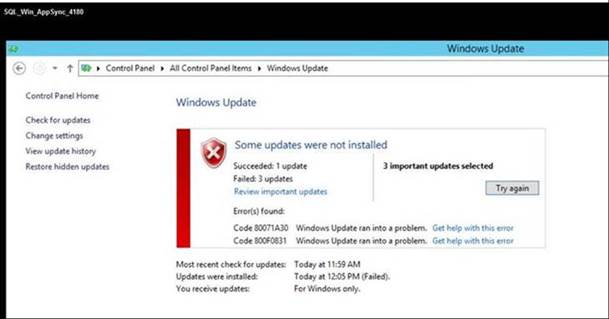
Example of failing update:
These examples are a subset of what may result with the DiskMaxIOSize left at its default value.
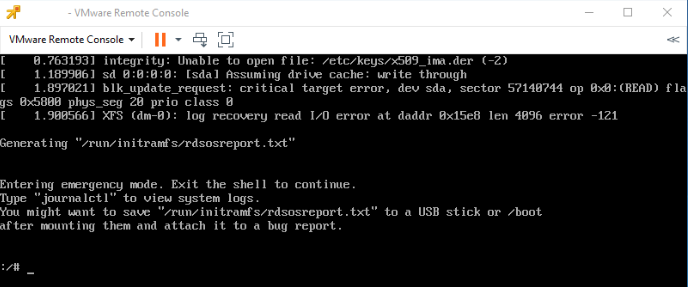
- Install of guest OS Oracle Linux 7:
Was being installed on an ESXi 6.5 host using VMFS 6
The error on the VM is "Log recovery read I/O error at dadr 0x15eB len 4096 error -121":
Example of failing update:
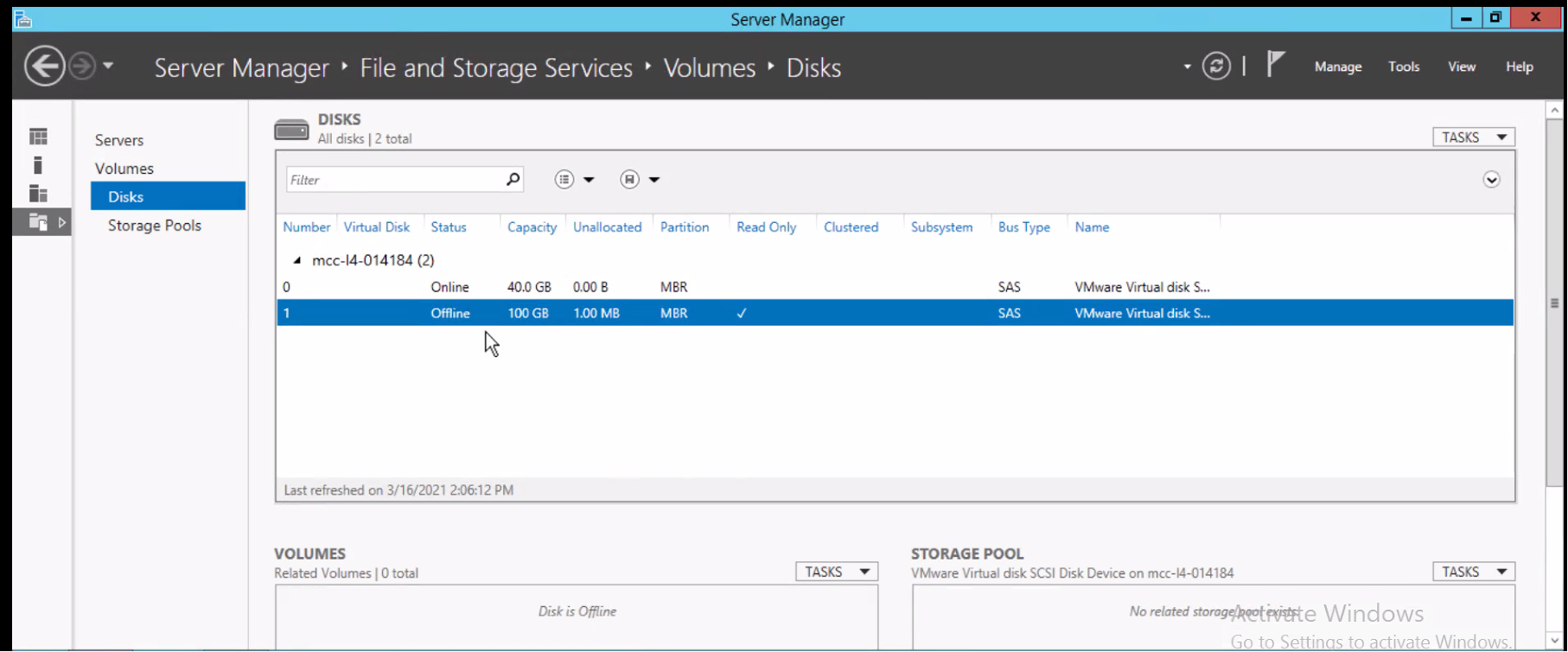
- Offline Drive after Reboot:
Cause
PowerStore advertises a 1MB Max Transfer Size. The host is supposed to query the appliance for the maximum allowed I/O size. However, the host ignores the recommended value and sends a larger data block.
Resolution
Per VMware KB 2137402, this issue is resolved in VMware ESXi 6.0, Patch Release ESXi600-201909001, VMware ESXi 6.5, Patch Release ESXi650-201811002 and VMware ESXi 6.7 Update 1 Release.
As a workaround to this issue, set the ESXi DiskMaxIOSize parameter on each host that sees the PowerStore's Volumes to the I/O block size(1MB) value advertised by PowerStore.
For details, see the PowerStore Host Configuration Guide found in the PowerStore Info Hub
As a workaround to this issue, set the ESXi DiskMaxIOSize parameter on each host that sees the PowerStore's Volumes to the I/O block size(1MB) value advertised by PowerStore.
For details, see the PowerStore Host Configuration Guide found in the PowerStore Info Hub
Affected Products
PowerStoreProducts
PowerStore Employee and PartnerArticle Properties
Article Number: 000182665
Article Type: Solution
Last Modified: 27 Aug 2022
Version: 7
Find answers to your questions from other Dell users
Support Services
Check if your device is covered by Support Services.