PowerStore: Creating new vSphere Content Library fails if Datastore name contains blank space.
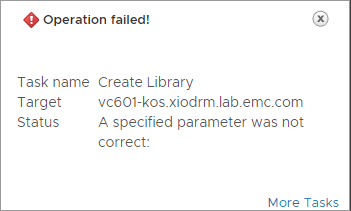
Summary: Creating a new vSphere Content Library fails on Datastores that have a blank space in their name.
This article applies to
This article does not apply to
This article is not tied to any specific product.
Not all product versions are identified in this article.
Symptoms
Below error message is seen in the vSphere Client:

Task events:
Cause
By default, PowerStore X is installed with vVol datastores containing spaces in their name. The issue occurs when the user uses the default datastore or creates an additional Storage Container to create Content Library.
Note: This event is not specific to only vVols datastore as this is a limitation from VMware end.
Resolution
Workaround:
Rename datastores that have spaces in their name or create a new one without any spaces in the name.
Additional Information
Related article:
VMware vVols FAQ
Affected Products
PowerStoreArticle Properties
Article Number: 000183046
Article Type: Solution
Last Modified: 12 Nov 2025
Version: 3
Find answers to your questions from other Dell users
Support Services
Check if your device is covered by Support Services.