VxRail: Major Version Upgrading VxRail With NSX-T in Place
Summary: This KB describes the necessary steps for a major version upgrade of VxRail with NSX-T installed.
This article applies to
This article does not apply to
This article is not tied to any specific product.
Not all product versions are identified in this article.
Instructions
All VxRail 7.x versions and 8.x versions do not include automation in NSX-T in major version upgrade.
Follow the VMware document for upgrading hosts in NSX-T: Upgrading NSX-T
Special notes:

- Before upgrading VxRail, NSX-T must be upgraded to the target version which supports both source version and target version of ESXi.
- Make sure that the status before the upgrade is good in NSX-T
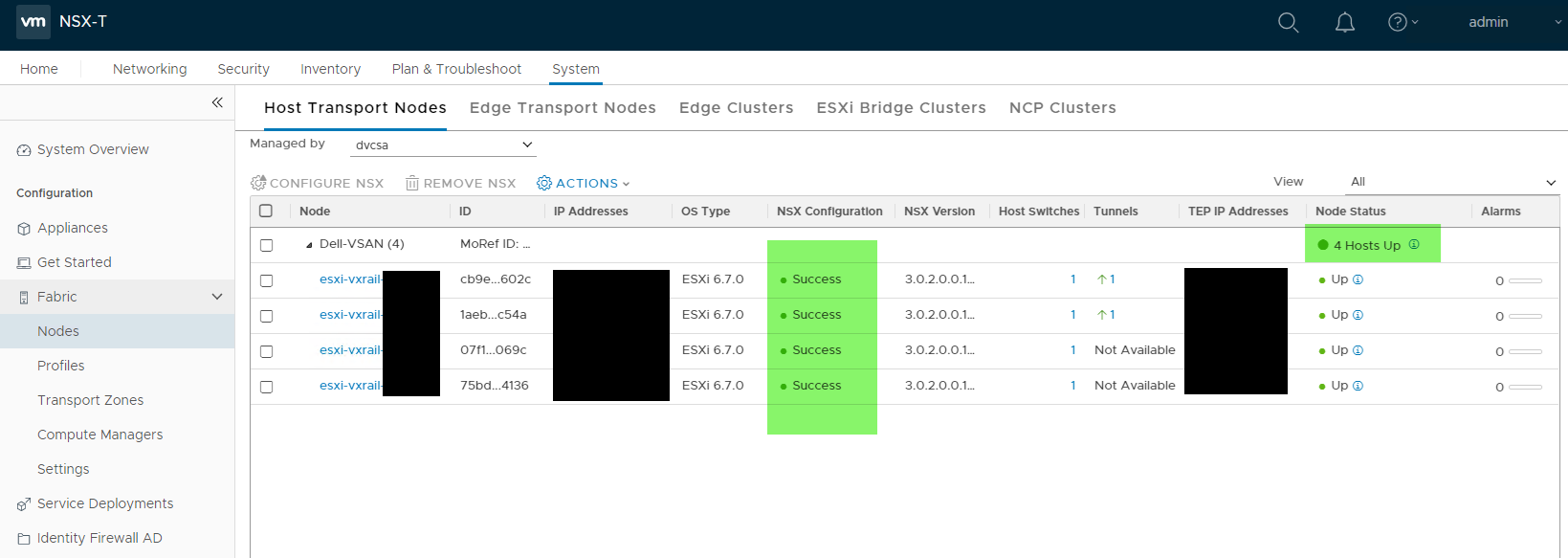
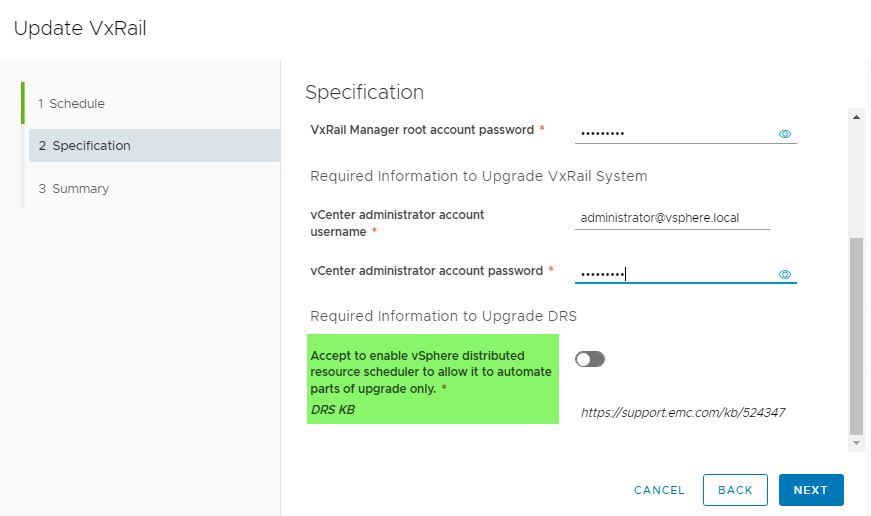
- Disable DRS on the VxRail cluster. If DRS is not enabled before upgrade, the upgrade UI prompts to choose to enable DRS or not during upgrade. In this case, choose "no."
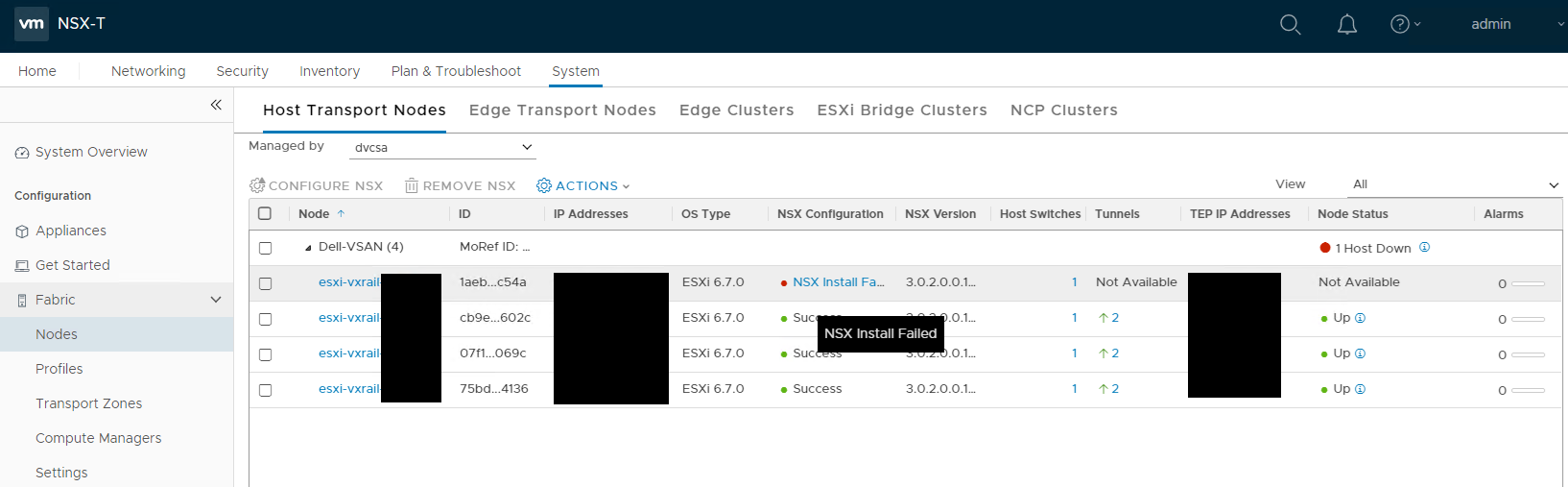
- During VxRail composite upgrade, for each ESXi host, after reboot, it is still in maintenance mode, pending the following manual action in NSX manager. It is to resolve NSX configuration status on the ESXi host. NSX manager shows NSX installs failed on the host, and OS type is the source version of ESXi upgrade.
In this case, manually fix the host in the NSX manager.
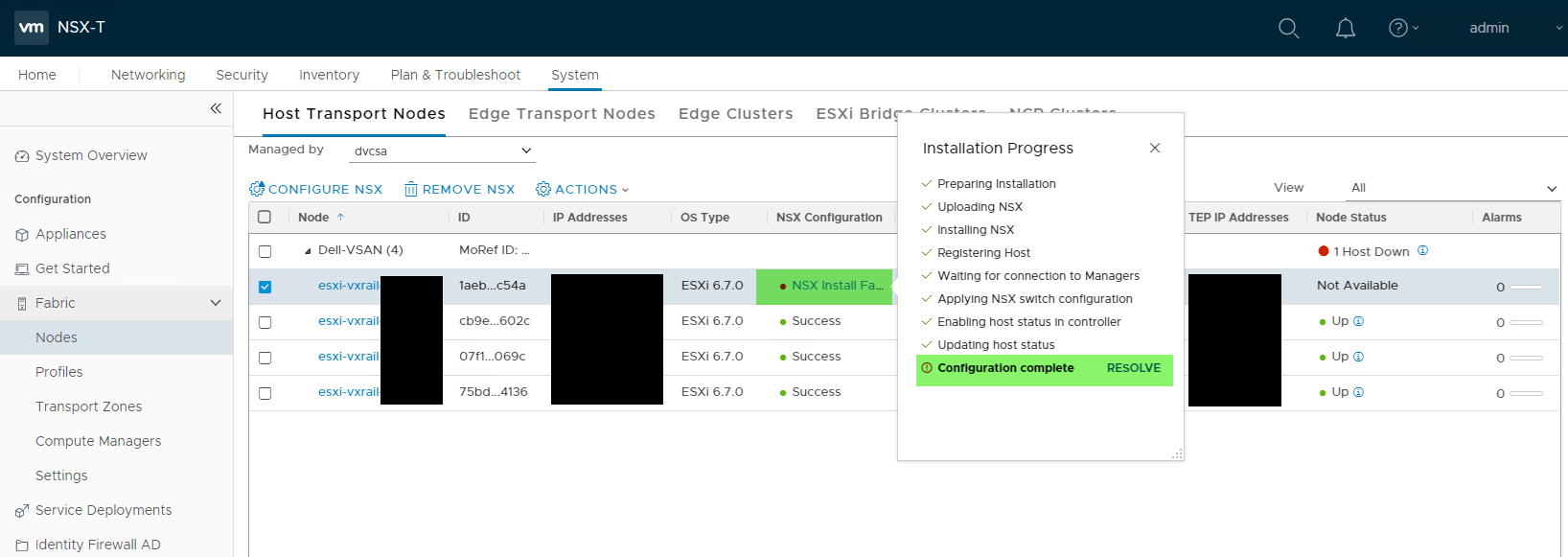
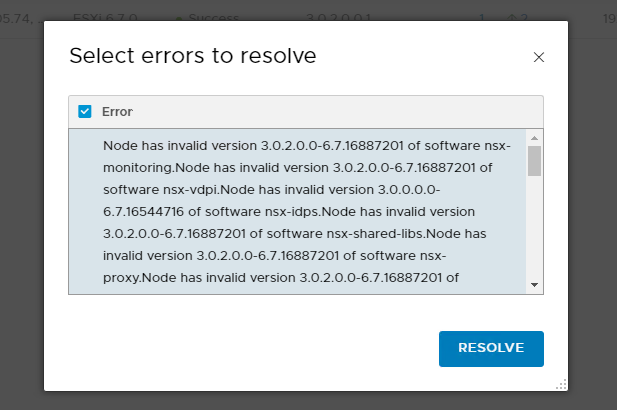
NSX manger installs the VIBs on the host again. We can observe that OS type is target version of ESXi upgrade, and NSX configuration shows success.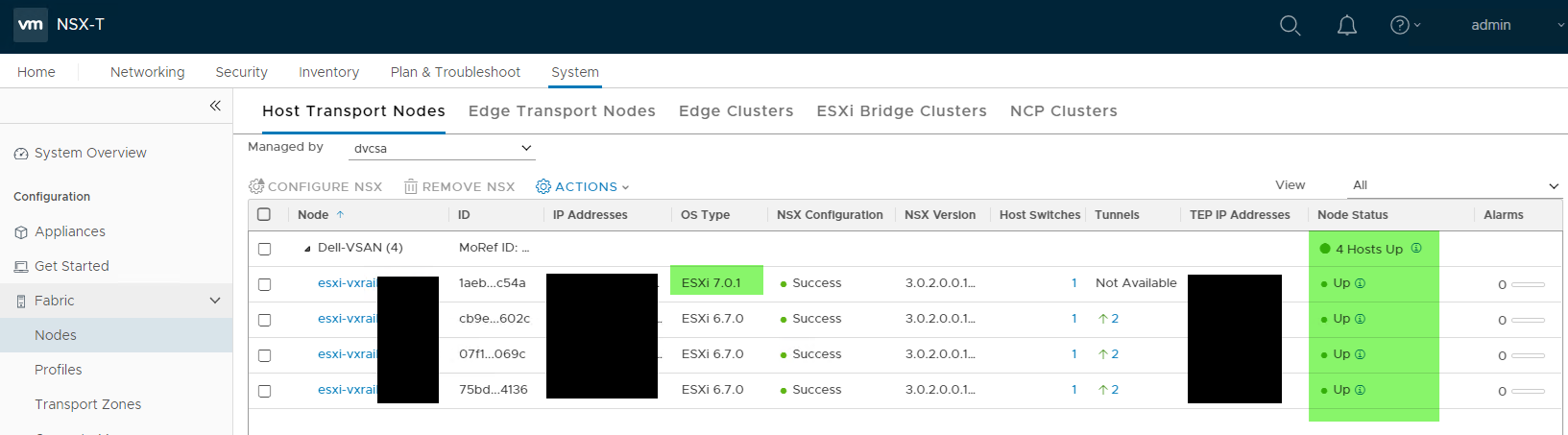
After it is done, VxRail composite upgrade will continue automatically, exit the host from maintenance mode, and continue the upgrade.
Note: The above manual action must be done within 30 minutes after ESXi host completes reboot and stay in maintenance mode. Failure to do so within 30 minutes causes the upgrade to fail with the error: "Upgrade cannot continue because the NSX VIB is an incompatible version on host xxx."
Additional Information
Disabling DRS is the standard recommendation from VMware. However, when there are many VMs in the cluster, and vMotion all these VMs may take a lot of work. The following alternative can avoid the manual work of vMotion but need deep knowledge of vCenter operation:
- Option 1: Set to partial DRS before upgrade and do not enable DRS during the UI.
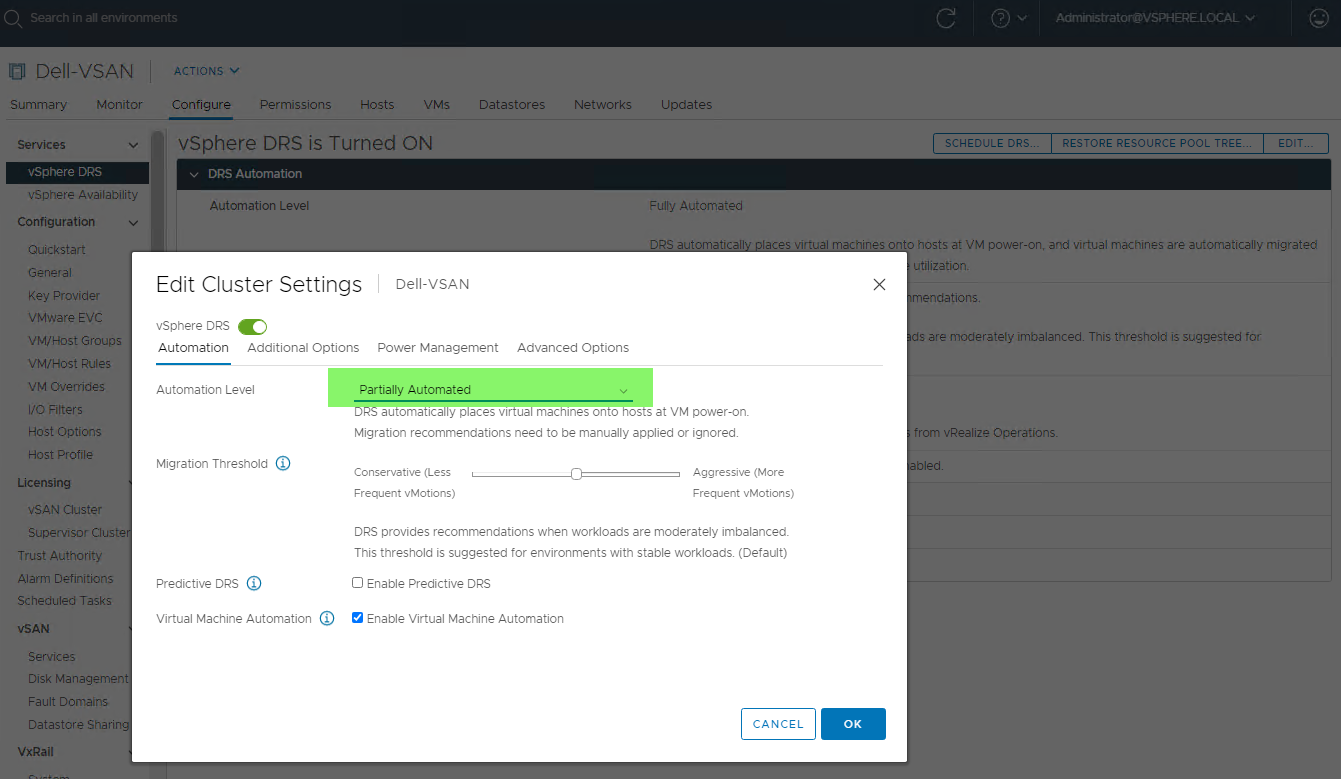
Fix the previously upgraded host (see the "Instructions" section above) and then apply DRS recommendation (if not present, click "RUN DRS" to get recommendations).
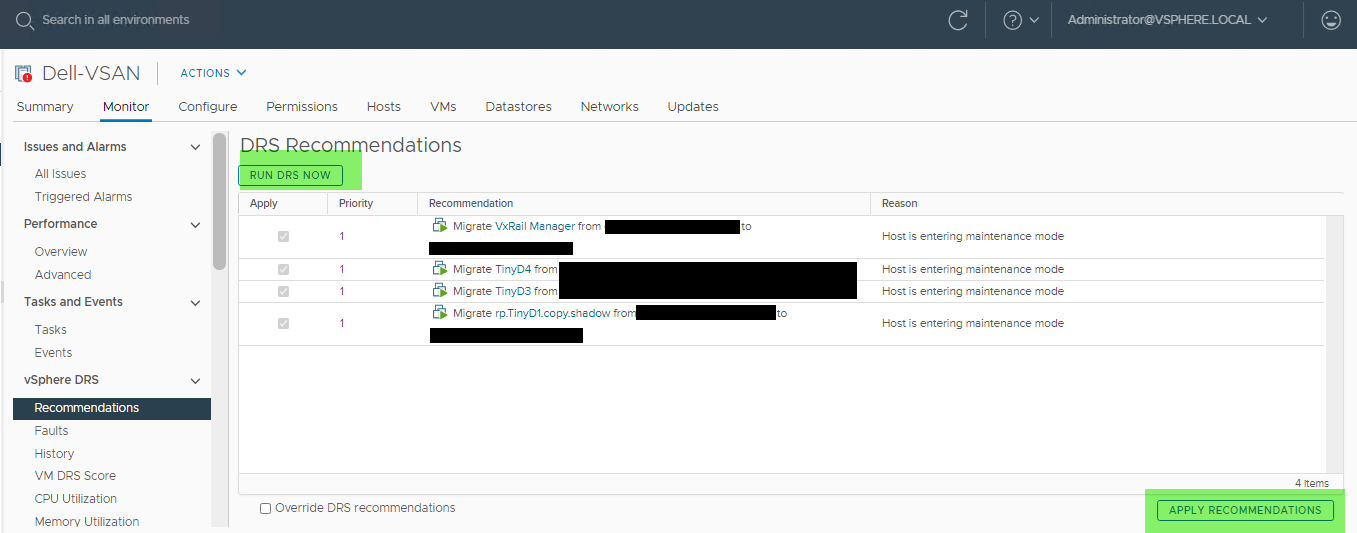
- Option 2: Keep DRS as fully automated (either before upgrade or enable it during upgrade), and pick on VM on each ESXi host to prevent automated vMotion (set host affinity rule). This prevents the host from entering maintenance mode, and giving the change to fix the previous host in NSX. After fixing the previous host, remove the blocking configuration (remove host affinity rule), and the host will enter maintenance mode.
Affected Products
VxRail SoftwareArticle Properties
Article Number: 000184538
Article Type: How To
Last Modified: 01 Oct 2025
Version: 9
Find answers to your questions from other Dell users
Support Services
Check if your device is covered by Support Services.