Unisphere 9.2: LDAP invalid LDAP credentials
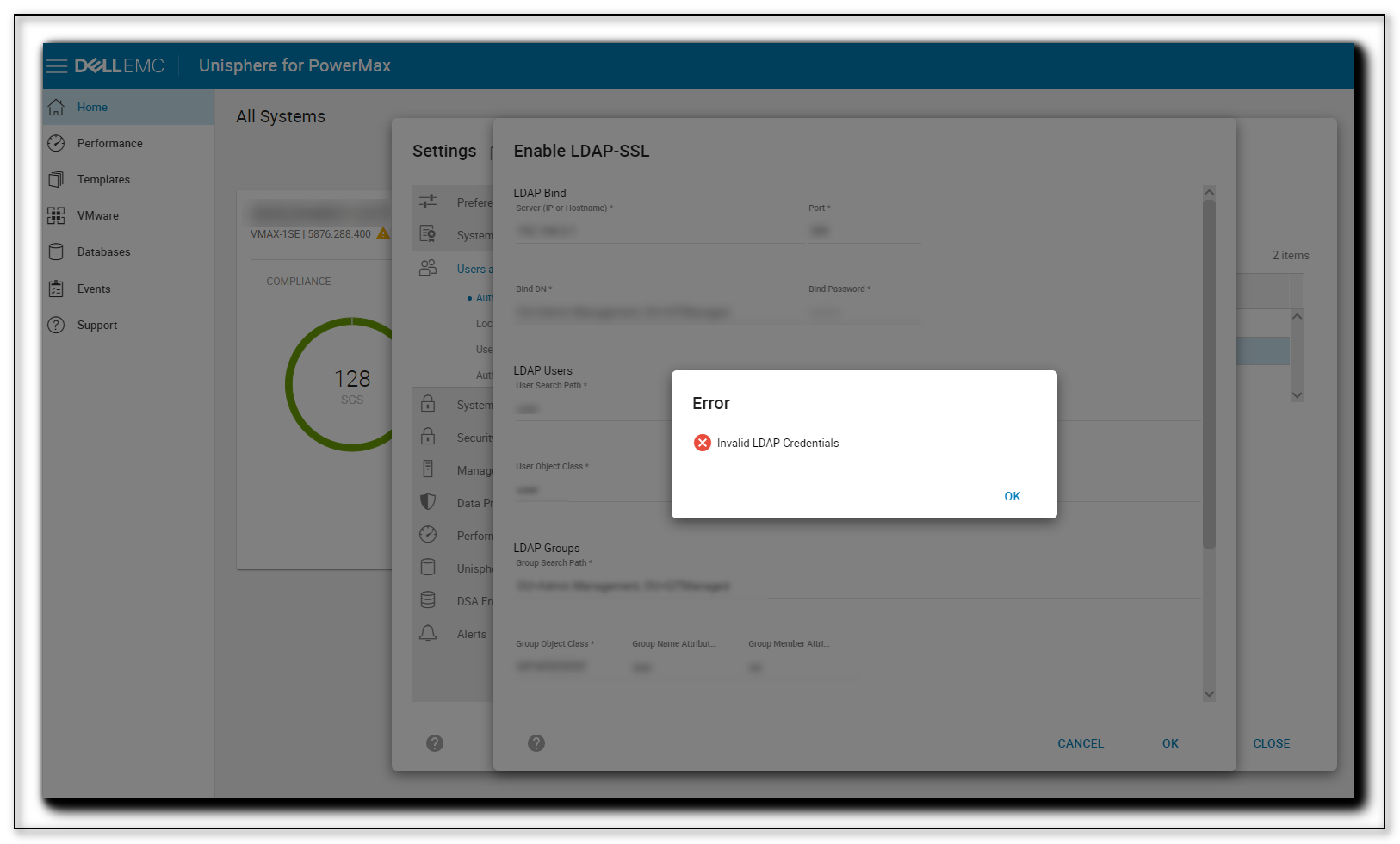
Summary: Issue where LDAP cannot be configured on Unisphere for PowerMax 9.2. Error displays in the Unisphere UI and in the SMAS.log indicating invalid LDAP credentials.
This article applies to
This article does not apply to
This article is not tied to any specific product.
Not all product versions are identified in this article.
Symptoms
Per SMAS.log error:
Failed to update LDAP value: com.emc.em.common.security.ldap.LdapConfigurationException: Invalid LDAP Credentials
Cause
There were inverted commas " " in the bind, user groups, and group fields. These are not permitted per the Unisphere configuration guide.
Resolution
Delete the inverted commas and LDAP is successfully configured. Also ensure that TLS 1.2 settings are enabled as post Unisphere 9.1, LDAP cannot function without it.
Affected Products
Unisphere for PowerMaxArticle Properties
Article Number: 000184704
Article Type: Solution
Last Modified: 06 Aug 2025
Version: 2
Find answers to your questions from other Dell users
Support Services
Check if your device is covered by Support Services.