如何从 M365 Outlook 中删除 Gmail 帐户
Summary: 了解从 Microsoft 365 Outlook 中删除 Gmail 帐户的分步说明。
This article applies to
This article does not apply to
This article is not tied to any specific product.
Not all product versions are identified in this article.
Instructions
完成此过程后,Gmail 帐户仍然存在,但在 Outlook 中看不到。如果该 Gmail 帐户收到更多电子邮件,请重复本文中的步骤,将它们添加到您的 Office 365 邮箱中。
- 在 Outlook 中,依次转到 文件、帐户设置和 帐户设置。
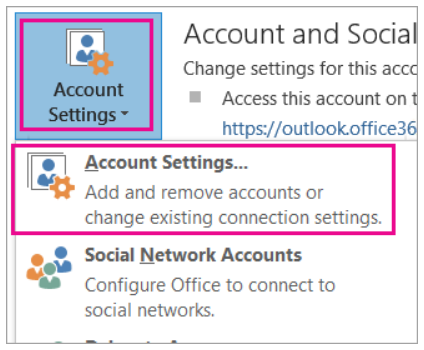
- 在 “帐户设置 ”窗口中,选择 Gmail 帐户,然后选择 “删除”。

- 在有关要删除的离线高速缓存的对话框中,单击 是。
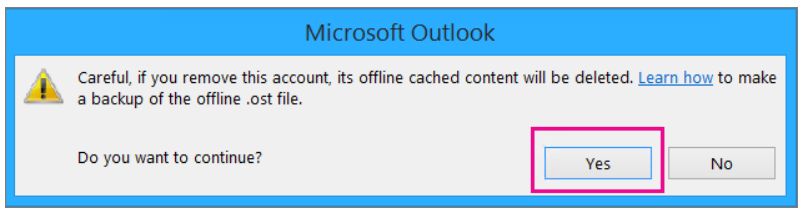
导入到 Office 365 邮箱的 Gmail 邮件仍然存在,但 Gmail 帐户不再显示在 Outlook 中。
Affected Products
Microsoft 365 from DellArticle Properties
Article Number: 000186177
Article Type: How To
Last Modified: 17 Jul 2025
Version: 5
Find answers to your questions from other Dell users
Support Services
Check if your device is covered by Support Services.