M365 OutlookからGmailアカウントを削除する方法
Summary: Microsoft 365 Outlook から Gmail アカウントを削除する手順について説明します。
This article applies to
This article does not apply to
This article is not tied to any specific product.
Not all product versions are identified in this article.
Instructions
このプロセスが完了すると、Gmailアカウントは引き続き存在しますが、Outlookには表示されません。その Gmail アカウントでさらに多くのメール メッセージを受信した場合は、この記事の手順を繰り返して、Office 365 メールボックスに追加します。
- Outlookで、[ ファイル]、[アカウント設定]、[ アカウント設定]の順に移動します。
![M365の[アカウント設定]オプションを示す画像](https://supportkb.dell.com/img/ka0Do000000luC2IAI/ka0Do000000luC2IAI_ja_1.jpeg)
- [アカウント設定]ウィンドウで、Gmailアカウントを選択し、[削除]を選択します。

- オフライン キャッシュの削除に関するダイアログ ボックスで、[はい]をクリックします。
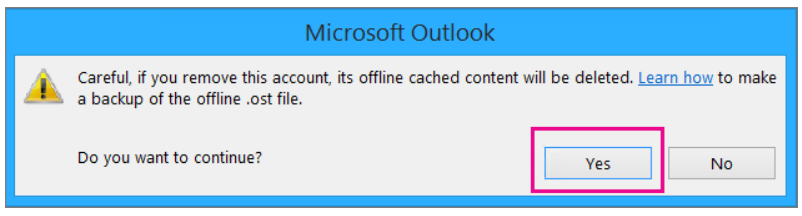
Office 365メールボックスにインポートされたGmailメッセージは引き続き存在しますが、GmailアカウントはOutlookに表示されなくなります。
Affected Products
Microsoft 365 from DellArticle Properties
Article Number: 000186177
Article Type: How To
Last Modified: 17 Jul 2025
Version: 5
Find answers to your questions from other Dell users
Support Services
Check if your device is covered by Support Services.