Avamar: Tworzenie, modyfikowanie i weryfikowanie ustawień użytkownika NDMP w Isilon
Summary: Instrukcje dotyczące tworzenia, modyfikowania i weryfikowania ustawień użytkownika NDMP (Network Data Management Protocol) Isilon.
This article applies to
This article does not apply to
This article is not tied to any specific product.
Not all product versions are identified in this article.
Instructions
- Zaloguj się do interfejsu sieciowego OneFS jako root

- Postępuj zgodnie ze ścieżką OneFS>Data Protection>NDMP >Ustawienia NDMP

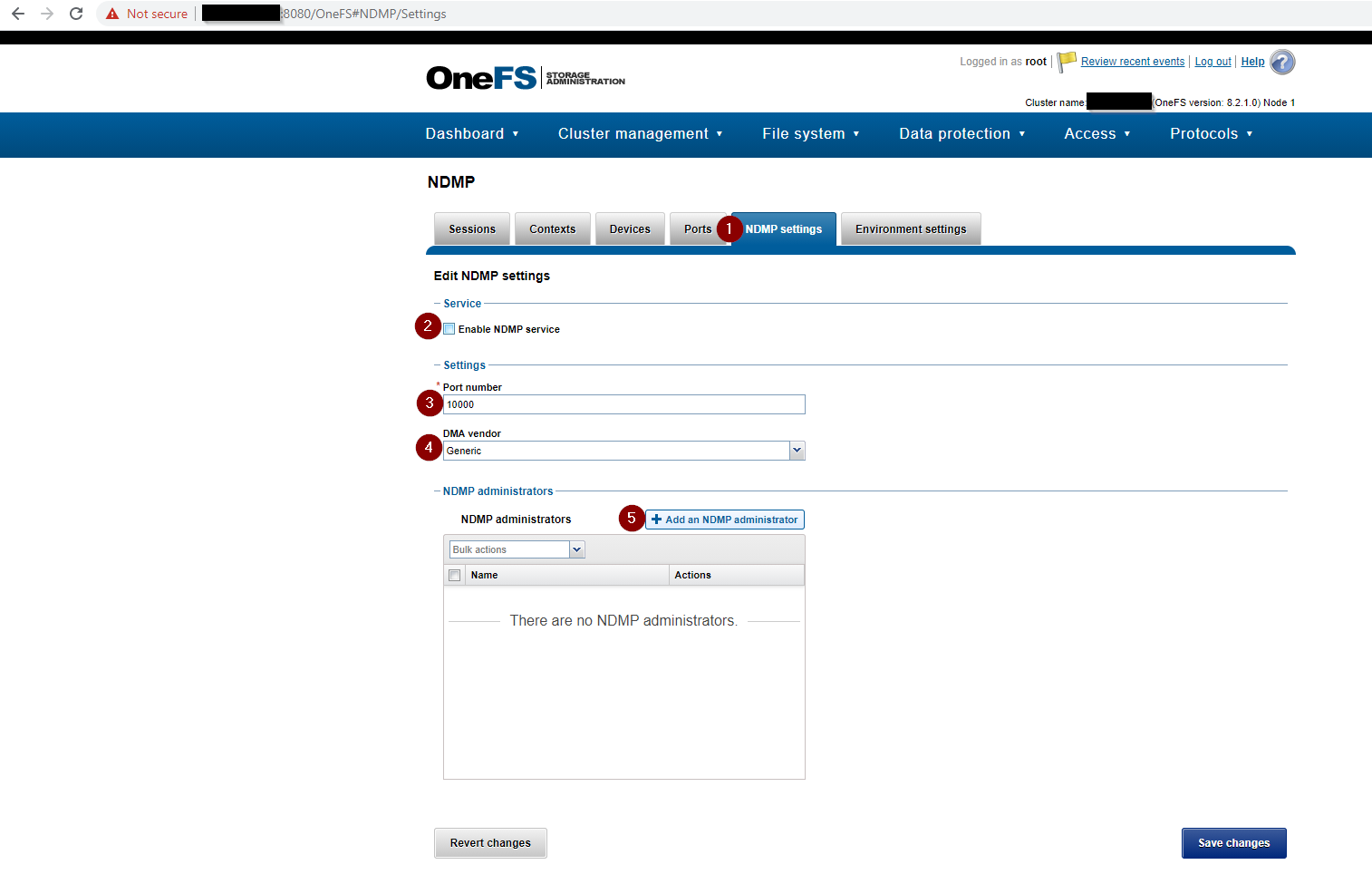
- Uzupełnij ustawienia NDMP , w tym następujące:
- Pole wyboru Włącz usługę NDMP jest zaznaczone.
- Numer portu jest ustawiony na 10000
- Dostawca DMA jest ustawiony na generyczny
- NAdministrator DMP jest ustawiony na administratora na NDMP i dodaje hasło
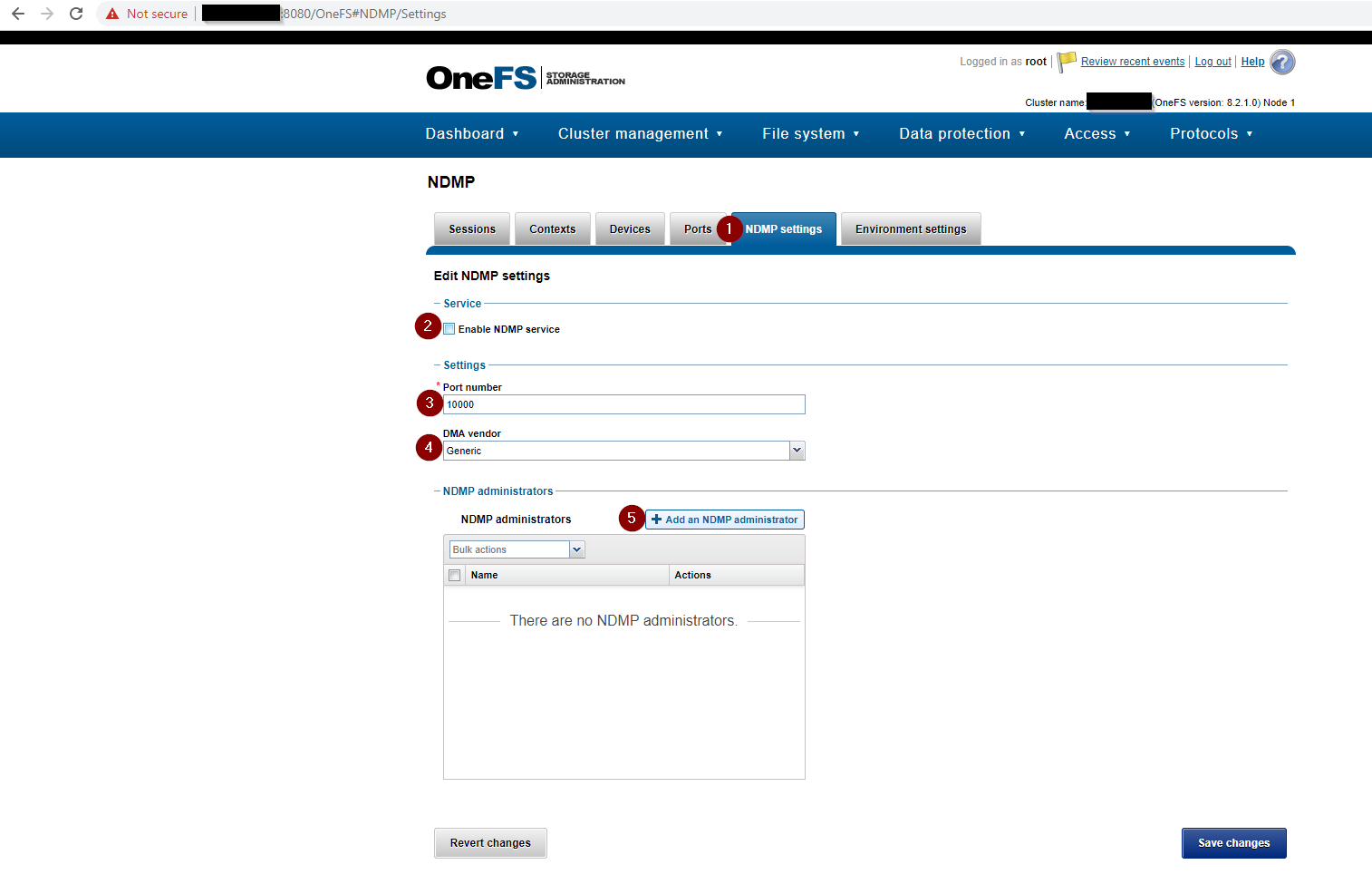
Jeśli nie utworzono administratora NDMP, utwórz go. Jeśli Isilon jest nową instalacją, strona ustawień NDMP wygląda jak na poniższym zrzucie ekranu:
- Utwórz lub zmieńhasło użytkownika N DMP przy użyciu interfejsu sieciowego OneFS:

- Alternatywnie utwórz lub zmieńhasło użytkownika N DMP przy użyciu interfejsu wiersza poleceń Isilon:
REDACTED_ISILON_CLUSTER# isi ndmp users create --name ndmp
password:
confirm:
REDACTED_ISILON_CLUSTER#

REDACTED_ISILON_CLUSTER# isi ndmp users modify --name ndmp
password:
confirm:
REDACTED_ISILON_CLUSTER#
- Sprawdź ustawienia NDMP:
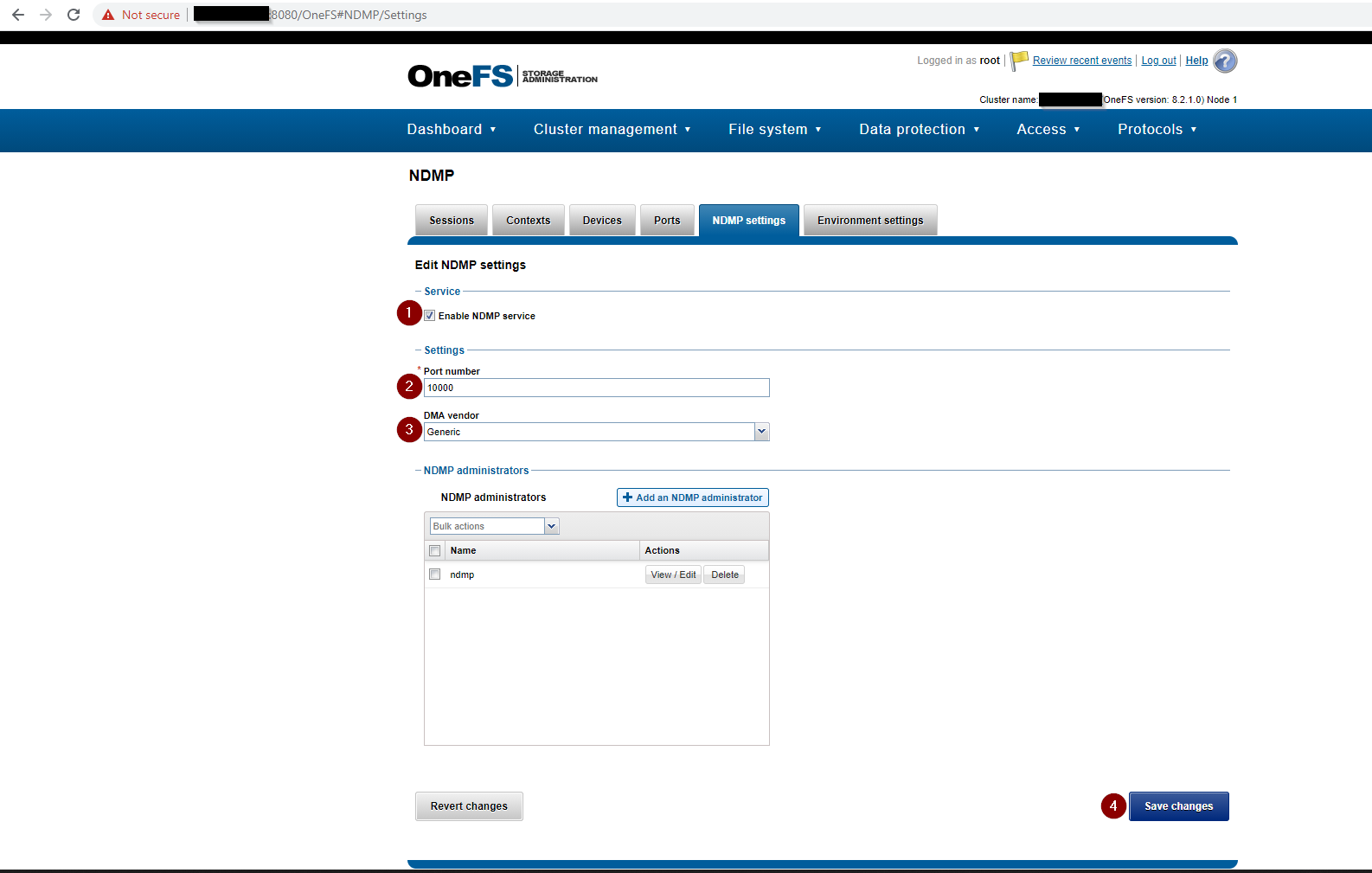
Sprawdź ustawienia NDMP przy użyciu interfejsu wiersza poleceń Isilon:
Polecenie:
isi ndmp settings global view
Przykładowe dane wyjściowe:
REDACTED_ISILON_CLUSTER# isi ndmp settings global view
                       Service: True
                          Port: 10000
                           DMA: generic
          Bre Max Num Contexts: 64
MSB Context Retention Duration: 300
MSR Context Retention Duration: 600
        Stub File Open Timeout: 10
             Enable Redirector: False
              Enable Throttler: False
       Throttler CPU Threshold: 50

REDACTED_ISILON_CLUSTER# isi ndmp users list
Name
-----
ndmp
-----
Total: 1
Affected Products
AvamarArticle Properties
Article Number: 000189642
Article Type: How To
Last Modified: 02 Apr 2025
Version: 4
Find answers to your questions from other Dell users
Support Services
Check if your device is covered by Support Services.