Avamar: Isilon NDMP Kullanıcı Ayarlarını Oluşturma, Değiştirme veya Doğrulama
Summary: Isilon Ağ Veri Yönetimi Protokolü (NDMP) kullanıcı ayarlarının nasıl oluşturulacağı, değiştirileceği veya doğrulanacağı ile ilgili talimatlar.
This article applies to
This article does not apply to
This article is not tied to any specific product.
Not all product versions are identified in this article.
Instructions
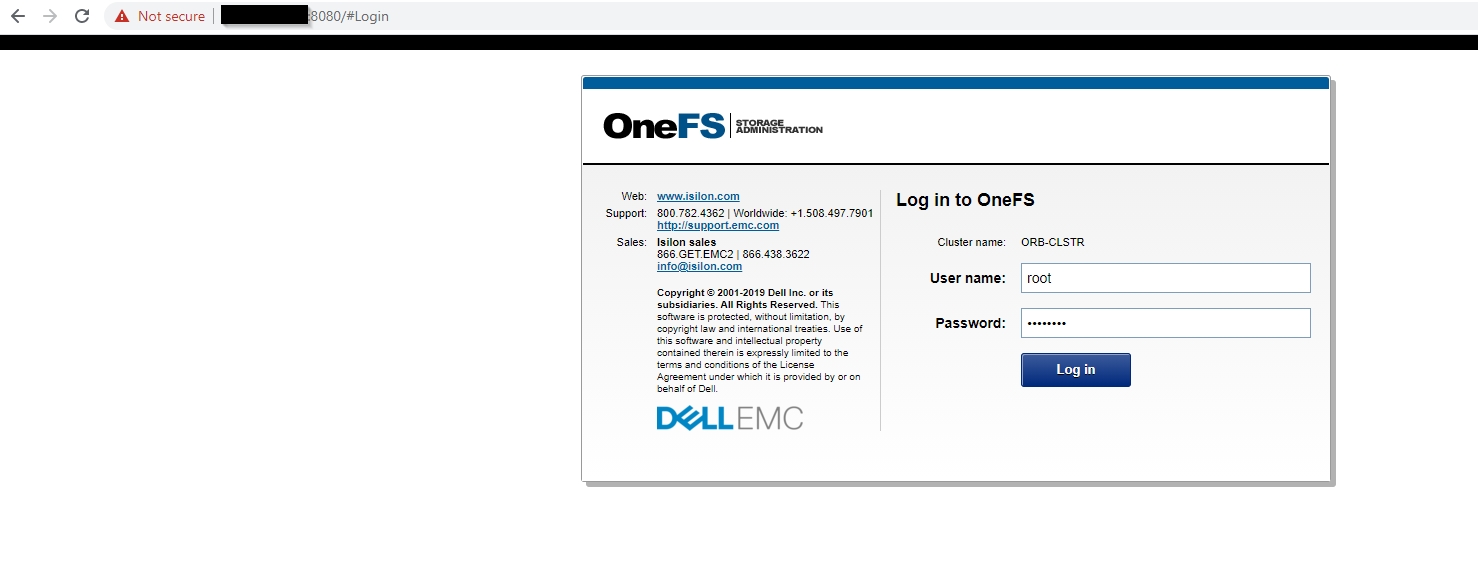
- OneFS web kullanıcı arayüzünde kök olarak oturum açın
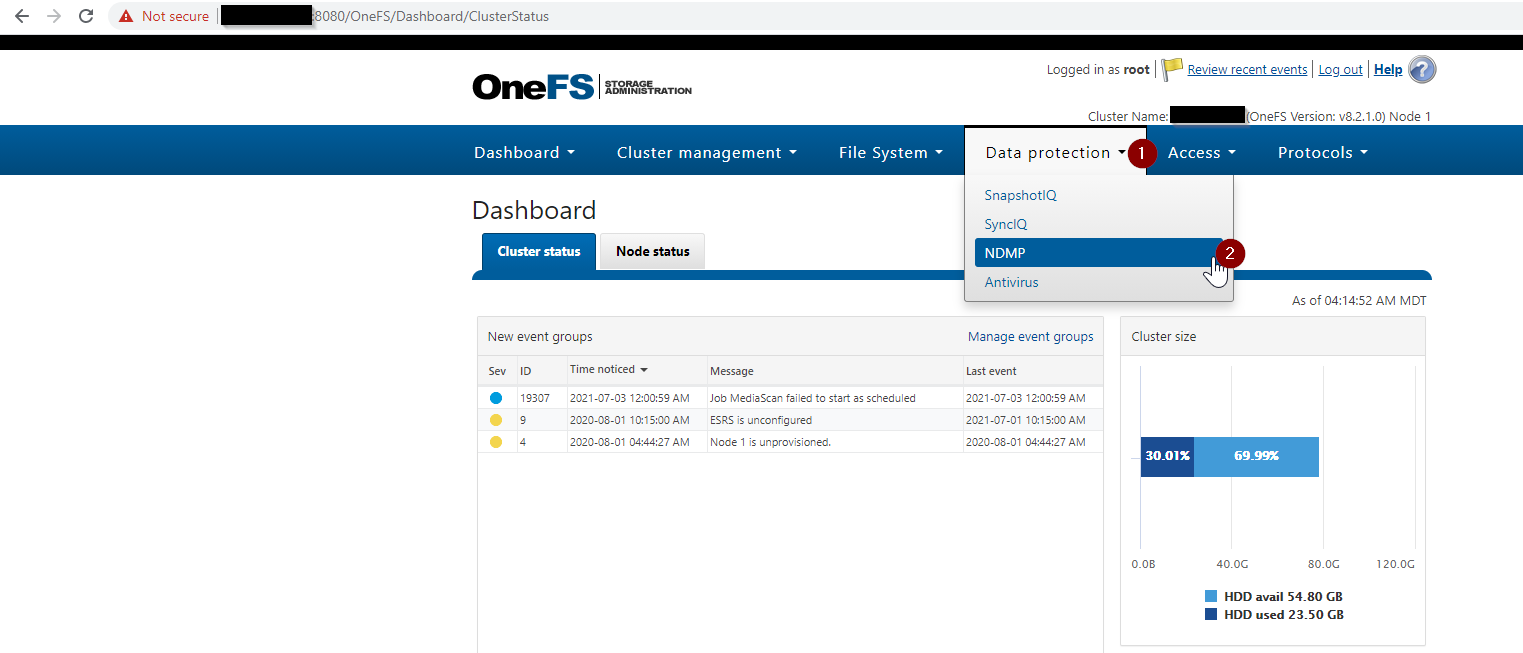
- OneFS>Data Protection>NDMP >NDMP settings yolunu takip edin
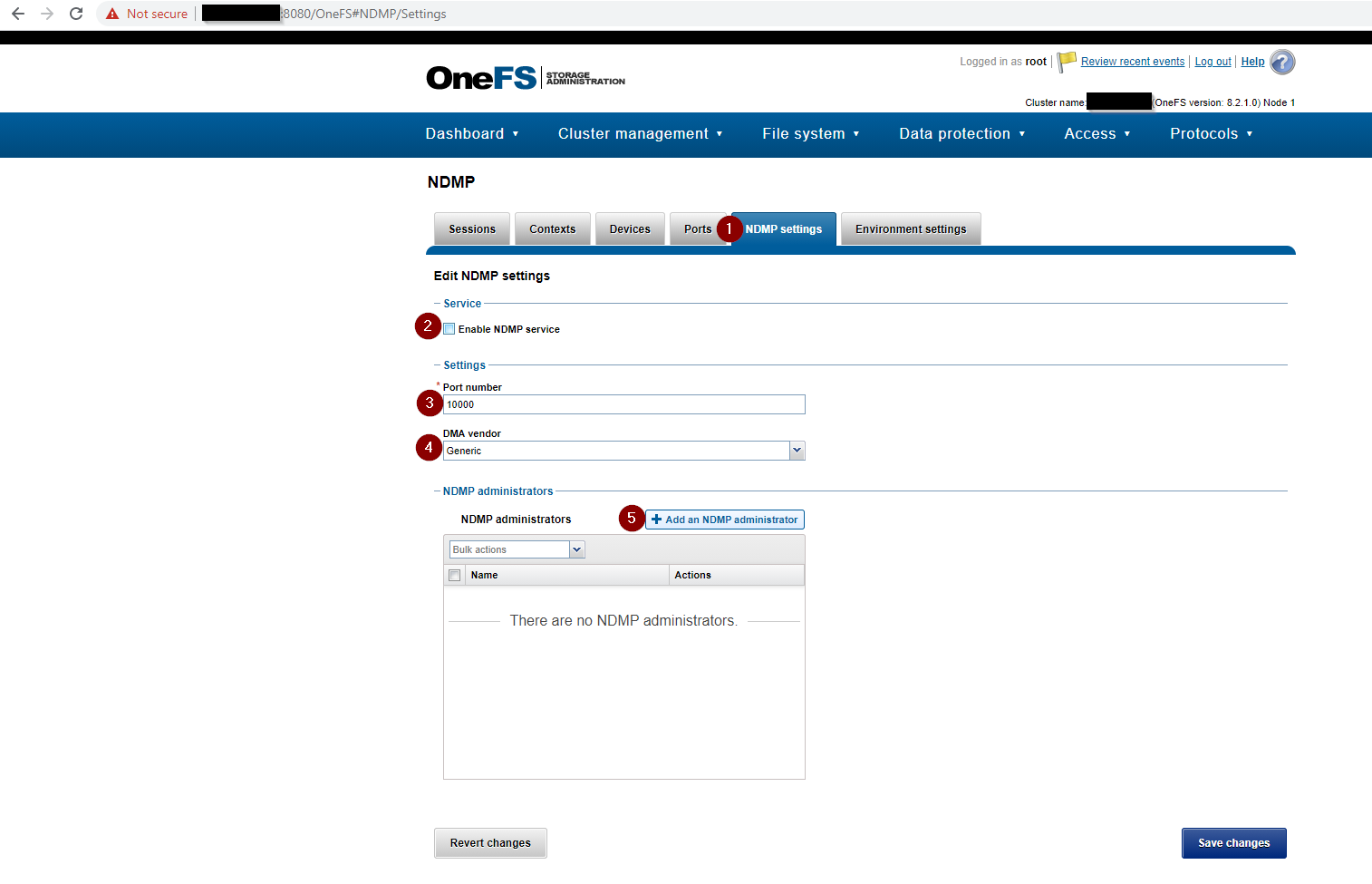
- Aşağıdakiler dahil olmak üzere NDMP ayarlarını tamamlayın:
- Enable NDMP service kutucuğu işaretlidir.
- Bağlantı Noktası Numarası10000 olarak ayarlandı
- DMA satıcısıGenel olarak ayarlanmıştır
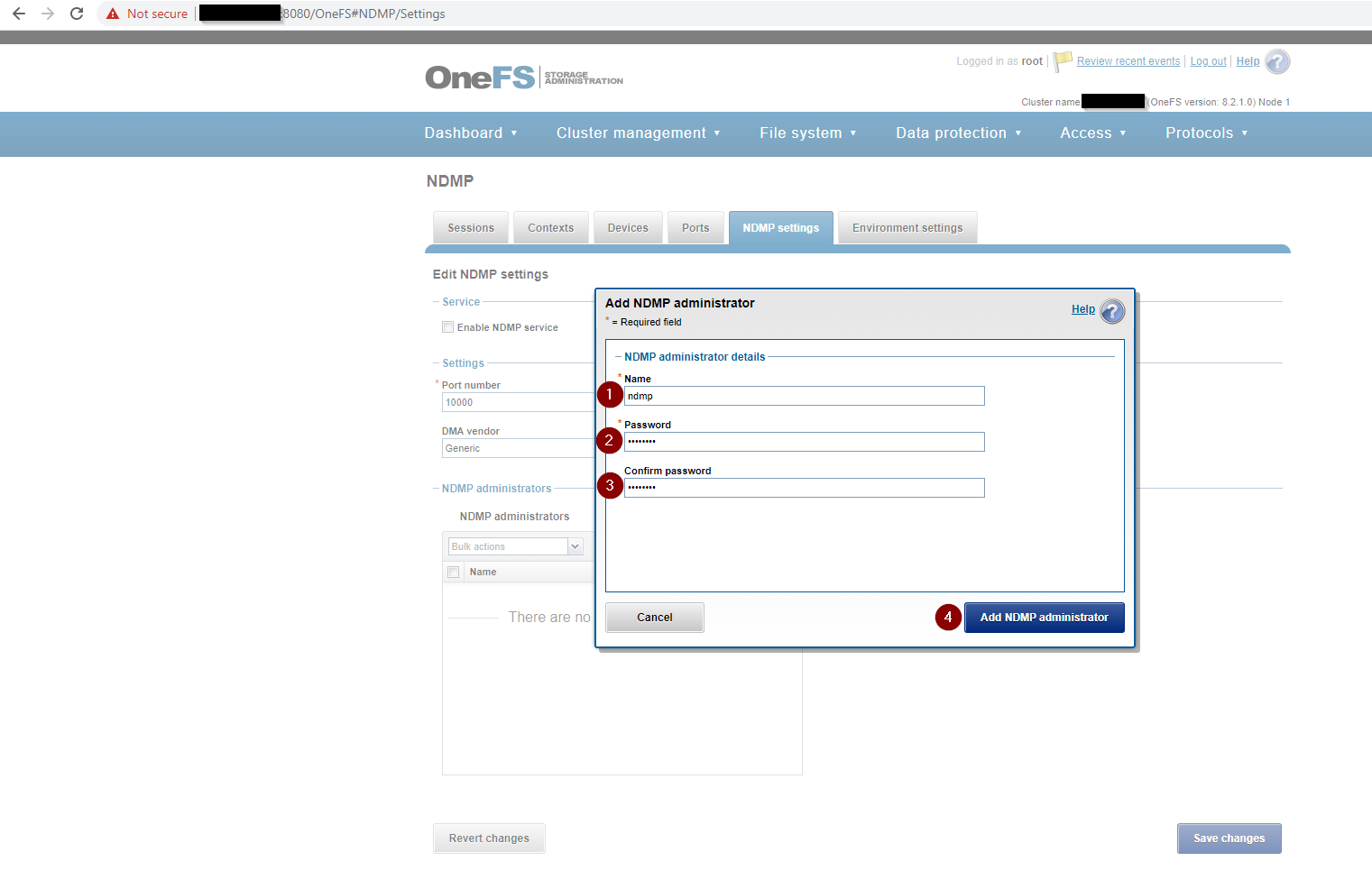
- NDMP yöneticisi yönetici olarak NDMP olarak ayarlanır ve bir parola ekler
Oluşturulan NDMP yönetici kullanıcısı yoksa bir kullanıcı oluşturun. Isilon yeni bir kurulumsa NDMP ayarları sayfası aşağıdaki ekran görüntüsüne benzer şekilde görünür:

- OneFS Web kullanıcı arayüzünü kullanarak NDMP kullanıcı parolasınıoluşturun veya değiştirin:
- Alternatif olarak, Isilon CLI'yı kullanarak NDMP kullanıcı parolasıoluşturabilir veya değiştirebilir:
REDACTED_ISILON_CLUSTER# isi ndmp users create --name ndmp
password:
confirm:
REDACTED_ISILON_CLUSTER#

REDACTED_ISILON_CLUSTER# isi ndmp users modify --name ndmp
password:
confirm:
REDACTED_ISILON_CLUSTER#
- NDMP ayarlarını doğrulayın :

Isilon CLI kullanarak NDMP ayarlarını doğrulayın:
Komut:
isi ndmp settings global view
Örnek Çıktı:
REDACTED_ISILON_CLUSTER# isi ndmp settings global view
                       Service: True
                          Port: 10000
                           DMA: generic
          Bre Max Num Contexts: 64
MSB Context Retention Duration: 300
MSR Context Retention Duration: 600
        Stub File Open Timeout: 10
             Enable Redirector: False
              Enable Throttler: False
       Throttler CPU Threshold: 50

REDACTED_ISILON_CLUSTER# isi ndmp users list
Name
-----
ndmp
-----
Total: 1
Affected Products
AvamarArticle Properties
Article Number: 000189642
Article Type: How To
Last Modified: 02 Apr 2025
Version: 4
Find answers to your questions from other Dell users
Support Services
Check if your device is covered by Support Services.