Avamar: Unity NDMP 사용자 설정을 생성, 수정 또는 확인하는 방법
Summary: 이 KB 문서에서는 Unity NDMP(Network Data Management Protocol) 사용자 설정을 생성, 수정 또는 확인하는 방법에 대한 지침을 제공합니다.
This article applies to
This article does not apply to
This article is not tied to any specific product.
Not all product versions are identified in this article.
Instructions
- 관리자 계정으로 Unity Unisphere에 로그인합니다.

- Unisphere > File > NAS Servers로 이동합니다.
- 타겟 NAS 서버를 선택하고 Edit를 클릭합니다.

- Unity를 새로 설치하는 경우 다음과 같이 NDMP settings 페이지가 나타납니다.
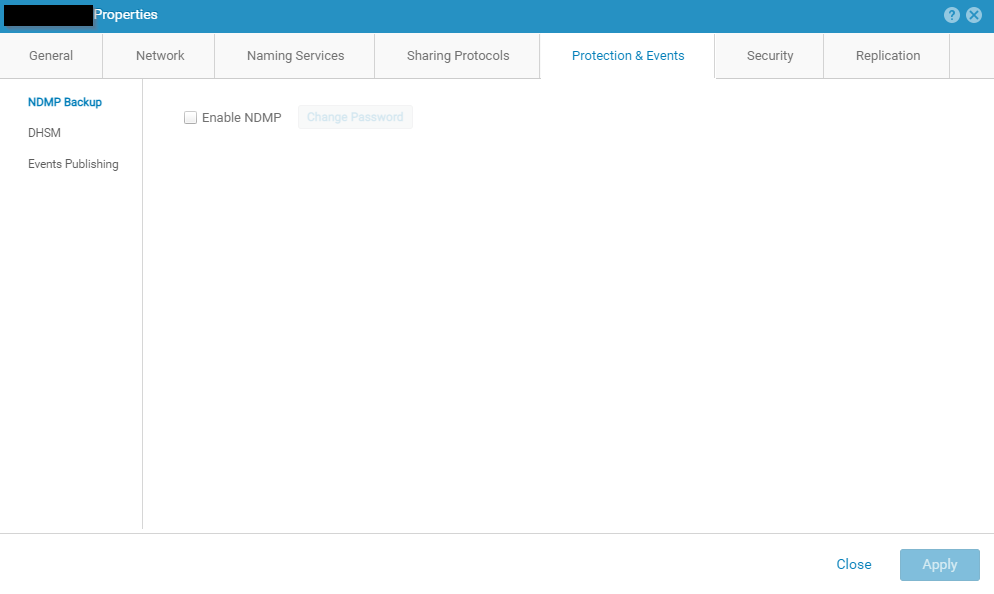
- Enable NDMP 확인란을 선택합니다.
- NDMP 사용자 암호를 입력하고 확인합니다.
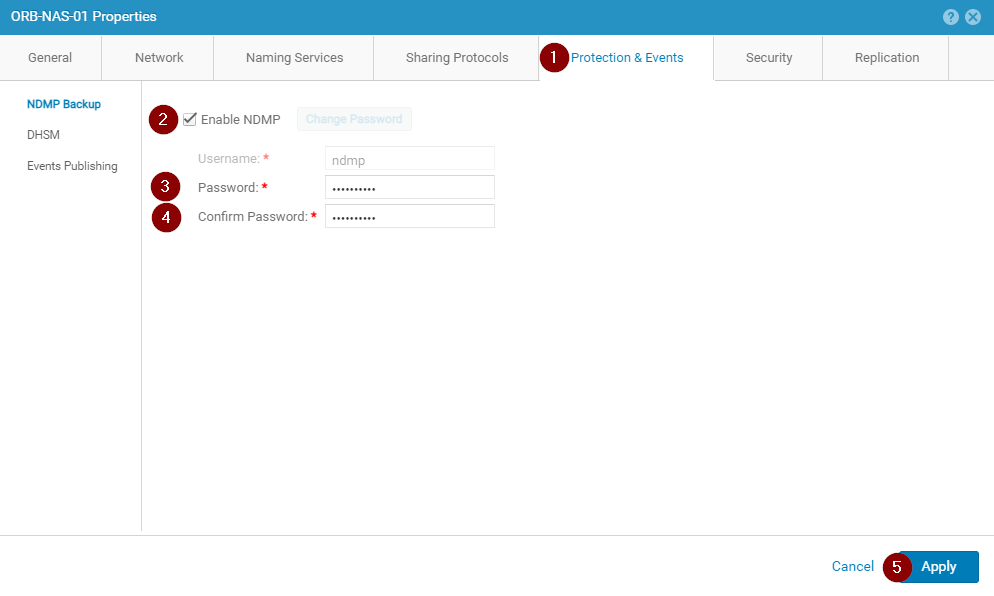
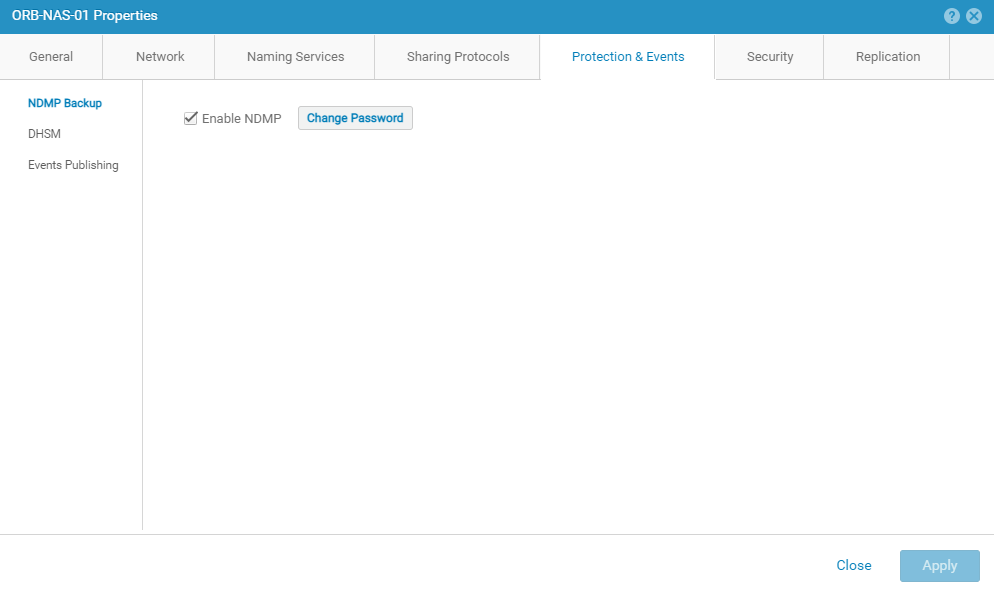
- NDMP 서비스 설정이 올바르게 표시되는지 확인합니다.
Article Properties
Article Number: 000189645
Article Type: How To
Last Modified: 09 Dec 2025
Version: 5
Find answers to your questions from other Dell users
Support Services
Check if your device is covered by Support Services.