Dell EMC VxRail: VCF on VxRail: SDDC Manager did not display log in prompt
Summary: SDDC Manager UI reported error message "Internal system error: VCF_FSSO_001. Contact system administrator."
This article applies to
This article does not apply to
This article is not tied to any specific product.
Not all product versions are identified in this article.
Symptoms
While logging in to SDDC Manager UI through https://sddc manager IP:8443/vrm, UI displays an error message:
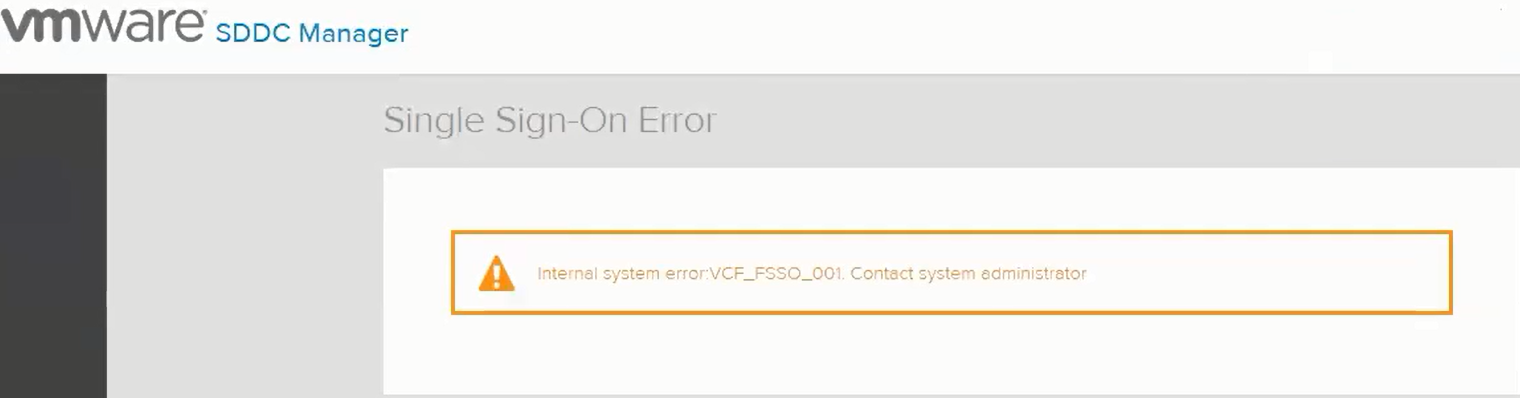
Simultaneously, user modified the SSO administrator@vsphere.local account password. Although they could log in to vCenter, the SDDC Manager view did not display the log in prompt.
Checked that all key services were still running in SDDC Manager including cassandra, vcfmanager, and so forth. This is also verified by running scsclient.
Checked that there were no file system space issues.
Message seen in vrack-vrm-debug.log:

Error while creating admin client for psc

Check /home/vrack/bin/lookup-passwords as it may report a different password for SSO administrator@vsphere.local stored in SDDC Manager and that it is being used to log in vCenter.
Single Sign-On Error
Internal system error: VCF_FSSO_001. Contact system administrator.
Internal system error: VCF_FSSO_001. Contact system administrator.
Simultaneously, user modified the SSO administrator@vsphere.local account password. Although they could log in to vCenter, the SDDC Manager view did not display the log in prompt.
Checked that all key services were still running in SDDC Manager including cassandra, vcfmanager, and so forth. This is also verified by running scsclient.
Checked that there were no file system space issues.
Message seen in vrack-vrm-debug.log:
Error while preparing idp configuration
Error while initiating saml web request

Error while initiating saml web request
Error while preparing idp metadata configuration for psc xxx
Error while creating admin client for psc
Check /home/vrack/bin/lookup-passwords as it may report a different password for SSO administrator@vsphere.local stored in SDDC Manager and that it is being used to log in vCenter.
Cause
User modified the SSO administrator password which causes SDDC Manage to fail to pass the authentication through to the PSC.
Resolution
Log in to vCenter to change the password of the administrator@vsphere.local to the original password stored under SDDC manager.
Reboot the SDDC manager appliance.
Reboot the SDDC manager appliance.
Affected Products
VxRack SDDC 14G-1Article Properties
Article Number: 000190543
Article Type: Solution
Last Modified: 31 Aug 2021
Version: 1
Find answers to your questions from other Dell users
Support Services
Check if your device is covered by Support Services.