PowerProtect Backup Service:設定 Phoenix Cloud 的 NAS 代理備份
Summary: 設定 Phoenix 代理程式以備份 NAS 共用的步驟
This article applies to
This article does not apply to
This article is not tied to any specific product.
Not all product versions are identified in this article.
Instructions
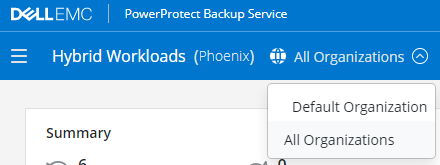
- 在混合式工作負載操作介面中,按一下組織下拉式清單,然後選取 NAS 代理的組織。
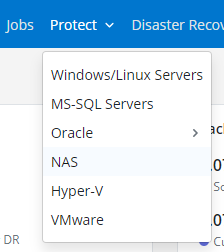
- 按一下保護的下拉式清單,然後選取 NAS。
-
- 在左窗格中,按一下所有代理。
- 在右上角,按一下新增代理。
- 下載並安裝適合代理主機作業系統的代理程式。
- 選取有效的啟動權杖,或從 Phoenix 管理主控台產生新權杖。
- 複製 Windows 或 Linux 預先產生的啟動命令,然後從代理主機執行。
啟用會授權 NAS 代理與 Phoenix Cloud 通訊,並處理 NAS 共用的備份和還原工作。
- 在 Phoenix 主控台左側,按一下所有裝置。
- 在右上角,按一下新增 NAS 裝置。
- 輸入裝置詳細資料,然後選取要執行備份的 NAS 代理。
- 如果尚未輸入任何憑據,請在該下拉清單中選擇“+ 新建憑據”。
- 按一下「儲存」
Affected Products
PowerProtect Backup ServicesArticle Properties
Article Number: 000190871
Article Type: How To
Last Modified: 24 Aug 2021
Version: 1
Find answers to your questions from other Dell users
Support Services
Check if your device is covered by Support Services.