Dell Computer Encounters BIOS Corruption or BIOS Update Failure After Windows Update
Summary: Learn about BIOS corruption, BIOS update failure, or no Post issue seen on a Dell computer after Windows Update.
This article applies to
This article does not apply to
This article is not tied to any specific product.
Not all product versions are identified in this article.
Symptoms
Symptom 1: The computer may not complete POST with an LED showing error code 3-6.
Symptom 2: Users may encounter BIOS update blocked due to unsupported downgrade, or BIOS Auto Recovery failed after updating the BIOS to 2.x.x by Windows Update.
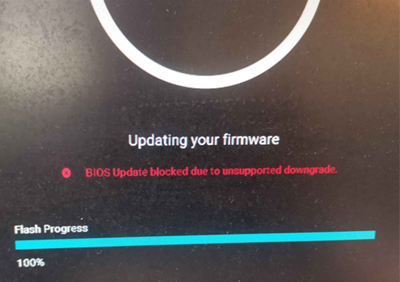
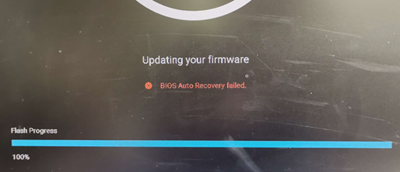
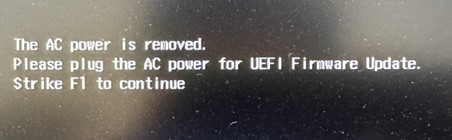
Affected Platforms:
- ChengMing 3990
- ChengMing 3991
- Dell Pro 14 Essential PV14250
- Dell Pro 14 Essential PV14255
- Dell Pro 15 Essential PV15255
- Inspiron 15 3525
- Inspiron 15 3535
- Vostro 14 3435
- Vostro 15 3535
- Vostro 3681
- Vostro 3881
- Vostro 3888
Cause
No cause information is available.
Resolution
Recover the BIOS with USB drive first:
- Download the latest BIOS exe file or recovery file from the Dell Drivers & Downloads page.
- Rename it to "BIOS_IMG.rcv."
- Copy the file "BIOS_IMG.rcv" into USB drive which is formatted as FAT32 format.
- Plug in the USB recovery storage to the computer.
- Press and hold the CTRL key + ESC key on the keyboard and turn on the computer until the BIOS Recovery page appears.
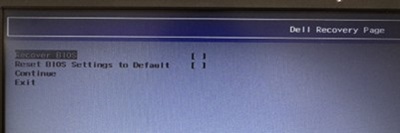
- Select Recover BIOS and press the Enter key to start the recovery process.
Note: Do not turn off the computer or disconnect.
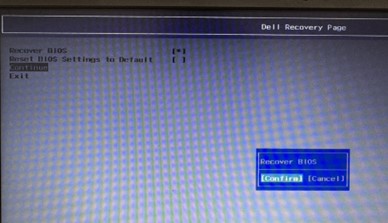
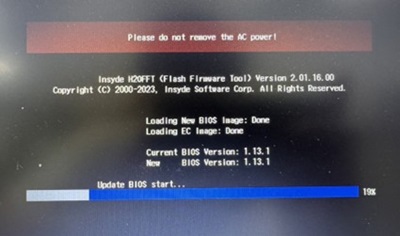
- Once BIOS recovery completes, boot to OS, download the latest BIOS exe file to update again. The purpose is to replace the recovery image to a new version. It can prevent issues from occurring again when BIOS flash is interrupted. To download and install the BIOS, refer to the BIOS Update Guide.
Affected Products
Dell Pro 14 Essential PV14250, Dell Pro 14 Essential PV14255, Dell Pro 15 Essential PV15255, Inspiron 15 3525, Inspiron 15 3535, Vostro 14 3435, Vostro 15 3535, Vostro 3681, Vostro 3881, Vostro 3888Article Properties
Article Number: 000192781
Article Type: Solution
Last Modified: 25 Nov 2025
Version: 13
Find answers to your questions from other Dell users
Support Services
Check if your device is covered by Support Services.