如何解除安裝 Secureworks Taegis XDR 代理程式
Summary: 按照這些適用於 Windows、Linux 或 macOS 的指示,瞭解解除安裝 Secureworks Taegis XDR 代理程式的逐步指示。
This article applies to
This article does not apply to
This article is not tied to any specific product.
Not all product versions are identified in this article.
Instructions
可能需要解除安裝 Secureworks Taegis XDR 代理程式,以進行:
- 故障診斷產品
- 解決作業系統不相容的問題
本文說明解除安裝產品的步驟。
受影響的產品:
- Secureworks Taegis XDR
受影響的作業系統:
- Windows
- Linux
- macOS
按一下 XDR 主控台、 Windows、 Linux 或 macOS ,以取得解除安裝 Secureworks Taegis XDR 代理程式的步驟。
XDR 主控台
注意:主控台解除安裝選項僅適用於 Windows 型 Taegis 代理程式。
- 從導覽功能表中,選取 端點代理程式 ,然後按一下 Taegis。
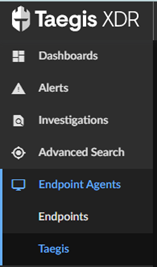
- 選取適當的主機名稱。
- 按一下省略號,然後選取 解除安裝代理程式。

- 在以下位置的端點上建立解除安裝記錄:
%PROGRAMDATA%\Secureworks\TaegisAgent\TaegisAgentUninstall.txt。
Windows
可透過使用者介面 (UI) 或命令行介面 (CLI) 解除安裝 Windows 上的 Secureworks Taegis XDR 代理程式。如需詳細資訊,請按一下適當的程序。
UI
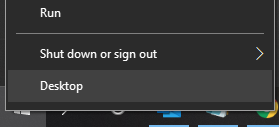
- 使用系統管理員身份,在 Windows 「開始」功能表上按右鍵,然後按一下執行。
- 在 「執行 」UI 中,鍵入
appwiz.cpl然後按一下確定。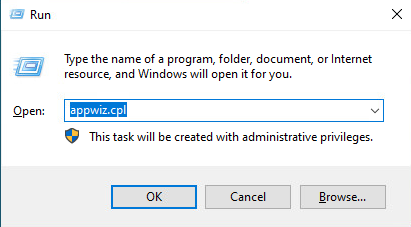
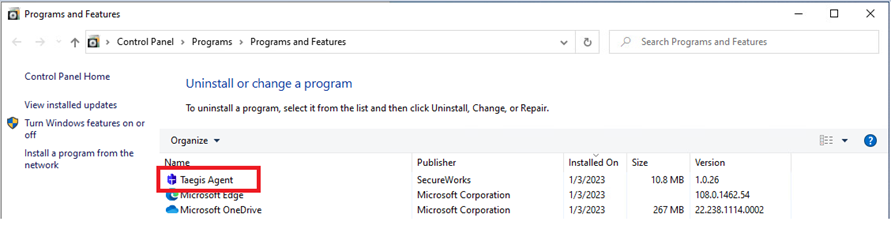
- 在 「程式和功能」中,選取 Taegis 代理程式 ,然後按一下解除 安裝。
CLI
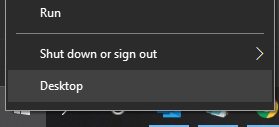
- 使用系統管理員身份,在 Windows 「開始」功能表上按右鍵,然後按一下執行。
- 在 「執行 」UI 中,鍵入
cmd然後按一下確定。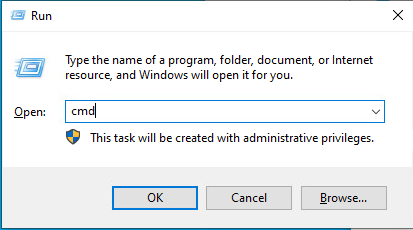
- 在命令前頭輸入
msiexec /x <TAEGISAGENT> /quiet /norestart /l*vx TaegisAgentUninstall.txt然後按下 Enter 鍵。 注意:
注意:<TAEGISAGENT>= Taegis 代理程式 MSI 檔案的路徑
Linux
按一下 CentOS、Red Hat Linux、Oracle Linux、Amazon Linux 2 或 Ubuntu ,以取得解除安裝 Secureworks Taegis XDR 代理程式的步驟。
CentOS, Red Hat Linux, Oracle Linux, Amazon Linux 2
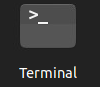
- 開啟終端機。
- 在命令前頭輸入
yum remove taegis-agent.x86_64 -y然後按下 Enter 鍵。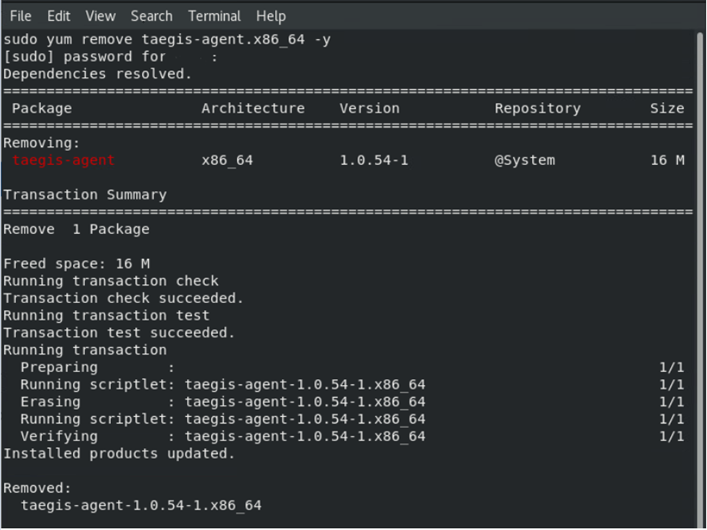
Ubuntu
- 開啟終端機。
- 在命令前頭輸入
apt remove taegis-agent -y然後按下 Enter 鍵。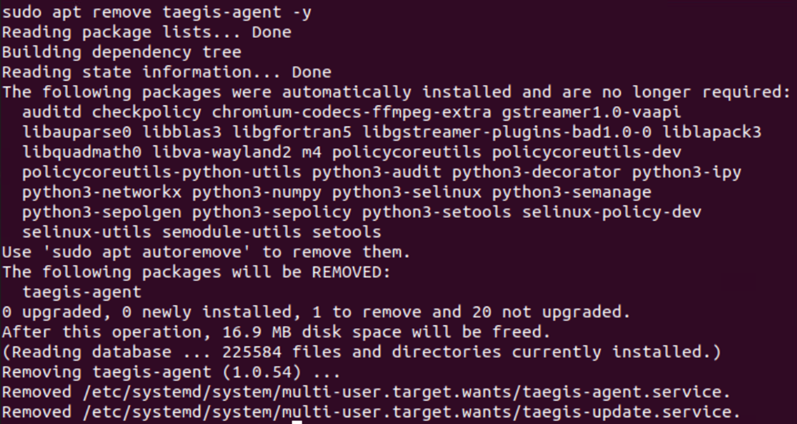
macOS
- 從 macOS 桌面,開啟 Finder 應用程式。
 注意:或者,您可以使用選項 + 命令 + 空格鍵鍵盤快速鍵來打開 Finder 應用程式。
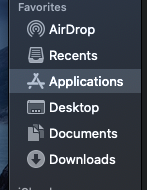
 - 按一下 應用程式。
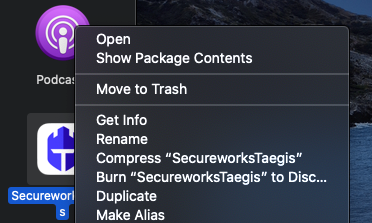
- 找到名為 SecureworksTaegis 的應用程式,然後按下 Control + 按一下以顯示選項清單。選取 移至廢紙簍 以解除安裝 SecureworksTaegis 應用程式。
- 隨即會出現通知,指出如果刪除 SecureworksTaegis 應用程式,系統延伸模組將會移除。按一下繼續 以繼續進行移除作業。
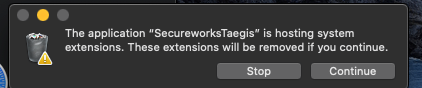
- 在 macOS 評估提示中填入您的系統管理員層級認證,然後按一下 確定。

- 按一下畫面左上角的 Apple 圖示,然後按一下重新開機。
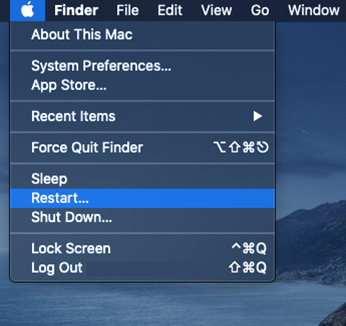
- 應用程式現已移除。
如要聯絡支援部門,請參閱 Dell Data Security 國際支援電話號碼。
請前往 TechDirect,以線上產生技術支援要求。
如需更多深入見解與資源,請加入 Dell 安全性社群論壇。
Affected Products
SecureworksArticle Properties
Article Number: 000193539
Article Type: How To
Last Modified: 12 Aug 2025
Version: 6
Find answers to your questions from other Dell users
Support Services
Check if your device is covered by Support Services.