如何卸载 Secureworks Taegis XDR 代理
Summary: 按照这些适用于 Windows、Linux 或 macOS 的说明,了解卸载 Secureworks Taegis XDR 代理程序的分步说明。
This article applies to
This article does not apply to
This article is not tied to any specific product.
Not all product versions are identified in this article.
Instructions
可能需要卸载 Secureworks Taegis XDR 代理才能:
- 对产品进行故障处理
- 解决操作系统不兼容性
本文介绍了产品的卸载步骤。
受影响的产品:
- Secureworks Taegis XDR
受影响的操作系统:
- Windows
- Linux
- macOS
单击 XDR 控制台、 Windows、 Linux 或 macOS ,了解卸载 Secureworks Taegis XDR 代理程序的步骤。
XDR 控制台
提醒:控制台卸载选项仅适用于基于 Windows 的 Taegis 代理程序。
- 从导航菜单中,选择 Endpoint Agents ,然后单击 Taegis。

- 选择相应的主机名。
- 单击省略号,然后选择 Uninstall Agent。
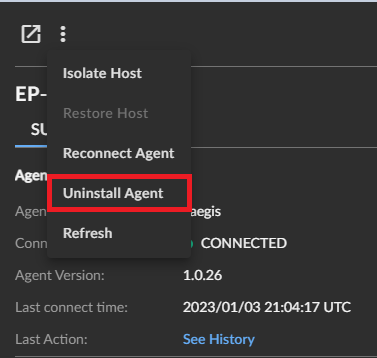
- 在 中的端点上创建卸载日志
%PROGRAMDATA%\Secureworks\TaegisAgent\TaegisAgentUninstall.txt。
Windows
Windows 上的 Secureworks Taegis XDR 代理可以通过用户界面 (UI) 或命令行界面 (CLI) 卸载。单击相应的过程以了解更多信息。
UI
- 以管理员身份登录,右键单击 Windows 开始菜单,然后单击运行。
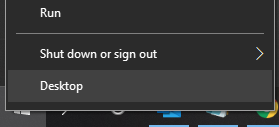
- 在 “运行 ”UI 中,键入
appwiz.cpl,然后单击 OK。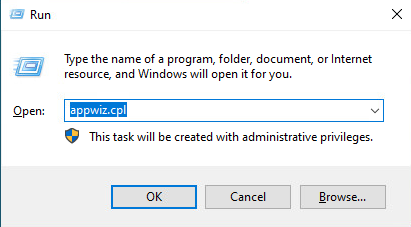
- 在 程序和功能中,选择 Taegis 代理 程序,然后单击 卸载。
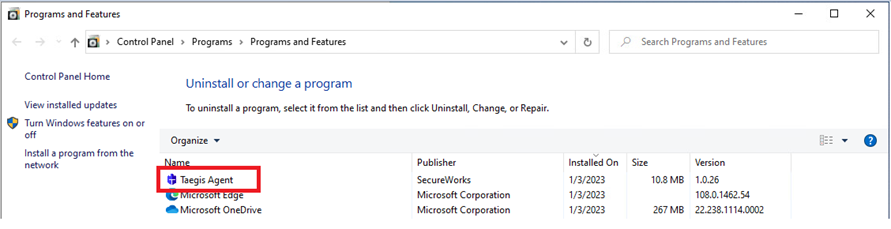
CLI
- 以管理员身份登录,右键单击 Windows 开始菜单,然后单击运行。
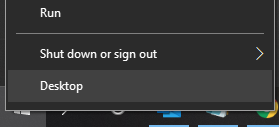
- 在 “运行 ”UI 中,键入
cmd,然后单击 OK。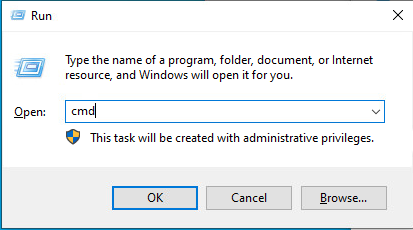
- 在命令之前键入
msiexec /x <TAEGISAGENT> /quiet /norestart /l*vx TaegisAgentUninstall.txt分析文件,然后按 Enter 键。 提醒:
提醒:<TAEGISAGENT>= Taegis 代理 MSI 文件的路径
Linux
单击 CentOS、Red Hat Linux、Oracle Linux、Amazon Linux 2或 Ubuntu ,了解卸载 Secureworks Taegis XDR 代理程序的步骤。
CentOS、Red Hat Linux、Oracle Linux、Amazon Linux 2
- 打开终端。
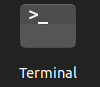
- 在命令之前键入
yum remove taegis-agent.x86_64 -y分析文件,然后按 Enter 键。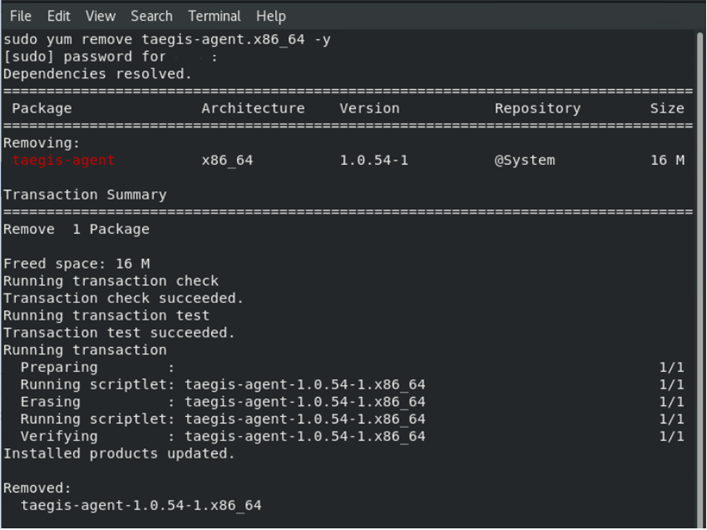
Ubuntu
- 打开终端。

- 在命令之前键入
apt remove taegis-agent -y分析文件,然后按 Enter 键。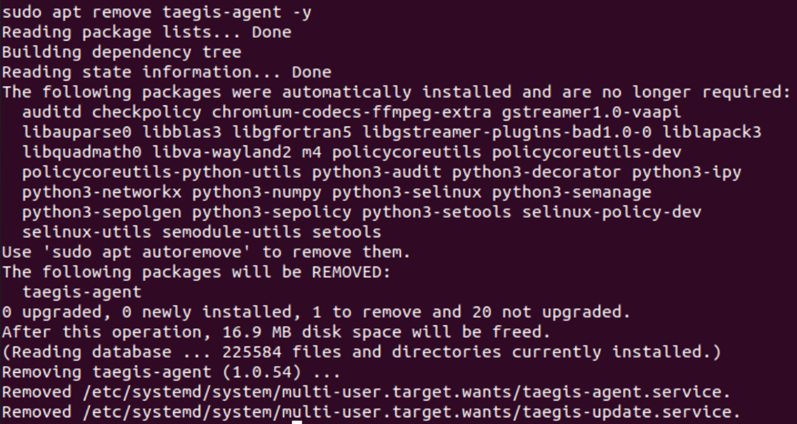
macOS
- 在 macOS 桌面上,打开 Finder 应用程序。
 提醒:(可选)您可以使用 Option + Command + Space 键盘快捷键打开 Finder 应用程序。
 - 单击 Applications。
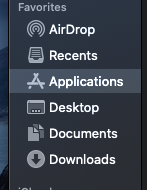
- 找到名为 SecureworksTaegis 的应用程序,然后按 Ctrl+单击以显示选项列表。选择 移至废纸篓 以卸载 SecureworksTaegis 应用程序。
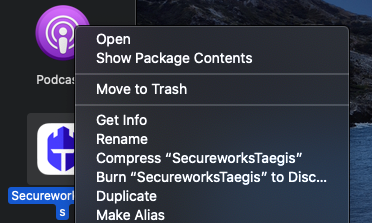
- 此时将显示一条通知,指出如果删除 SecureworksTaegis 应用程序,系统扩展将被删除。单击继续 以继续删除。

- 在 macOS 评估提示符处填充您的管理员级别凭据,然后单击 确定。
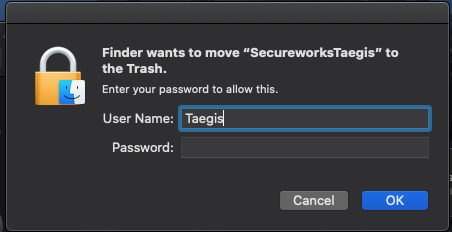
- 单击屏幕左上角的 Apple 图标,然后单击重新启动。
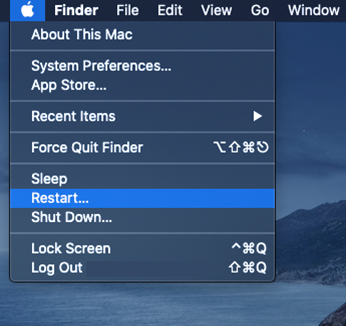
- 该应用程序现在已被删除。
要联系支持部门,请参阅 Dell Data Security 国际支持电话号码。
转至 TechDirect,在线生成技术支持请求。
要获得更多见解和资源,请加入戴尔安全社区论坛。
Affected Products
SecureworksArticle Properties
Article Number: 000193539
Article Type: How To
Last Modified: 12 Aug 2025
Version: 6
Find answers to your questions from other Dell users
Support Services
Check if your device is covered by Support Services.