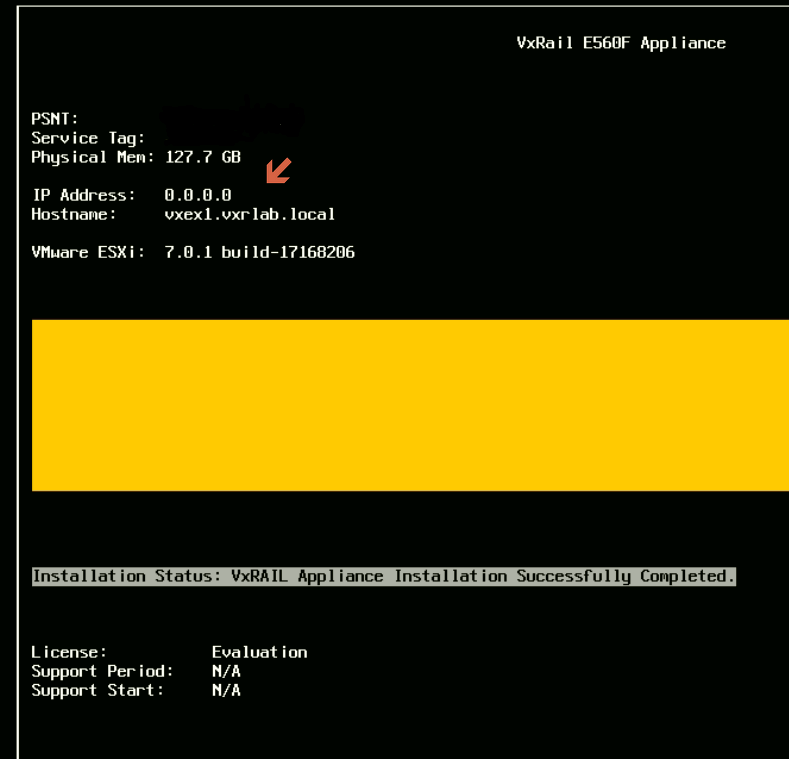
VxRail: Po zainstalowaniu i/lub uaktualnieniu adres IP DCUI ESXi 0.0.0.0
Summary: Po instalacji i/lub aktualizacji adres IP vSphere DCUI jest wyświetlany jako 0.0.0.0.
This article applies to
This article does not apply to
This article is not tied to any specific product.
Not all product versions are identified in this article.
Symptoms
Po zainstalowaniu i/lub uaktualnieniu adres IP DCUI ESXi 0.0.0.0.
Cause
Domyślnie system operacyjny ESXi wybiera statyczny adres IP z vmk0.
Resolution
Rozwiązanie problemu:
- Przełącz węzły, których dotyczy problem, w tryb konserwacji
- Ustaw prawidłowy interfejs VMkernel i adres IP zarządzania, uruchom:
# esxcfg-advcfg --set vmk2 /Net/ManagementIface
# esxcfg-advcfg --set <IP address> /Net/ManagementAddr
- Sprawdź i potwierdź, czy ustawienia są poprawne w poniższych plikach:
/etc/vmware/esx.conf > look for line: /adv/Net/ManagementAddr
/bootbank/etc/vmware/esx.conf > look for line: /adv/Net/ManagementAddr
/altbootbank/etc/vmware/esx.conf > look for line: /adv/Net/ManagementAddr
- Uruchom
auto-backup.shi potwierdź te same ustawienia z powyższych plików - Uruchom ponownie hosta
- Dokładnie sprawdź problem
Affected Products
Converged Infrastructure, Converged Systems, Hybrid Cloud Platforms, Hyper-converged SystemsArticle Properties
Article Number: 000193940
Article Type: Solution
Last Modified: 05 Sep 2025
Version: 5
Find answers to your questions from other Dell users
Support Services
Check if your device is covered by Support Services.