VxRail:安装和/或升级后,ESXi DCUI IP 地址 0.0.0.0
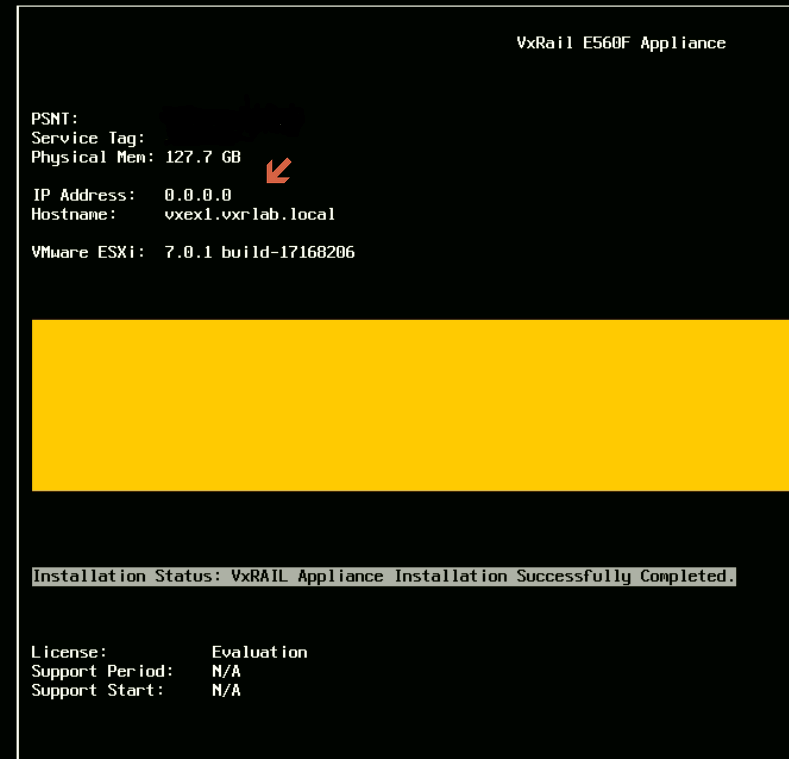
Summary: 安装和/或升级后,vSphere DCUI IP 地址显示为 0.0.0.0。
This article applies to
This article does not apply to
This article is not tied to any specific product.
Not all product versions are identified in this article.
Symptoms
安装和/或升级后,ESXi DCUI IP 地址为 0.0.0.0.
Cause
默认情况下,ESXi作系统从 vmk0 中选取静态 IP 地址。
Resolution
要解决此问题:
- 将受影响的节点置于维护模式
- 设置正确的 VMkernel 接口和管理 IP 地址,请运行:
# esxcfg-advcfg --set vmk2 /Net/ManagementIface
# esxcfg-advcfg --set <IP address> /Net/ManagementAddr
- 检查并确认以下文件中是否存在正确的设置:
/etc/vmware/esx.conf > look for line: /adv/Net/ManagementAddr
/bootbank/etc/vmware/esx.conf > look for line: /adv/Net/ManagementAddr
/altbootbank/etc/vmware/esx.conf > look for line: /adv/Net/ManagementAddr
- 在该节点上运行
auto-backup.sh并确认上述文件中的相同设置 - 重新启动主机
- 仔细检查问题
Affected Products
Converged Infrastructure, Converged Systems, Hybrid Cloud Platforms, Hyper-converged SystemsArticle Properties
Article Number: 000193940
Article Type: Solution
Last Modified: 05 Sep 2025
Version: 5
Find answers to your questions from other Dell users
Support Services
Check if your device is covered by Support Services.