VxRail: 이미지 기반 백업에서 복원한 후 vCenter 서비스가 자동으로 시작되지 않음
Summary: 이미지 기반 백업에서 복원한 후 vCenter 서비스가 자동으로 시작되지 않음
This article applies to
This article does not apply to
This article is not tied to any specific product.
Not all product versions are identified in this article.
Symptoms
- 백업에서 VM을 복원한 후 vCenter/PSC가 완전히 시작되지 않음
- 백업 방법은 이미지 기반 백업이었습니다.
- VAMI 파일 기반 백업을 사용하는 백업은 영향을 받지 않습니다.
- vmon 서비스가 마스킹되어 vmon에서 관리하는 모든 서비스를 시작할 수 없습니다.
- vmon의 마스킹을 해제하면 서비스를 성공적으로 시작할 수 있습니다.
- 재부팅 시 vmon이 다시 마스킹됩니다.
서비스를 수동으로 시작하면 다음과 같이 실패합니다.
#service-control --start --all
Operation not cancellable. Please wait for it to finish...
Performing start operation on service lwsmd...
Service lwsmd startup type is not automatic. Skip
Performing start operation on service vmafdd...
Service vmafdd startup type is not automatic. Skip
Performing start operation on service vmdird...
Service vmdird startup type is not automatic. Skip
Performing start operation on service vmcad...
Service vmcad startup type is not automatic. Skip
Performing start operation on service vmware-sts-idmd...
Service vmware-sts-idmd startup type is not automatic. Skip
Performing start operation on service vmware-stsd...
Service vmware-stsd startup type is not automatic. Skip
Performing start operation on service vmdnsd...
Service vmdnsd startup type is not automatic. Skip
Performing start operation on profile: ALL...
Service vmware-vmon startup type is not automatic. Skip
Service-control failed. Error: Failed to start services in profile ALL. RC=11, stderr=Connect error. ErrCode: 111
vmon이 마스킹되었는지 확인하는 방법은 다음과 같습니다.
# systemctl list-unit-files | grep vmware-vmon.service
vmware-vmon.service          masked
서비스의 마스킹을 해제합니다.
#systemctl unmask vmware-vmon.service
참고: 이렇게 하면 서비스를 시작할 수 있지만 재부팅 시 문제가 다시 발생합니다.
Cause
N/A
Resolution
-
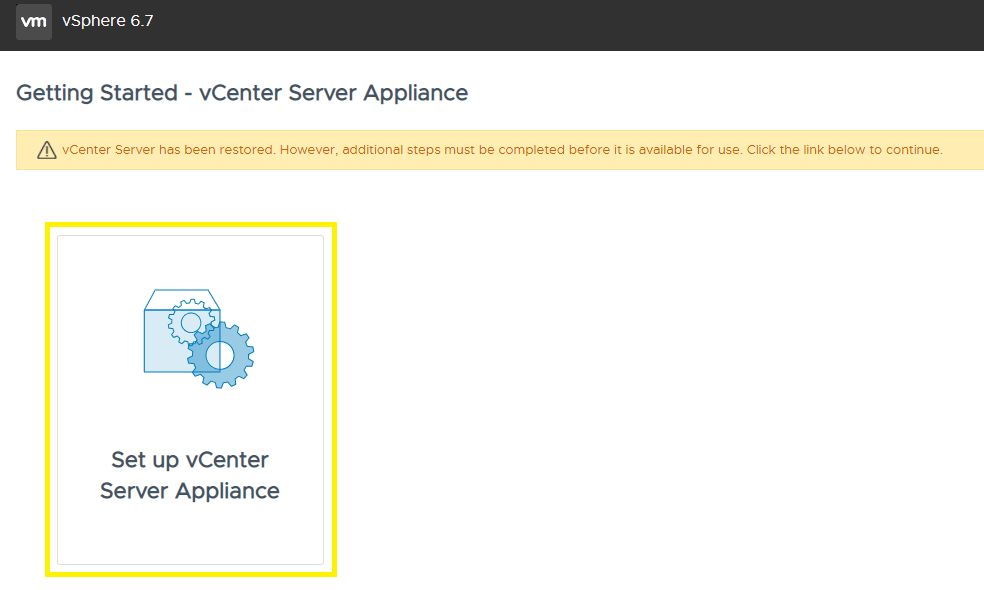
vCenter Server 관리 인터페이스(https://vCenter_FQDN_or_IP:5480)로 이동하여 vCenter Server Appliance 설정 버튼을 클릭합니다.
-
루트 암호를 입력하고 LOG IN을 클릭합니다.

-
NEXT를 클릭합니다.

-
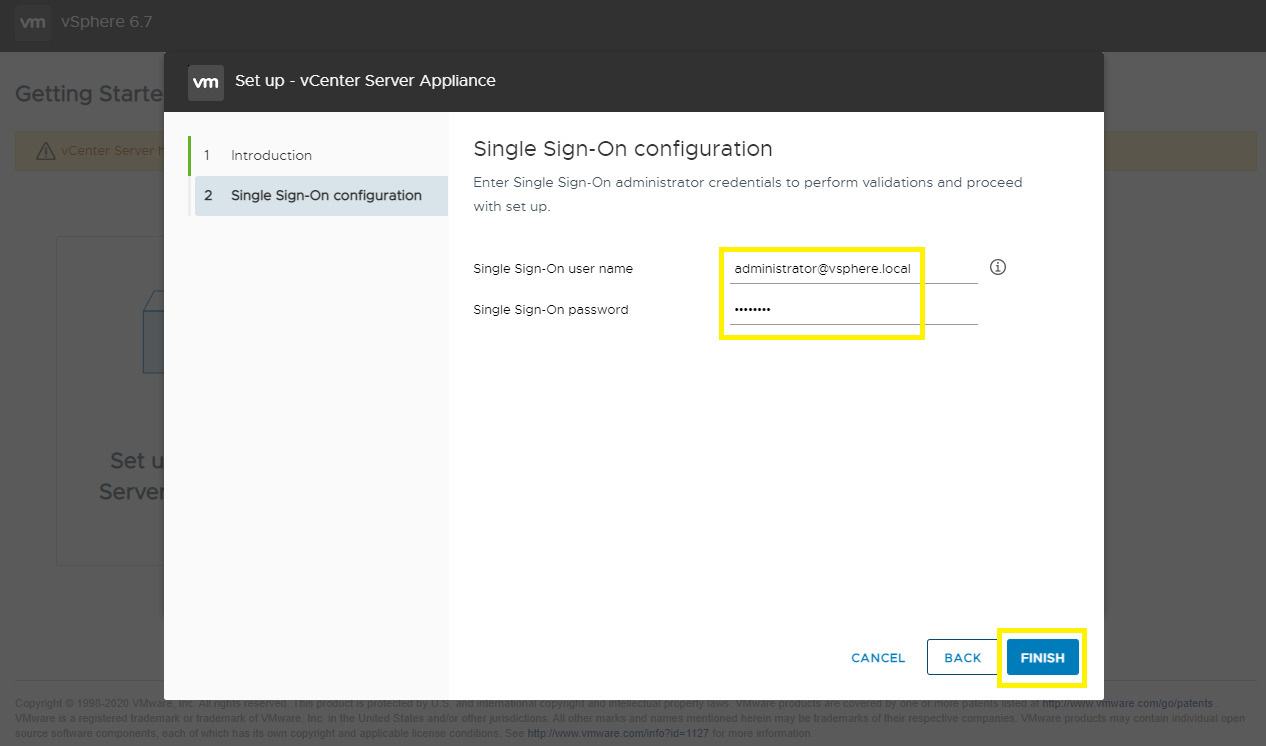
SSO 사용자 이름과 비밀번호를 입력하고 마침을 클릭합니다.
-
조정이 시작됩니다. 완료될 때까지 15 - 30분 정도 기다리십시오.

-
조정이 완료되고 vSphere Client에 액세스할 수 있습니다.

Affected Products
VxRack, VxRail, VxRail SoftwareArticle Properties
Article Number: 000195302
Article Type: Solution
Last Modified: 04 Sep 2025
Version: 3
Find answers to your questions from other Dell users
Support Services
Check if your device is covered by Support Services.