VxRail: os serviços do vCenter não são iniciados automaticamente após uma restauração a partir de um backup baseado em imagem
Summary: Os serviços do vCenter não são iniciados automaticamente após uma restauração a partir de um backup baseado em imagem
This article applies to
This article does not apply to
This article is not tied to any specific product.
Not all product versions are identified in this article.
Symptoms
- O vCenter/PSC não inicia totalmente após a restauração da VM do backup
- O método de backup foi um backup baseado em imagem.
- Os backups que usam o backup baseado em arquivo do VAMI não são afetados.
- O serviço VMON é mascarado, não permitindo assim que todos os serviços gerenciados pelo VMON sejam iniciados.
- O desmascaramento do vmon permite que os serviços sejam iniciados com sucesso.
- Na reinicialização, o vmon volta a ser mascarado.
Em um início manual dos serviços, ele falha como abaixo,
#service-control --start --all
Operation not cancellable. Please wait for it to finish...
Performing start operation on service lwsmd...
Service lwsmd startup type is not automatic. Skip
Performing start operation on service vmafdd...
Service vmafdd startup type is not automatic. Skip
Performing start operation on service vmdird...
Service vmdird startup type is not automatic. Skip
Performing start operation on service vmcad...
Service vmcad startup type is not automatic. Skip
Performing start operation on service vmware-sts-idmd...
Service vmware-sts-idmd startup type is not automatic. Skip
Performing start operation on service vmware-stsd...
Service vmware-stsd startup type is not automatic. Skip
Performing start operation on service vmdnsd...
Service vmdnsd startup type is not automatic. Skip
Performing start operation on profile: ALL...
Service vmware-vmon startup type is not automatic. Skip
Service-control failed. Error: Failed to start services in profile ALL. RC=11, stderr=Connect error. ErrCode: 111
Veja como verificar se um vmon está mascarado.
# systemctl list-unit-files | grep vmware-vmon.service
vmware-vmon.service          masked
Para desmascarar o serviço.
#systemctl unmask vmware-vmon.service
Nota: Isso permite que você inicie o serviço -, mas o problema ocorre novamente na reinicialização.
Cause
N/D
Resolution
-
Acesse a interface de gerenciamento do vCenter Server, https://vCenter_FQDN_or_IP:5480 e clique no botão Configurar o vCenter Server Appliance .

-
Insira a senha de root e clique em LOG IN.

-
Clique em NEXT.

-
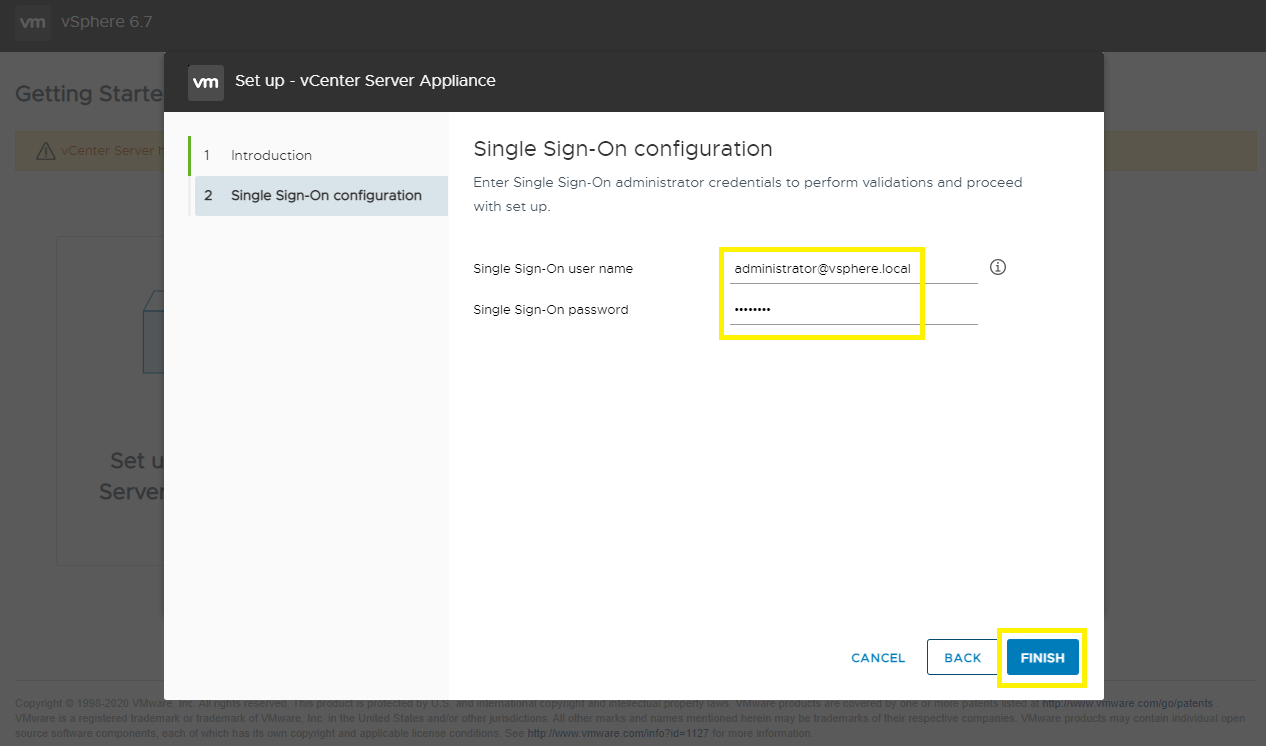
Insira um nome de usuário e senha SSO e clique em FINISH.
-
A reconciliação é iniciada. Aguarde de 15 a 30 minutos para terminar.

-
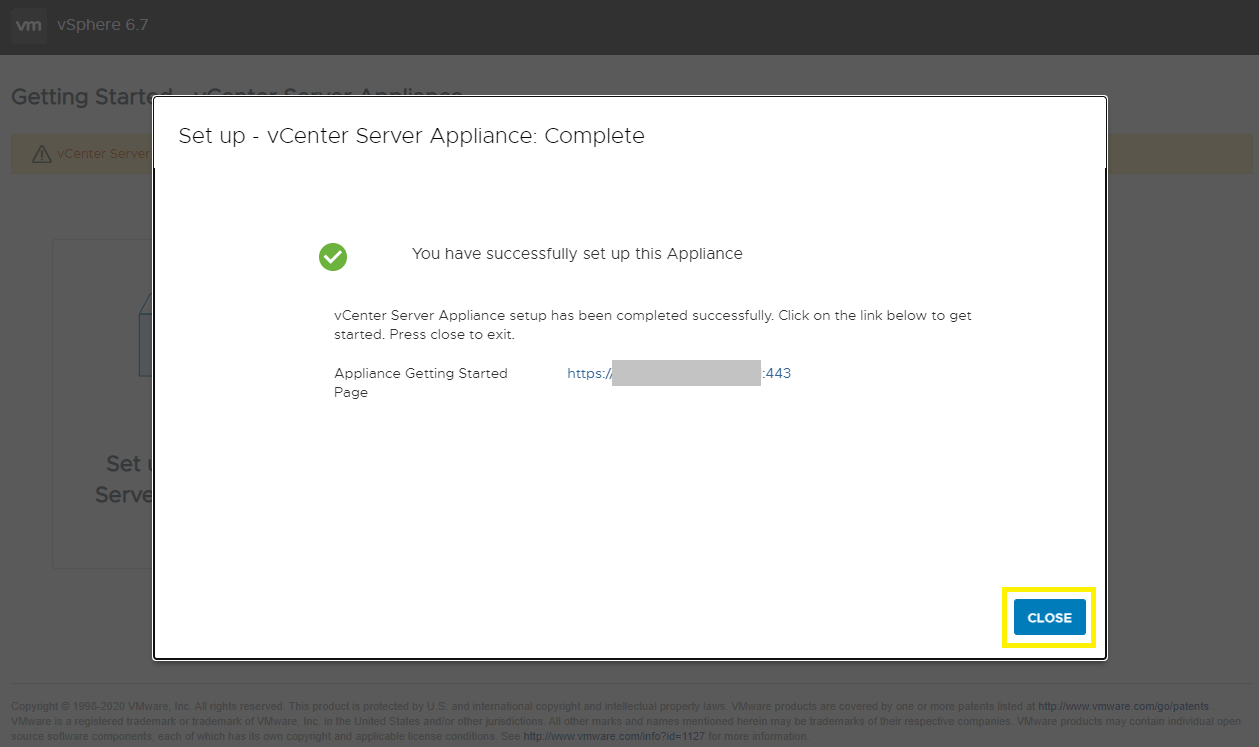
A reconciliação é concluída e você pode acessar o vSphere Client.
Affected Products
VxRack, VxRail, VxRail SoftwareArticle Properties
Article Number: 000195302
Article Type: Solution
Last Modified: 04 Sep 2025
Version: 3
Find answers to your questions from other Dell users
Support Services
Check if your device is covered by Support Services.