VxRail:从基于映像的备份还原后,vCenter 服务未自动启动
Summary: 从基于映像的备份还原后,vCenter 服务未自动启动
This article applies to
This article does not apply to
This article is not tied to any specific product.
Not all product versions are identified in this article.
Symptoms
- 从备份还原虚拟机后,vCenter/PSC 未完全启动
- 备份方法是基于映像的备份。
- 使用 VAMI 基于文件的备份的备份不受影响。
- VMON 服务被掩蔽 — 因此不允许启动由 VMON 管理的所有服务。
- 取消掩蔽 vmon 可使服务成功启动。
- 重新启动时,vmon 再次被掩蔽。
在手动启动服务时,它会失败,如下所示:
#service-control --start --all
Operation not cancellable. Please wait for it to finish...
Performing start operation on service lwsmd...
Service lwsmd startup type is not automatic. Skip
Performing start operation on service vmafdd...
Service vmafdd startup type is not automatic. Skip
Performing start operation on service vmdird...
Service vmdird startup type is not automatic. Skip
Performing start operation on service vmcad...
Service vmcad startup type is not automatic. Skip
Performing start operation on service vmware-sts-idmd...
Service vmware-sts-idmd startup type is not automatic. Skip
Performing start operation on service vmware-stsd...
Service vmware-stsd startup type is not automatic. Skip
Performing start operation on service vmdnsd...
Service vmdnsd startup type is not automatic. Skip
Performing start operation on profile: ALL...
Service vmware-vmon startup type is not automatic. Skip
Service-control failed. Error: Failed to start services in profile ALL. RC=11, stderr=Connect error. ErrCode: 111
下面介绍如何检查 vmon 是否被掩蔽。
# systemctl list-unit-files | grep vmware-vmon.service
vmware-vmon.service          masked
取消掩蔽服务。
#systemctl unmask vmware-vmon.service
提醒:这允许您启动服务,但在重新启动时问题再次出现。
Cause
N/A
Resolution
-
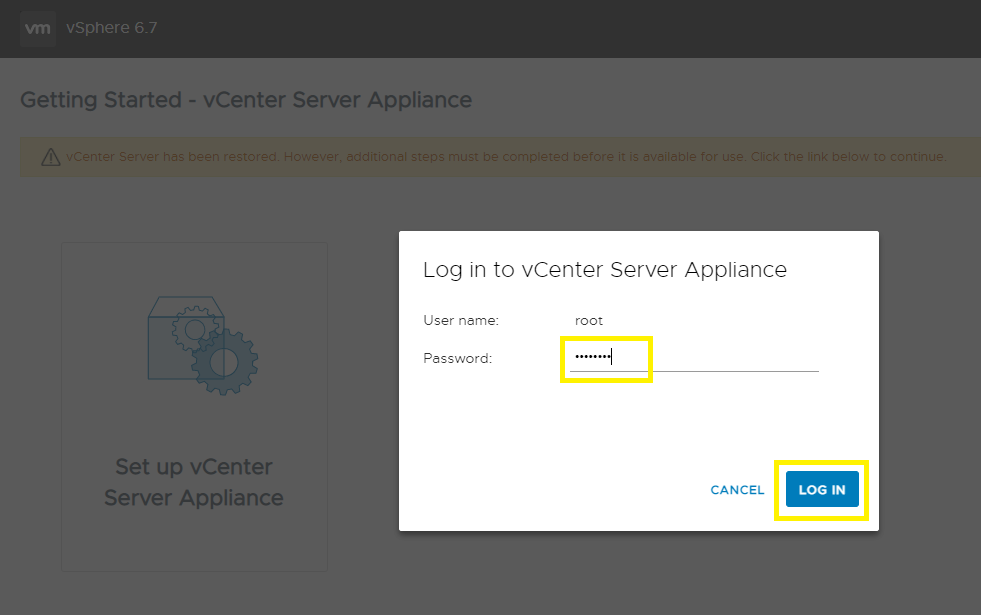
转至 vCenter Server 管理界面 (https://vCenter_FQDN_or_IP:5480),然后单击 设置 vCenter Server Appliance 按钮。

-
输入 root 密码,然后单击 LOG IN。
-
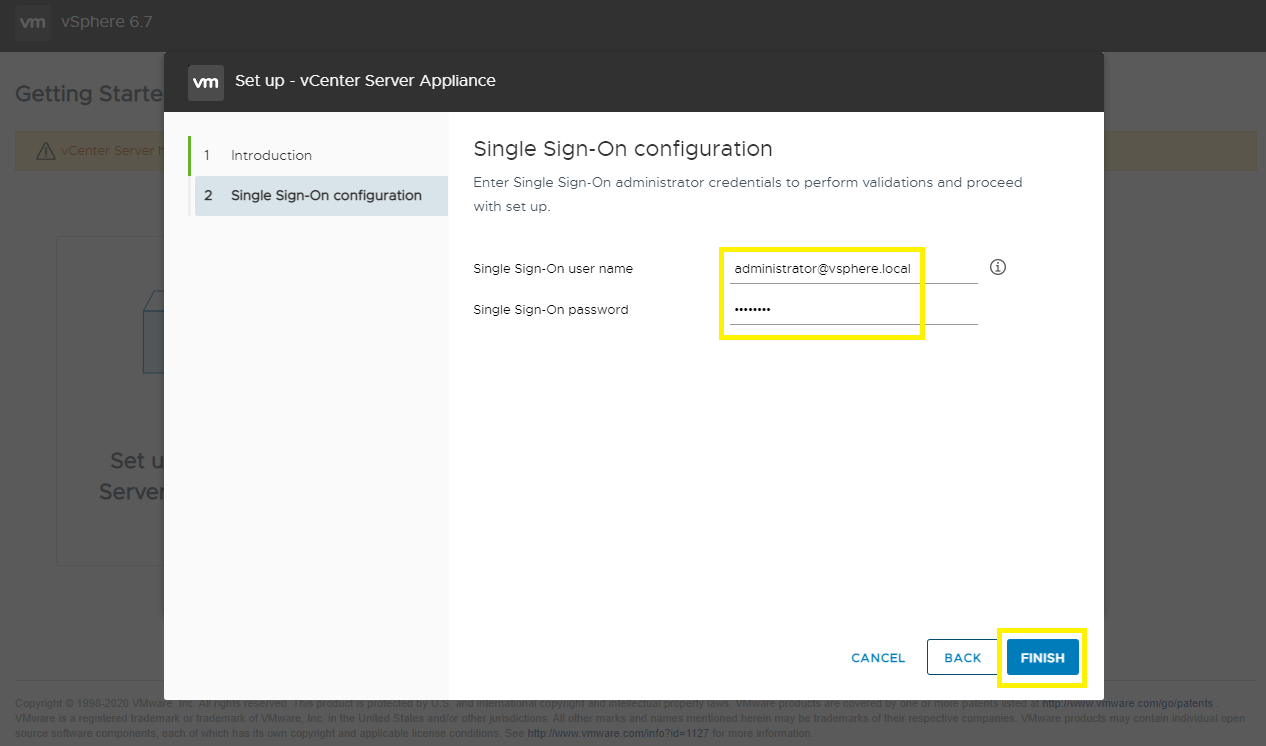
单击 NEXT。

-
输入 SSO 用户名和密码,然后单击 完成。
-
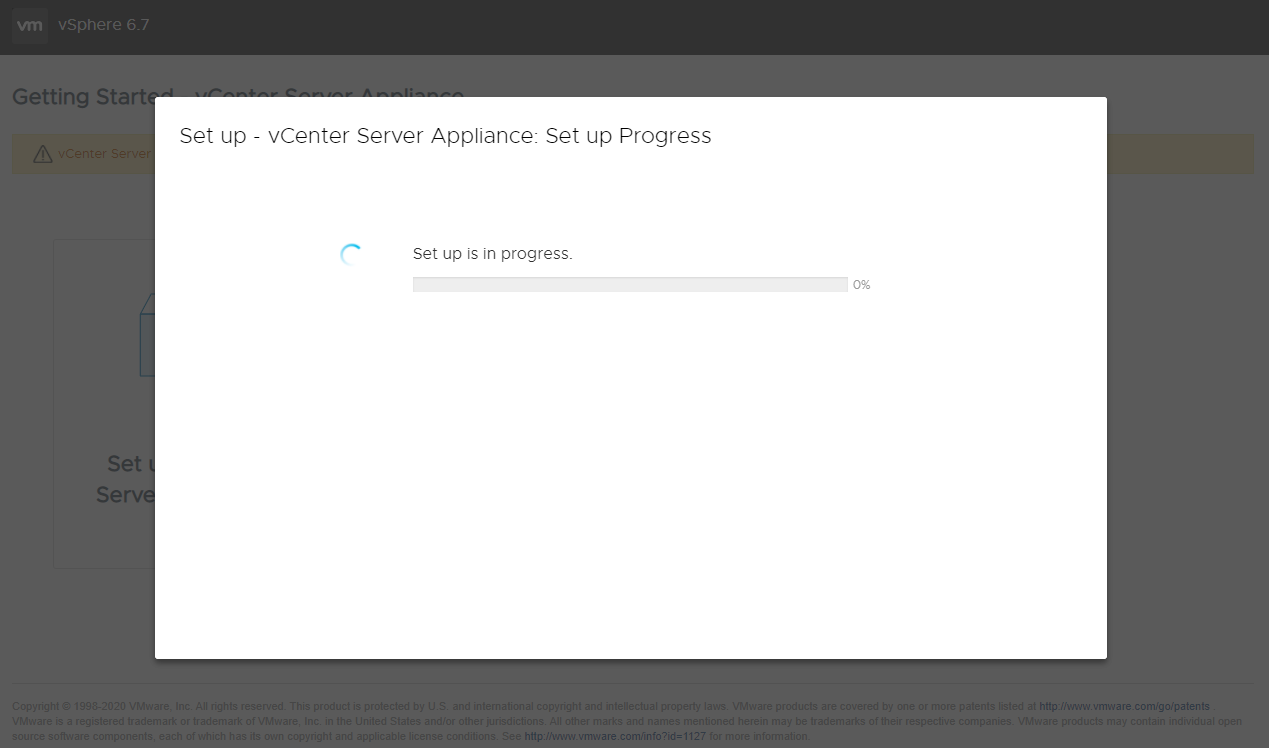
和解开始。等待 15-30 分钟以完成操作。
-
协调完成,您可以访问 vSphere Client。

Affected Products
VxRack, VxRail, VxRail SoftwareArticle Properties
Article Number: 000195302
Article Type: Solution
Last Modified: 04 Sep 2025
Version: 3
Find answers to your questions from other Dell users
Support Services
Check if your device is covered by Support Services.