PowerProtect Data Manager:如何导出特定作业的日志
Summary: “导出日志功能”从 PowerProtect Data Manager 日志中收集所有跟踪 ID,并以简明易懂的形式放置它们,可以清除所有主机名和 IP 地址并将其提供给支持部门。
This article applies to
This article does not apply to
This article is not tied to any specific product.
Not all product versions are identified in this article.
Instructions
某些环境(如非联网站点)无法清理整个日志捆绑包,但可以清理更小的内容。“导出日志功能”从 PowerProtect Data Manager (PPDM) 日志中收集所有跟踪 ID,并将其置于可读的简洁形式中,可清除所有主机名和 IP 地址并将其提供给支持部门。
程序:
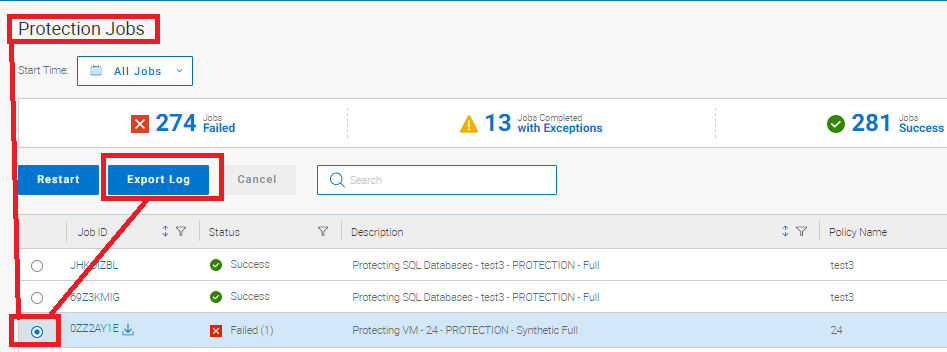
在 Protection Job屏幕中:
- 选择发生故障的作业。
- 单击 导出日志。
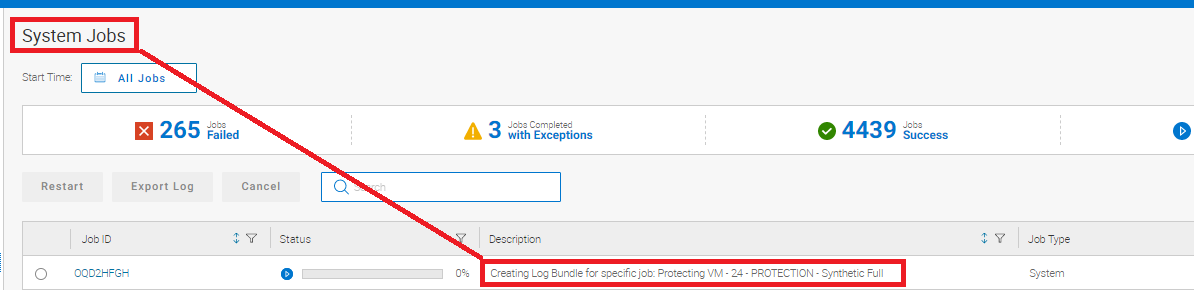
- System Jobs屏幕显示正在创建日志。
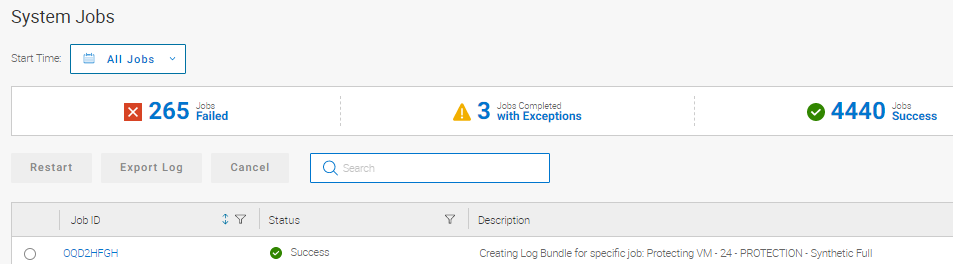
它还会在成功完成时显示。
- 返回到 Protection Jobs屏幕,然后单击软件包的 Download log 链接。
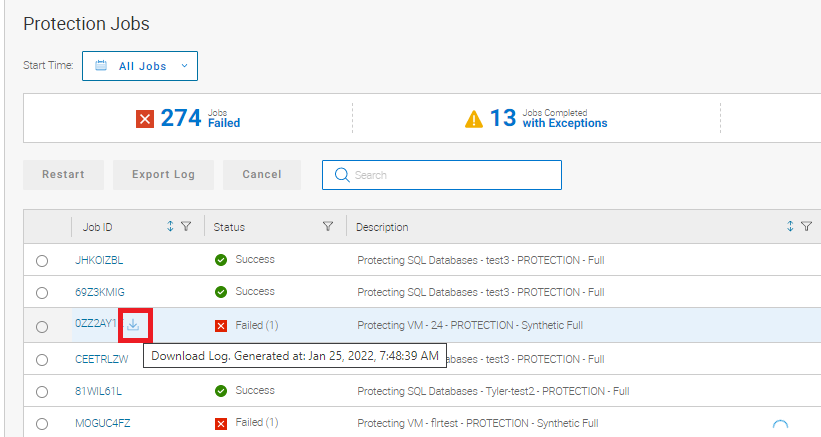
此下载链接允许用户选择日志的保存目录。

此功能使清理信息更易于上传。
Article Properties
Article Number: 000195595
Article Type: How To
Last Modified: 22 Oct 2024
Version: 4
Find answers to your questions from other Dell users
Support Services
Check if your device is covered by Support Services.