How to Request API Enablement in Wyse Management Suite Pro
Summary: This article provides information about how to enable API access in Wyse Management Suite (WMS) Pro.
This article applies to
This article does not apply to
This article is not tied to any specific product.
Not all product versions are identified in this article.
Instructions
Affected Products:
- Wyse Management Suite Pro
Affected Versions:
- v3.5 and Later
API access for WMS can be enabled for both On-Premises and Cloud-based customers.
On-premises Customers:
API access can be enabled from the Portal Administration tab in WMS.
Follow the steps below:
- Log in to WMS.
- Go to Portal Administration > Other Settings > Select Enable WMS API Check box and Save Settings
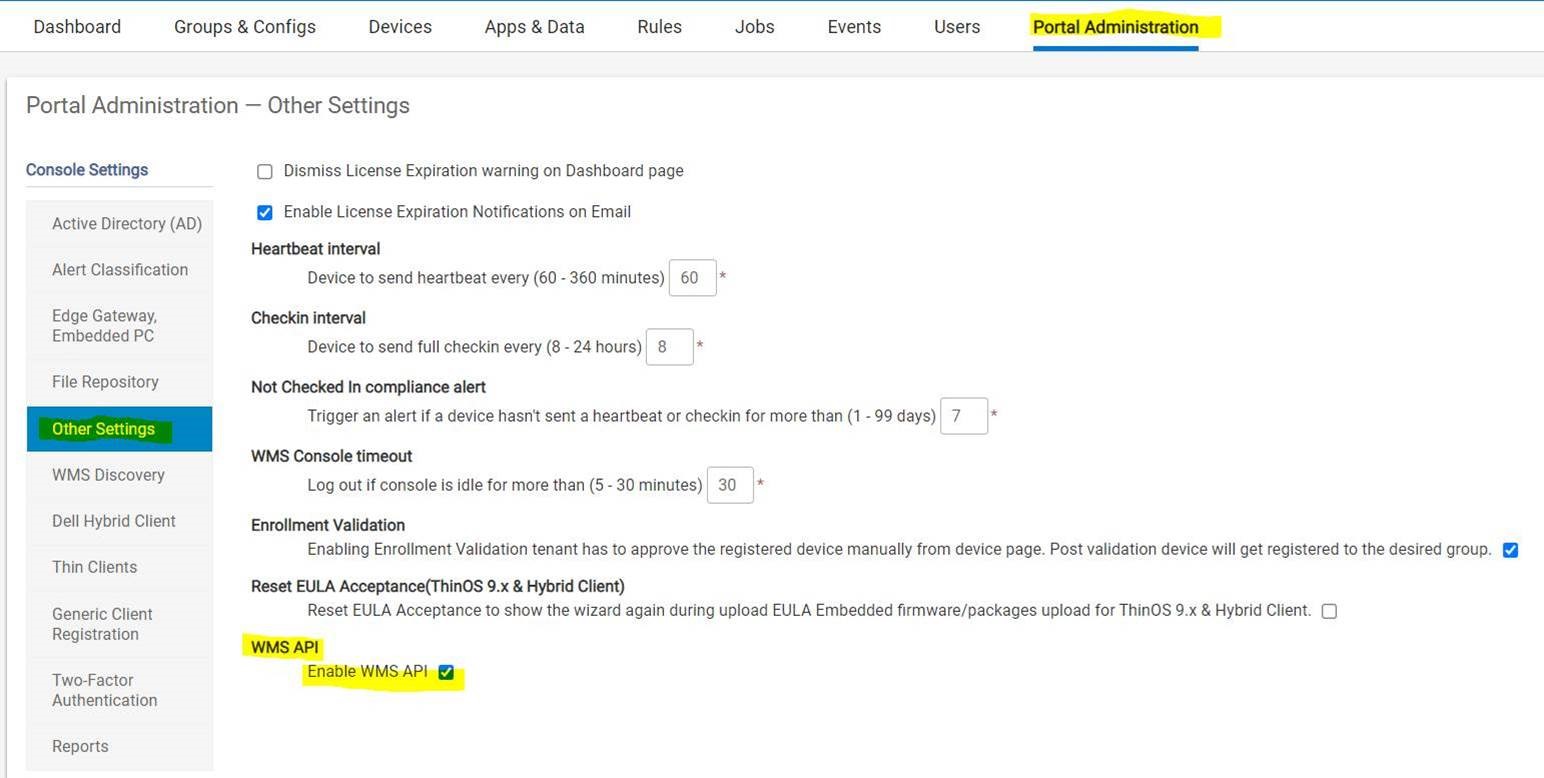
Figure 1 (English Only): Enable WMS API
Cloud Customers:
Cloud Customers who have an API license get the API Check box to enable in WMS Cloud. Otherwise you cannot see the API Check box in the WMS Cloud instance. To request API enablement, contact Dell Technical support. The following information must be provided:
- First Name
- Last Name
- Tenant name
- Address
- Destination Country
- Phone
- Instance: US1 or EU1
Requests are actioned within 48 hours of being submitted.
Affected Products
Wyse Management SuiteArticle Properties
Article Number: 000195606
Article Type: How To
Last Modified: 03 Jan 2024
Version: 2
Find answers to your questions from other Dell users
Support Services
Check if your device is covered by Support Services.